Five of the Best Email Apps on iPhone

Email apps are a popular App Store category for one simple reason - almost all of us need to access email on our iPhones and iPads. While Apple has its own Mail app built into iOS devices, some people want a more feature rich experience.

Luckily there are plenty of developers out there who are trying to create the perfect iOS inbox, but it's hard to sort through the dozens of email apps available. We dove into the ‌App Store‌ in our latest YouTube video and rounded up a handful of the best email apps we found.


Best Email Apps for iPhone

Spike

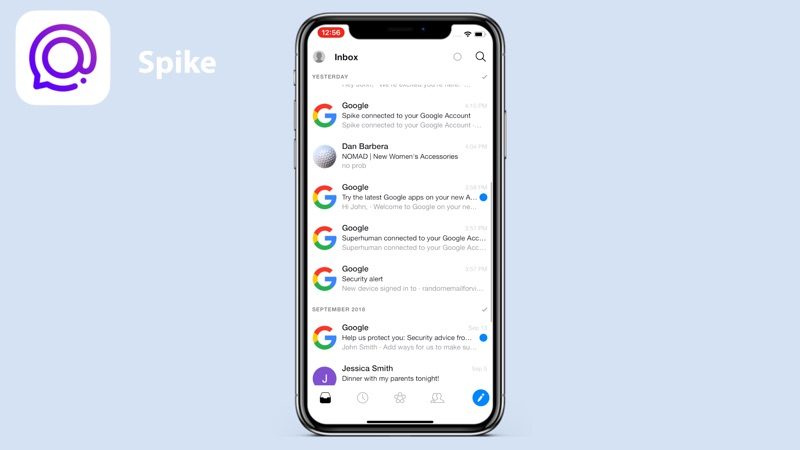
Spike, a free app, is a conversation-based email app that used to be called Hop. The app's aim is to turn emailing into more of a message like conversation, organizing the inbox into a chat-style window.
emailappsspike
Spike removes email headers, signatures, and more to make the emailing experience chat-like, and it prioritizes emails sent by people while filing newsletters and other automatic emails to other folders. Other features include a unified inbox, email grouping options, quick responses, a unified calendar, and snooze. Spike is unusual and not our first choice, but it's definitely unique and could be what some people are looking for.

Polymail

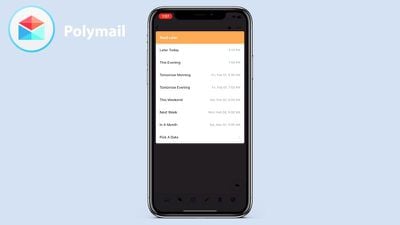
Polymail, also free, is more of a traditional email app. It has a sleek, clean interface with a useful comment and mention feature that's available on the desktop for teams.

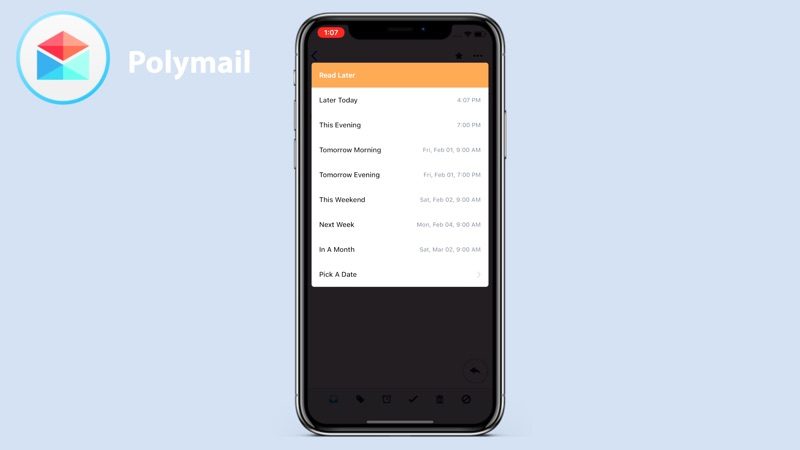
On iOS, Polymail offers useful features like quick tags, read later, and read receipts to let you know what someone has received and read your email. You can also get reminders to follow up on an email that someone has read but not responded to. Other unique features include a calendar invite option in the compose window, one-click unsubscribe, email scheduling, click and attachment tracking, and more.
emailappspolymail
Polymail is one of the more useful apps if you want to better track who is viewing your emails, but if you don't need that functionality, there may be better apps for you.

Airmail

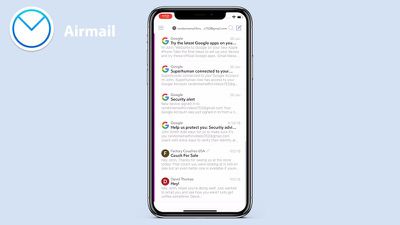
Airmail, priced at $4.99, started as a Mac app and then expanded to iOS. Airmail is a straightforward email app with a focus on minimalism. There's a single unified "All Inboxes" view for quick email management, but if you swipe from the left, there's access to folders for to-do lists, snoozed emails, and attachments, which is handy for finding specific content.

Airmail keeps it simple with options to reply, delete, and archive when viewing an email, though there are an expanded set of features in the compose window, including tracking, send later options, reminders, and templates. Airmail is compatible with a wide range of other services and apps so you can better integrate the apps you already use with your email app.
emailappsairmail
Airmail's interface isn't going to appeal to everyone, especially on iOS, but it offers a good cross-platform experience.

Spark

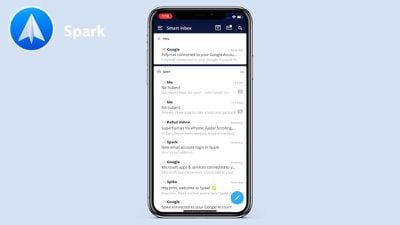
Spark, a free app from Readdle, is one of our top email app picks. Spark offers up a Smart Inbox that presents your most important emails first, saving the junk, newsletters, and less important tasks for later.

Emails are automatically categorized into sections that include Personal, Notifications, and Newsletters, but you can use a single firehose inbox option if you want. Spark has a robust search engine, which makes it easy to find any email, something that we liked about the app.
emailappsspark
Spark has tools for discussing and collaborating on emails with your team, and it's one of the few email apps with these kinds of tools. It also offers options for scheduling emails and snoozing emails, plus there are smart notifications so you only get pinged when there's something important to see.

Other Spark features include followup reminders, integrations with other services, and customizable swipe gestures.

Edison Mail

Edison Mail, another free app, is super popular on the ‌App Store‌ for a reason. It has a clean, modern look, customizable swipe settings, and all of the tools that you need for managing your email.

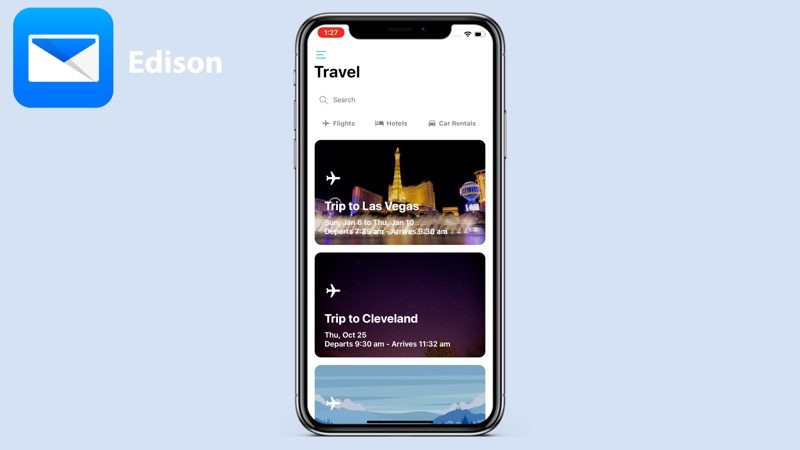
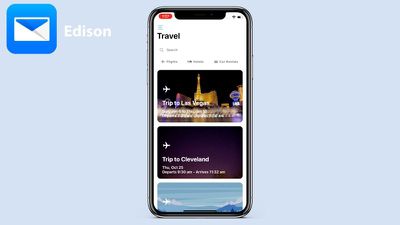
Edison Mail's design is reminiscent of the design of the Mail app, so it fits well on the iPhone, but it offers a richer feature set than the Mail app. There's an included personal assistant that organizes your inbox, sorting out subscriptions, travel emails, bills, receipts, and package emails.
emailappsedison
It lets you track packages and sends an alert when something is out for delivery, and it can do other things like send notifications for upcoming flights. Traditional tools are included too, like snooze options, send undo, and one-tap unsubscribe. It also integrates with Face ID, providing another layer of protection for your inbox.

Conclusion

Of all the email apps listed above, which are some excellent options for email management, we liked Spark and Edison the best, with Edison ranking as our top favorite. If you're looking for a new email app to try out, it's worth taking a look at everything on the list.

Did we miss your favorite email app? Let us know which one you prefer in the comments.

Popular Stories

Apple Logo Zoomed

Tim Cook Teases Plans for Apple's Upcoming 50th Anniversary

Thursday February 5, 2026 12:54 pm PST by
Apple turns 50 this year, and its CEO Tim Cook has promised to celebrate the milestone. The big day falls on April 1, 2026. "I've been unusually reflective lately about Apple because we have been working on what do we do to mark this moment," Cook told employees today, according to Bloomberg's Mark Gurman. "When you really stop and pause and think about the last 50 years, it makes your heart ...
wwdc sans text feature

Apple Rumored to Announce New Product on February 19

Thursday February 5, 2026 12:22 pm PST by
Apple plans to announce the iPhone 17e on Thursday, February 19, according to Macwelt, the German equivalent of Macworld. The report, citing industry sources, is available in English on Macworld. Apple announced the iPhone 16e on Wednesday, February 19 last year, so the iPhone 17e would be unveiled exactly one year later if this rumor is accurate. It is quite uncommon for Apple to unveil...
Finder Siri Feature

Why Apple's iOS 26.4 Siri Upgrade Will Be Bigger Than Originally Promised

Friday February 6, 2026 3:06 pm PST by
In the iOS 26.4 update that's coming this spring, Apple will introduce a new version of Siri that's going to overhaul how we interact with the personal assistant and what it's able to do. The iOS 26.4 version of Siri won't work like ChatGPT or Claude, but it will rely on large language models (LLMs) and has been updated from the ground up. Upgraded Architecture The next-generation...
iOS 26

iOS 26.3 and iOS 26.4 Will Add These New Features to Your iPhone

Tuesday February 3, 2026 7:47 am PST by
While the iOS 26.3 Release Candidate is now available ahead of a public release, the first iOS 26.4 beta is likely still at least a week away. Following beta testing, iOS 26.4 will likely be released to the general public in March or April. Below, we have recapped known or rumored iOS 26.3 and iOS 26.4 features so far. iOS 26.3 iPhone to Android Transfer Tool iOS 26.3 makes it easier...
iphone 17 pro dark blue 1

iPhone 18 Pro Max Rumored to Deliver Next-Level Battery Life

Friday February 6, 2026 5:14 am PST by
The iPhone 18 Pro Max will feature a bigger battery for continued best-in-class battery life, according to a known Weibo leaker. Citing supply chain information, the Weibo user known as "Digital Chat Station" said that the iPhone 18 Pro Max will have a battery capacity of 5,100 to 5,200 mAh. Combined with the efficiency improvements of the A20 Pro chip, made with TSMC's 2nm process, the...

Top Rated Comments

Jimpilot Avatar
92 months ago
Shocked you didn't mention Outlook. The latest version combines what I like in Airmail and Edison
Score: 45 Votes (Like | Disagree)
fumi2014 Avatar
92 months ago
Outlook on iOS is by far and away the best. Makes Apple’s own effort look poor.
Score: 43 Votes (Like | Disagree)
drumcat Avatar
92 months ago
All of which you must provide your email password, and every email traverses their servers.

I did this with Airmail shortly, and they screwed up and forced 4 password resets with iCloud in 48 hours. Once I knew they were a proxy, it was immediately back to the iOS app. It's not just a better UI; it's a server you have to trust. I don't anymore after being burned.

Just be sure you are comfortable with all of your emails going through the servers of the app you use.

(Edit: remember, if something is free, you're the product...)
Score: 31 Votes (Like | Disagree)
The Whole Picture Avatar
92 months ago
I'm always on guard for an app that 'free', which is code for 'you are the product'. If Edison is free, how is it monetised - how-do-they-make-money?
Score: 23 Votes (Like | Disagree)
Apple_Robert Avatar
92 months ago
Dan, I am surprised you like and recommend Edison.

From their privacy policy: "Any data we do collect is used for only three purposes: 1) to provide you with the best service possible, 2) to perform research on new features for our users, and 3) to create aggregate ecommerce trends.

Edison talks a good security game earlier in their statement and then in less than straight-forward language, they let you know what they are really about. Sound familiar? Think Google and Facebook.

Edited to add: If MR is going to suggest apps like these, the least they should do is alert the readers to the difference in security policies and use when using iOS or Mac, so that people will be better informed. No mention of the difference between PUSH or FETCH and how the email clients handle each.
Score: 20 Votes (Like | Disagree)
antnee Avatar
92 months ago
('https://www.geekwebguides.com/guide/best-email-apps-ios/')


Email apps are a popular App Store category for one simple reason - almost all of us need to access email on our iPhones and iPads. While Apple has its own Mail app built into iOS devices, some people want a more feature rich experience.

Luckily there are plenty of developers out there who are trying to create the perfect iOS inbox, but it's hard to sort through the dozens of email apps available. We dove into the App Store in our latest YouTube video and rounded up a handful of the best email apps we found.


Subscribe to the MacRumors YouTube channel ('//www.youtube.com/user/macrumors?sub_confirmation=1') for more videos.

Spike

Spike ('https://itunes.apple.com/us/app/spike-conversational-email/id707452888?mt=8'), a free app, is a conversation-based email app that used to be called Hop. The app's aim is to turn emailing into more of a message like conversation, organizing the inbox into a chat-style window.


Spike removes email headers, signatures, and more to make the emailing experience chat-like, and it prioritizes emails sent by people while filing newsletters and other automatic emails to other folders. Other features include a unified inbox, email grouping options, quick responses, a unified calendar, and snooze. Spike is unusual and not our first choice, but it's definitely unique and could be what some people are looking for.

Polymail

Polymail ('https://itunes.apple.com/us/app/polymail/id1082058386?mt=8'), also free, is more of a traditional email app. It has a sleek, clean interface with a useful comment and mention feature that's available on the desktop for teams.

On iOS, Polymail offers useful features like quick tags, read later, and read receipts to let you know what someone has received and read your email. You can also get reminders to follow up on an email that someone has read but not responded to. Other unique features include a calendar invite option in the compose window, one-click unsubscribe, email scheduling, click and attachment tracking, and more.


Polymail is one of the more useful apps if you want to better track who is viewing your emails, but if you don't need that functionality, there may be better apps for you.

Airmail

Airmail ('https://itunes.apple.com/us/app/airmail-your-mail-with-you/id993160329?mt=8'), priced at $4.99, started as a Mac app and then expanded to iOS. Airmail is a straightforward email app with a focus on minimalism. There's a single unified "All Inboxes" view for quick email management, but if you swipe from the left, there's access to folders for to-do lists, snoozed emails, and attachments, which is handy for finding specific content.

Airmail keeps it simple with options to reply, delete, and archive when viewing an email, though there are an expanded set of features in the compose window, including tracking, send later options, reminders, and templates. Airmail is compatible with a wide range of other services and apps so you can better integrate the apps you already use with your email app.


Airmail's interface isn't going to appeal to everyone, especially on iOS, but it offers a good cross-platform experience.

Spark

Spark ('https://itunes.apple.com/us/app/spark-email-app-by-readdle/id997102246?mt=8'), a free app from Readdle, is one of our top email app picks. Spark offers up a Smart Inbox that presents your most important emails first, saving the junk, newsletters, and less important tasks for later.

Emails are automatically categorized into sections that include Personal, Notifications, and Newsletters, but you can use a single firehose inbox option if you want. Spark has a robust search engine, which makes it easy to find any email, something that we liked about the app.


Spark has tools for discussing and collaborating on emails with your team, and it's one of the few email apps with these kinds of tools. It also offers options for scheduling emails and snoozing emails, plus there are smart notifications so you only get pinged when there's something important to see.

Other Spark features include followup reminders, integrations with other services, and customizable swipe gestures.

Edison Mail

Edison Mail ('https://itunes.apple.com/us/app/email-edison-mail/id922793622?mt=8'), another free app, is super popular on the App Store for a reason. It has a clean, modern look, customizable swipe settings, and all of the tools that you need for managing your email.

Edison Mail's design is reminiscent of the design of the Mail app, so it fits well on the iPhone, but it offers a richer feature set than the Mail app. There's an included personal assistant that organizes your inbox, sorting out subscriptions, travel emails, bills, receipts, and package emails.


It lets you track packages and sends an alert when something is out for delivery, and it can do other things like send notifications for upcoming flights. Traditional tools are included too, like snooze options, send undo, and one-tap unsubscribe. It also integrates with Face ID, providing another layer of protection for your inbox.

Conclusion

Of all the email apps listed above, which are some excellent options for email management, we liked Spark and Edison the best, with Edison ranking as our top favorite. If you're looking for a new email app to try out, it's worth taking a look at everything on the list.

Did we miss your favorite email app? Let us know which one you prefer in the comments.

Article Link: Five of the Best Email Apps on iOS ('https://www.geekwebguides.com/guide/best-email-apps-ios/')
I used to love edison mail before they admitted they let their employees read peoples emails.
Score: 18 Votes (Like | Disagree)