

Wi-Fi 6E, the latest advancement in Wi-Fi technology, offers several benefits when enabled on your Mac. This article explains what Wi-Fi 6E is, and which Apple Mac models support it.
What is Wi-Fi 6E?
Wi-Fi 6 operates on the 2.4GHz and 5GHz bands, while Wi-Fi 6E also works over the 6GHz band for increased bandwidth. Wi-Fi 6E offers faster wireless speeds, lower latency, and less signal interference, so long as a supported device is connected to a Wi-Fi 6E router, which are available from brands like TP-Link, Asus, and Netgear.
Wi-Fi 6E can handle more simultaneous connections without a decrease in performance, making it ideal for environments with many connected devices, such as smart homes and modern offices.
Does My Apple Device Support Wi-Fi 6E?
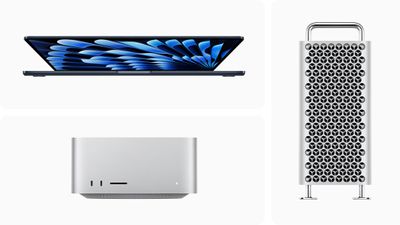
As Wi-Fi 6E is relatively new, not all devices support it yet. This means you might not be able to take full advantage of its features if other devices in your network are not Wi-Fi 6E compatible. Apple Macs that support the standard are as follows:
- iMac (24-inch, Nov 2023)
- MacBook Pro (14-inch, Nov 2023)
- MacBook Pro (16-inch, Nov 2023)
- MacBook Pro (14-inch, 2023) or MacBook Pro (16-inch, 2023)
- Mac mini (2023)
- Mac Studio (2023)
- Mac Pro (2023)
Using Wi-Fi 6E Networks
To use a Wi-Fi 6E network with an Apple device, you need a Wi-Fi 6E router that also has its 2.4GHz or 5GHz bands enabled. For the best Wi-Fi performance, Apple recommends using a single network name across the router's 2.4GHz, 5GHz, and 6GHz bands. Otherwise, your Apple device will identify the network as having "limited compatibility," and the overall experience with some activities over the network might not be as expected.
















