

Apple recently released iOS 14.2 and iPadOS 14.2, the second major updates to the iOS and iPadOS 14 operating system updates that were released in September. iOS 14.2 and iPadOS 14.2 come two weeks after the launch of iOS 14.1.
The iOS 14.2 update can be downloaded for free and it is available on all eligible devices over-the-air in the Settings app. To access the new software, go to Settings > General > Software Update. Apple has also released iOS 12.4.9 for older devices.
Apple's new iOS update comes with a number of new features.
New Emoji
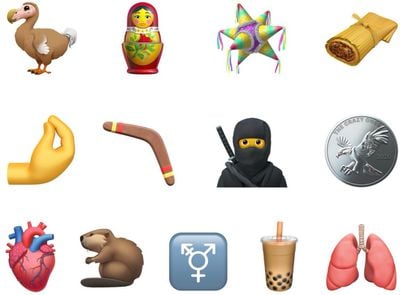
Apple traditionally updates iOS with new emojis each fall, and iOS 14.2 is the emoji update. iOS and iPadOS 14.2 include new Emoji 13 characters with options that include smiling face with tear, ninja, pinched fingers, anatomical heart, black cat, mammoth, polar bear, dodo, fly, bell pepper, tamale, bubble tea, potted plant, piñata, plunger, wand, feather, hut, and more, with a full list available here.
Along with emoji, iOS 14.2 includes support for Intercom, which turns the HomePod, HomePod mini, and other devices into intercoms that can be used throughout the home.
Intercom
Intercom allows family members to communicate with one another in the home by sending and receiving spoke messages through HomePod speakers or through iPhone, iPad, Apple Watch, AirPods, and CarPlay. Intercom can be activated by saying "Hey Siri, Intercom" to activate it, followed by a message, and it can even be used when people are away from home.
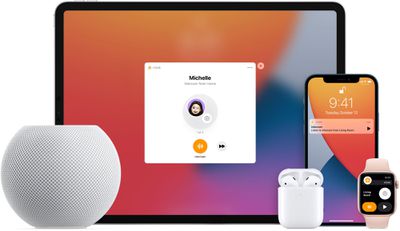
You can choose specific HomePods or devices in the home to send a message to everyone in the household or send a reply to an Intercom message sent by someone else. On devices like iPhone and iPad, Intercom messages are shown as notifications with the option to listen to an audio message.
Also related to HomePod, the standard full-size HomePod can now be connected to Apple TV 4K for stereo, surround sound, and Dolby Atmos audio.
Music Recognition and New Playing Widget
In Control Center, there's a new Music Recognition toggle that the integration of the Apple-owned Shazam app in the iOS operating system. Music Recognition lets you discover music playing around you and it can recognize music playing in apps even when you're wearing AirPods.
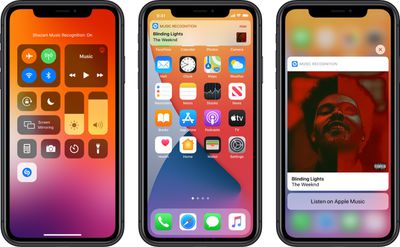
Music Recognition can be added to Control Center through the Settings app, and it can be used by activating the Control Center and then tapping on the Shazam icon to song recognition, a process simpler than asking Siri or opening the Shazam app.
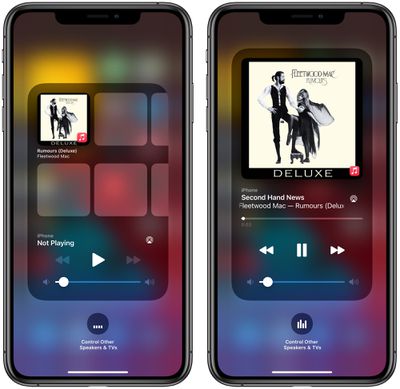
There's a redesigned Now Playing widget in the Control Center that lists recently played albums that you might want to listen to when no music is playing. There's also a redesigned interface for AirPlay, which makes it easier to play music across multiple AirPlay 2-compatible devices at the same time.
AirPods Optimized Battery Charging
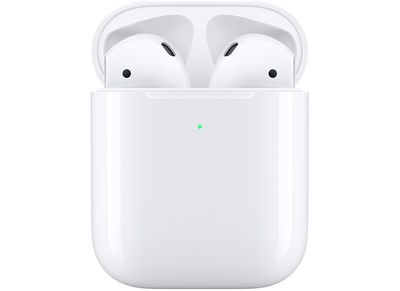
AirPods owners should know that the iOS 14.2 update adds optimized battery charging for the AirPods, which will slow battery aging by reducing the amount of time that AirPods spend fully charged. The feature works by monitoring your usage habits and avoiding a full charge until just before the AirPods are needed.
A14 Camera Features for iPad
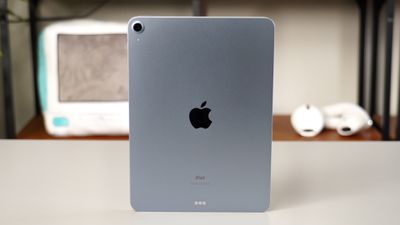
For iPad Air owners, the iPadOS 14 update adds new A14 camera functionality that was also introduced in the iPhone 12 lineup. Scene Detection uses intelligent image recognition to identify objects to improve photos, and Auto FPS reduces frame rate when recording video to improve low light capture.
People Detection
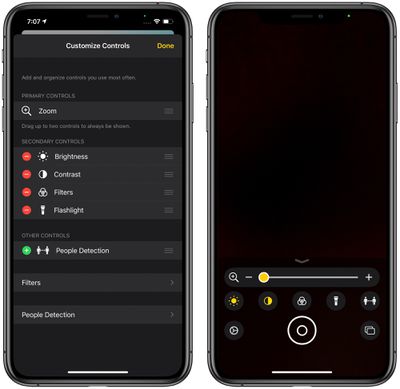
For those with low vision, Apple added a new "People Detection" accessibility feature in the Magnifier app that takes advantage of the camera to let iPhone users know how far away other people are, a useful tool for social distancing.
Apple Watch App Changes
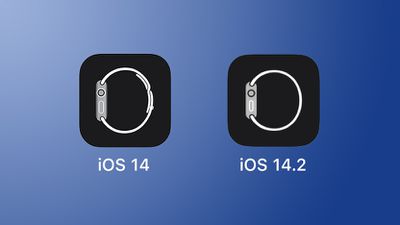
For the Apple Watch app on the iPhone, Apple tweaked the design slightly, updating the watch with one of the new Solo Loop Apple Watch bands included with the Apple Watch Series 6 and the Apple Watch SE.
Apple Card Features
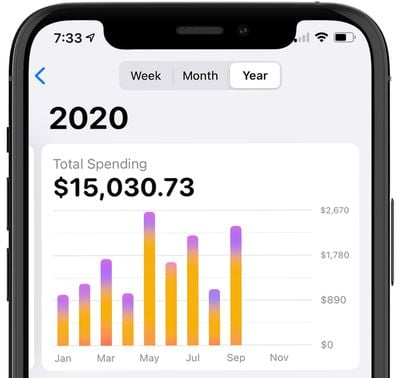
With the iOS 14.2 update, Apple Card users will get a yearly spending history option that allows them to see how much they've spent in the current calendar year and how much Daily Cash they've earned. Before iOS 14.2, Apple Card spending activity was limited to a weekly or monthly summary.
New Wallpapers
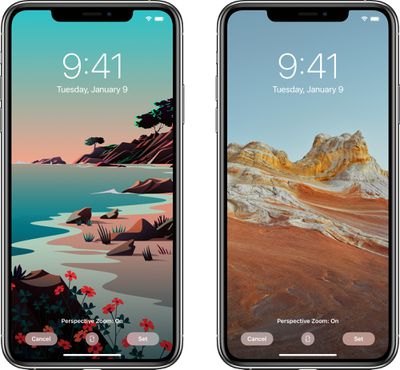
There are eight new wallpaper options available in iOS 14.2, both with artistic and realistic scenes with different looks for dark and light mode.
For more on all of the new features in iOS 14, make sure to check out our iOS 14 roundup.




















