

Now that Apple doesn't include power adapters with new iPhones, you have to supply your own, and it can be a little confusing figuring out what you need specifically to get the fastest charging speeds. Apple added another layer of complexity this year with upgraded MagSafe charging for the iPhone 16 models, a feature that also requires specific hardware.
USB-C
All of the iPhone 16 models can charge from 0 to 50 percent in approximately 30 minutes. You need Apple's $19 20W adapter or better for fast charging, and if you already had an iPhone that could fast charge, you probably have the hardware you need.
iPhones charge fastest when the battery is low, and then charging slows down, so you'll see the most rapid charging at lower battery levels.
There was speculation that the iPhone 16 models support up to 45W charging, but testing from ChargerLAB has proven that to be inaccurate. Charging maxes out at 30W, which is similar to last year's iPhone 15 Pro charging speeds.
Some people have seen sporadic higher maximum charge levels over 30W, but that seems to happen only when you're playing a game or doing something else that drains battery quickly. The extra power boost seems to be aimed at making sure the iPhone 16 is able to maintain its fast charging speed even when it's using extra power. With prior iPhone models, charging would slow down if you were doing something that used up a lot of battery.
PhoneArena did a charging test and when playing a game, the iPhone 16 was able to charge at up to 39W for a short period of time while it had under 50 percent battery. In other tests where the iPhone wasn't in use, PhoneArena did not see charging speeds over 20W for the iPhone 16 or 27W for the iPhone 16 Pro.
PhoneArena and ChargerLAB didn't test charging speeds, so we did a quick test. An iPhone 16 Pro Max charged from 0 to 55 percent in 30 minutes with a 30W charger, and from 0 to 45 percent in 30 minutes with a 20W charger. A third test with a 140W charger saw the 16 Pro Max charge from 0 to 56 percent in 30 minutes. Tests all used the USB-C to USB-C cable that comes with the iPhone and Apple's power adapters.
For the iPhone 16 Pro models, it looks like you can get slightly faster charging speeds with a 30W or better charger, even though Apple only recommends a 20W or better charger for fast charging. Going over 30W doesn't seem to make much of a difference. The standard iPhone 16 models seem to max out at around 20W, so they don't need a 30W+ charger.
If you've already got a 20W charger and have an iPhone 16 Pro or Pro Max, there's no real reason to upgrade. You'll still hit close to 50 percent in 30 minutes with a 20W charger. If you're often charging while also playing games, or want to optimize you might want to consider investing in a 30W+ charger for faster sustained charging speeds.
Note that you can also use higher-watt chargers -- 20W is just the minimum for "fast" charging.
MagSafe
The iPhone 16 models can charge at up to 25W over MagSafe, up from 15W. 25W charging via MagSafe is also fast charging, so for the first time, the new iPhones can fast charge wirelessly.
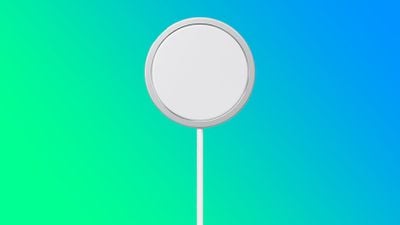
To take advantage of the faster MagSafe charging, you need a 30W or higher power adapter, which Apple sells for $39. Of course, you can use a higher powered power source or a third-party power adapter as long as it delivers at least 30W.
You also need one of Apple's new MagSafe chargers, which were released alongside the new iPhone models.
Older MagSafe Chargers from Apple will not charge your iPhone 16 model at above 15W, nor will older third-party MagSafe chargers. If you have a MagSafe stand or multi-device charger from a company like Mophie or Belkin, it's now outdated and can't charge your new iPhone at its maximum wireless charging speed.
The new MagSafe Chargers from Apple will only charge the iPhone 16 models at 25W, and while you can use them with your older iPhones, charging will be limited to 15W.
Qi2 chargers are equivalent to the prior 15W MagSafe Charger and can only charge iPhone 16 models at 15W.
At a Glance
If you don't want to read the accessory explanation, here's what to buy for iPhone 16 fast charging:
- USB-C for iPhone 16: 20W or better power adapter paired with the charging cable the iPhone came with. 30W is better for the fastest speeds, especially if you charge while using your iPhone.
- USB-C for iPhone 16 Pro: A 30W or better power adapter will get you the best fast charging speed.
- MagSafe: 30W or better power adapter paired with Apple's new $39 MagSafe Charger.
Bonus: Faster Data Transfers
If you want to transfer files from your iPhone 16 Pro to another device quickly, you're going to want to pick up a USB 3 cable for 10Gb/s transfer speeds.
The cable that comes with your iPhone 16 is limited to USB 2 speeds of 480Mb/s.






















