

In 2025, Apple updated the Mac Studio with the M4 Max and M3 Ultra chips. Apple last year refreshed the Mac mini with the M4 and M4 Pro chips, meaning that the Mac Studio faces a formidable competitor that offers "Pro" capabilities at a substantially lower price point.
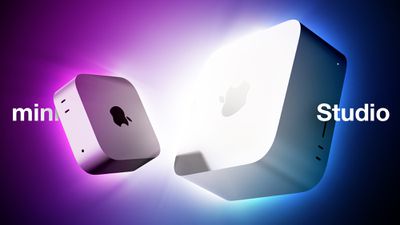
There are now two desktop Macs and four Apple silicon chip options for users who do not need the expandability of the Mac Pro. The Mac Studio starts at $1,999, overshadowing the $599 starting price of the M4 Mac mini and even the $1,399 starting price of the M4 Pro Mac mini, so do you need the performance of the Mac Studio, or is the humble Mac mini sufficient for your needs? Our guide helps to answer the question of how to decide which of these two desktop Macs is best for you.
The Mac mini and the Mac Studio share some fundamental features, including a familiar, boxy silver aluminum design, two front-facing USB-C ports along with HDMI and ethernet on the rear, and Apple silicon chipsets. That being said, the two machines have much more in contrast than they do in common, including different chip options, memory capacities, ports, and external display support capabilities.
| Mac mini (M4, 2024) | Mac mini (M4 Pro, 2024) | Mac Studio (M4 Max, 2025) | Mac Studio (M3 Ultra, 2025) |
|---|---|---|---|
| M4 chip (made with TSMC's enhanced 3nm (N3E) process) | M4 Pro chip (made with TSMC's enhanced 3nm (N3E) process) | M4 Max chip (made with TSMC's 3nm (N3E) process) | M3 Ultra chip (made with TSMC's enhanced 5nm (N3B) process) |
| 4.30 GHz maximum CPU clock speed | 4.30 GHz maximum CPU clock speed | 4.30 GHz maximum CPU clock speed | 4.05 GHz maximum CPU clock speed |
| 10-core CPU (4 performance cores + 6 efficiency cores) | 12- or 14-core CPU (8 or 10 performance cores + 4 efficiency cores) | 14- or 16-core CPU (10 or 12 performance cores + 4 efficiency cores) | 28- or 32-core CPU (20 or 24 performance cores + 8 efficiency cores) |
| 10-core GPU | 16- or 20‑core GPU | 32- or 40-core GPU | 60- or 80-core GPU |
| Improved ray-tracing engine | Improved ray-tracing engine | Improved ray-tracing engine | Ray-tracing engine |
| 120GB/s memory bandwidth | 273GB/s memory bandwidth | 546GB/s memory bandwidth | 819.2GB/s memory bandwidth |
| 16GB, 24GB, or 32GB unified memory | 24GB, 48GB, or 64GB unified memory | 36GB, 48GB, 64GB, or 128GB unified memory | 96GB, 256GB, or 512GB unified memory |
| LPDDR5X memory | LPDDR5X memory | LPDDR5X memory | LPDDR5 memory |
| 256GB, 512GB, 1TB, or 2TB storage | 512GB, 1TB, 2TB, 4TB, or 8TB storage | 512GB, 1TB, 2TB, 4TB, or 8TB storage | 1TB, 2TB, 4TB, 8TB, or 16TB storage |
| 16-core Neural Engine, 38 trillion operations per second | 16-core Neural Engine, 38 trillion operations per second | 16-core Neural Engine, 38 trillion operations per second | 32-core Neural Engine, 72 trillion operations per second |
| Video decode engine | Video decode engine | Video decode engine | Two video decode engines |
| Video encode engine | Video encode engine | Two video encode engines | Two video encode engines |
| ProRes encode and decode engine | ProRes encode and decode engine | Two ProRes encode and decode engines | Four ProRes encode and decode engines |
| Dedicated display engine | Dedicated display engine | Dedicated display engine | |
| Support for up to three external displays | Support for up to three external displays | Support for up to five external displays | Support for up to eight external displays |
| Three rear Thunderbolt 4 ports | Three rear Thunderbolt 5 ports | Four rear Thunderbolt 5 ports | Four rear Thunderbolt 5 ports |
| Two front USB-C ports | Two front USB-C ports | Two front USB-C ports | Two front Thunderbolt 5 ports |
| Two rear USB-A ports | Two rear USB-A ports | ||
| Gigabit Ethernet or 10Gb Ethernet port | Gigabit Ethernet or 10Gb Ethernet port | 10Gb Ethernet port | 10Gb Ethernet port |
| SDXC card slot (UHS-II) | SDXC card slot (UHS-II) | ||
| Bottom power button | Bottom power button | Rear power button | Rear power button |
| Starts at $599 | Starts at $1,399 | Starts at $1,999 | Starts at $3,999 |
Following the Mac mini's redesign last year, the dimensions of the two devices are now radically different, with the Mac Studio dwarfing the Mac mini in every way.
| Mac mini | Mac Studio | |
|---|---|---|
| Height | 2.0 inches (5.0 cm) | 3.7 inches (9.5 cm) |
| Width | 5.0 inches (12.7 cm) | 7.7 inches (19.7 cm) |
| Depth | 5.0 inches (12.7 cm) | 7.7 inches (19.7 cm) |
| Weight | M4: 1.5 pounds (0.67 kg) M4 Pro: 1.6 pounds (0.73 kg) |
M4 Max: 5.9 pounds (2.7 kg) M3 Ultra: 7.9 pounds (3.6 kg) |
Most customers should choose the M4 Pro Mac mini over the M4 Max Mac Studio, saving $700 when looking at the base models. There will likely still be substantial savings when it comes to custom configurations.
You should only consider the Mac Studio if you have an professional workflow that can leverage the extreme power of the M4 Max or M3 Ultra, as well as its additional ports and memory options. If you need the Mac Studio, you will likely know that you are looking for a highly powerful machine that is capable of supporting specific intense workflows.
If considering the M4 Max or M3 Ultra Mac Studio, it's worth bearing in mind that the cheaper machine uses newer chip technology with faster memory, improved ray-tracing, and better single-core performance. For multi-core, graphics, and video processing tasks, the M3 Ultra Mac Studio will still be considerably more capable at tackling intense workloads.
To some extent, purchasing decisions should be driven by budget, but it is worth bearing in mind that any savings on the desktop computer itself can be put toward a good external display such as Apple's Studio Display, which starts from $1,599. For example, an M4 Pro Mac mini paired with a Studio Display comes to $2,898, which is just $899 more than a lone base model Mac Studio and $1,101 less than the M3 Ultra Mac Studio with no display.






















