

The iOS 16 update focuses primarily on the Lock Screen and new features for apps like Mail, Messages, and Photos, but Apple did make some small changes to the Notes and Reminders app, adding a handful of new options.
This guide highlights all of the new features in the Notes and Reminders apps for iOS 16, which is available now.
Notes
There are some quality of life improvements for the Notes app, most notably an option to lock notes with the same passcode used to lock your iPhone.
iPhone Quick Note
The Share Sheet has gained an "Add to Quick Note" option so you can create Quick Notes on iPhone. Add to Quick Note is an option across the iOS operating system, in first and third-party apps. You can create Quick Notes with Safari links, images, and more.
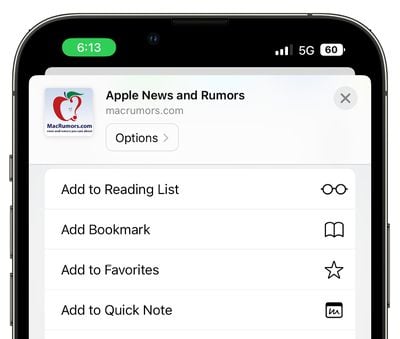
Quick Notes used to be an iPad-only feature introduced in iPadOS 15, but iOS 16 brings them to the iPhone as well. On iPad, you can create Quick Notes from the Lock Screen, but on iPhone, the Share Sheet interface is required.
Updated Smart Folders
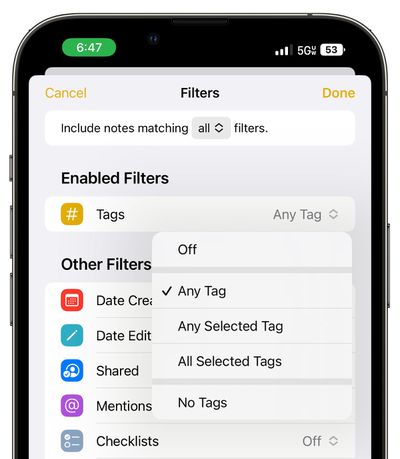
There are new Smart Folder filters available for better note organization. Rules can be created for Date Created, Date Modified, Shared, Mentions, Checklists, Attachments, Folder, Quick Notes, Pinned Notes, and Locked Notes.
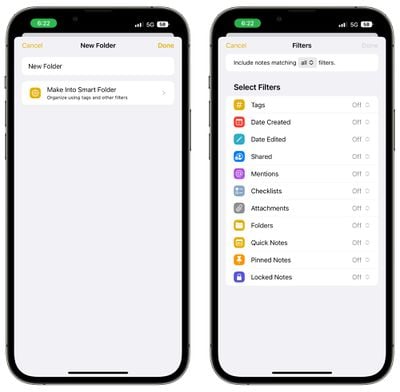
Smart Folders used to be based solely on tags, so this is a notable update to the way notes are organized.
Lock Notes With Passcode
Rather than selecting a specific passcode for a locked note, you can instead lock your notes with your iPhone's passcode. That makes more sense than thinking up a standalone password, because you're not likely to forget your iPhone passcode.
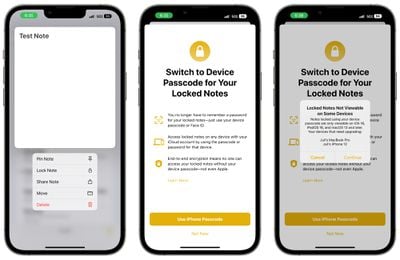
Notes locked with a passcode can be automatically unlocked with Face ID and the feature does not need to be enabled, plus you can access your locked notes across all of your devices by using the passcode for the device you're using.
Note that notes locked with your passcode can only be viewed on devices running iOS 16, iPadOS 16, or macOS Ventura. Devices running older versions of iOS and macOS will not be able to view passcode-locked notes.
Grouping by Date
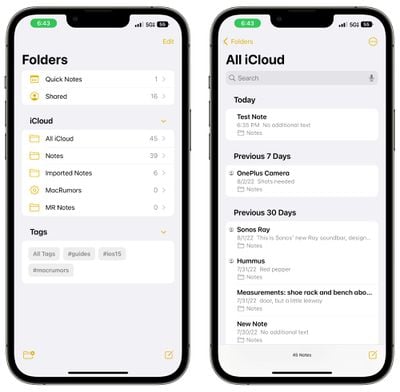
In your list of notes and your gallery view, Notes are now grouped by chronological categories like Today and Yesterday to make it easier to find your most recent notes.
Filters
When using Smart Folders or the Tag Browser, you can opt to filter for any or all of the criteria that you've chosen.
Reminders
Pinned lists, list templates, and the completed smart list bring some notable improvements for those who use the Reminders app on a regular basis.
Pinned Lists
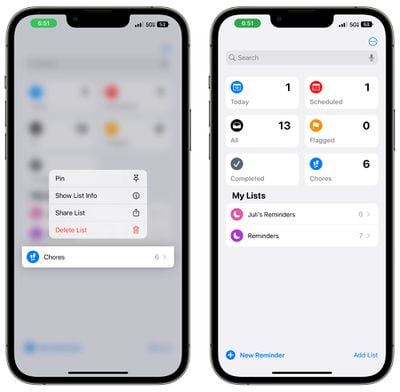
The lists that you use most often can be pinned to the top of the Reminders app for easy access. Pinned lists show up right alongside Reminder app sections like Today, Scheduled, and Flagged.
Completed Smart List
Apple has added a whole new "Completed" section to the Reminders app that aggregates all of the reminders that you have checked off and finished. It is organized in sections that include Previous 7 Days and Previous 30 Days, then further back, it organizes reminders into months and years.
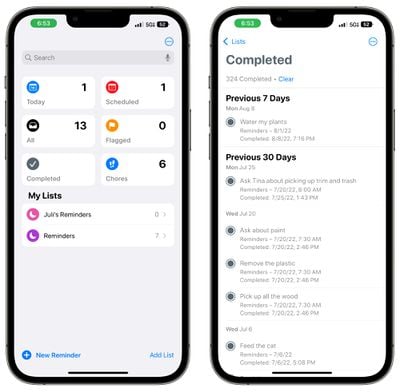
Completed reminders can be cleared out by tapping on the "Clear" button at the top of the app, or they can be deleted individually by swiping.
List Templates
If you have a list that you reuse often like a grocery list or a packing list, you can save it as a template so it can be reused anytime. When creating a new list, the template section shows up as an option so you can choose your previously created templates.
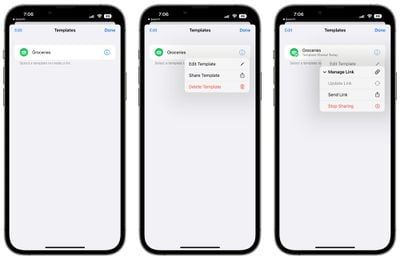
You can go into the Templates section of the Reminders app and make any template shareable. From there, you can copy a link and send it to other people.
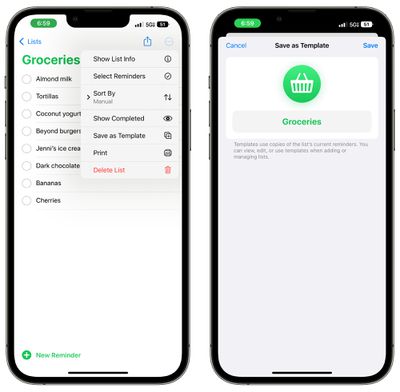
Others are also able to share templates with you, and those templates can be imported into the Reminders app.
Scheduled and Today List Improvements
Grouping by time and date is designed to make it easier to view and add reminders. The Today List is now grouped by Morning, Afternoon, and Night for a better division of the day.
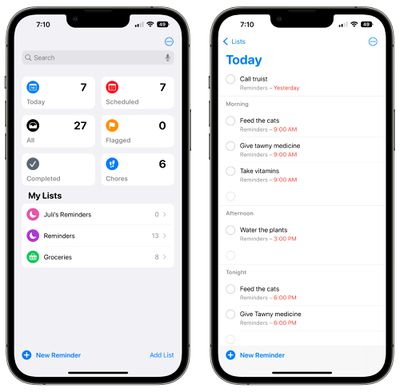
The Scheduled List has week and month groups for longer-term organization.
Improved List Groups
Any list group can be tapped to display a combined view of both the lists and the reminders that are inside.
Shared List Notifications
When tasks are added or completed in a shared list, you can opt to receive a notification.
Enhanced Notes
Notes added to reminders now support underlining, bold, and strikethrough text, plus bullet points can be used.
Filters
You can opt to filter for any or all of the criteria in a custom smart list or the tag browser.
Collaboration
Both Notes and Reminders work with the new collaboration feature that Apple implemented in iOS 16. You can send an invitation to collaborate to someone in Messages or FaceTime, and everyone on the thread is added to the Note or Reminder that you're working with.
Guide Feedback
Have questions about Notes and Reminders in iOS 16, know of a feature we left out, or want to offer feedback on this guide? Send us an email here.






















