

Apple in June previewed iPadOS 17, its next major software update for compatible iPads that is expected to be publicly released in the fall. Keep reading to learn what's new and if Apple's forthcoming mobile operating system will run on your particular iPad model.
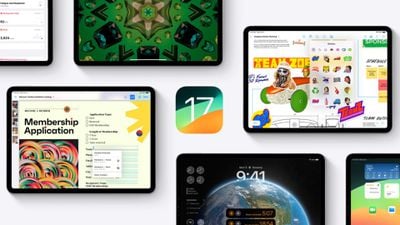
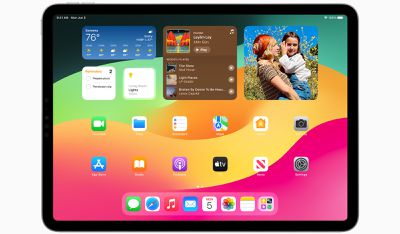
iPadOS 17 brings several new features to iPads, including updates to widgets and the Lock Screen that bring more parity with iPhones.
For the first time, iPads will support customized Lock Screens, while Home Screen widgets will be interactive. There's also now support for Live Activities, and the Health app is now available on iPad and takes advantage of the device's larger display sizes.
iPadOS 17 includes improvements across the Notes, Messages, FaceTime, and Safari apps. In the Messages app, for example, there is a new consolidated sticker drawer that brings all of a user's stickers into one place, including Live Stickers, emoji stickers, and third-party sticker packs. iPad users can also create their own stickers from photos.
Starting with iPadOS 17, PDFs appear full width on the screen. Apple has also introduced machine learning that can identify fields in a PDF so that users can quickly add details, such as names, addresses, and emails from the Contacts app.
iPadOS 17 Compatibility
iPadOS 17 is compatible with the second-generation 12.9-inch iPad Pro, the first-generation 11-inch iPad Pro, the 10.5-inch iPad Pro, the third-generation iPad Air, the sixth-generation iPad, and the fifth-generation iPad mini, and newer generations of all of those models. But it does drop support for a couple of iPad models that are compatible with iPadOS 16. Here's a full compatibility rundown.
iPadOS 17 drops support for the following iPads:
- iPad Pro 12.9-inch (1st generation)
- iPad (5th generation)
iPadOS 17 remains compatible with the following iPad models:
- iPad Pro 12.9-inch (2nd generation and later)
- iPad Pro 11-inch (1st generation and later)
- iPad Pro 10.5-inch
- iPad Air (3rd generation and later)
- iPad (6th generation and later)
- iPad mini (5th generation and later)
How to Identify Your iPad Model
If you're unsure which iPad model you have, go to Settings -> General -> About, and you'll find the Model Name listed there.
You can also find out which version of iPadOS your device is running by going to Settings -> Software Update. If an update is available for your iPad, it will notify you here.
Want to Try iPadOS 17 Beta for Free?
Apple has already released the first iPadOS 17 beta to developers, and in a first for the company, it is also giving non-developers the opportunity to download the beta on their iPads for free. Check out our dedicated guide to learn how it's done.




















