

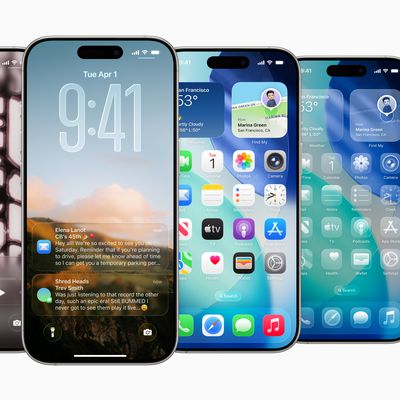
How to Install iOS 26 Public Beta 3 on Your iPhone
Apple has made available the third public beta of iOS 26, bringing the new software to a wider audience following initial testing by developers. Keep reading to learn how to prepare your device for the beta software and how to install it.
Signing up to get the iOS 26 or iPadOS 26 public beta is simple, and can be done by enrolling an iPhone or iPad in Apple's free Apple Beta Software...
Read Full Article
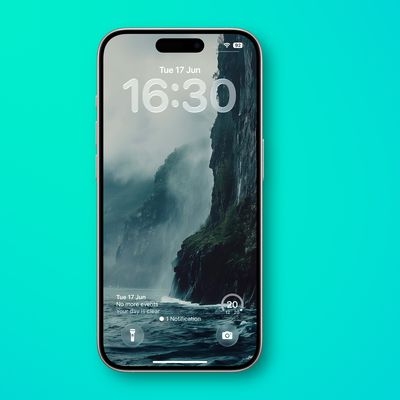
iOS 26: Change iPhone Clock to Liquid Glass
In iOS 26, Liquid Glass is Apple's new translucent material that reflects and refracts its surroundings, while dynamically transforming to help bring greater focus to content across system controls, navigation elements, app icons, and widgets. The design represents the most significant visual overhaul since iOS 7, and it also brings a new clock appearance option to your iPhone Lock Screen....
How to Install macOS Tahoe Public Beta 3
Apple has made the third macOS Tahoe public beta available for testing before the new Mac operating system's official release in the fall. Keep reading to learn whether you should install it on your Mac, and if so, how to go about it.
Getting access to the macOS Tahoe public beta is simple, and can be done by enrolling your Mac in Apple's free Apple Beta Software Program. The steps you need...

Stream Every New macOS Tahoe Screen Saver Right Now – Here's How
Apple has uploaded all of macOS Tahoe's beautiful new screen savers to its servers, and you can watch them right now without waiting for the operating system's release. The collection showcases some breathtaking aerial footage and nature scenes from the likes of India that will grace Mac screens later this year.
Rather than waiting to see what Apple has in store, you can preview every single ...
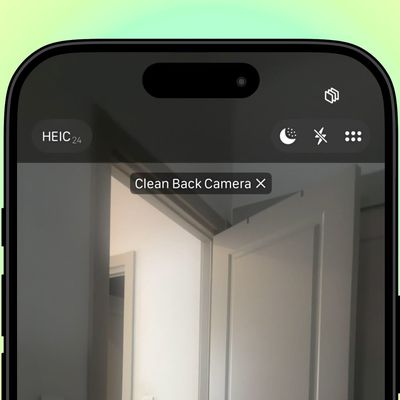
iOS 26: Keep iPhone Camera Lens Clean With This Smart Setting
In iOS 26, Apple has a helpful new feature that notifies you when your iPhone's camera lens needs cleaning – something Android devices have offered for years. Here's how to turn on this smart notification system.
Whenever your iPhone's camera is active, iOS 26 monitors the incoming light for signs of reduced clarity or smudging that could indicate a dirty lens. When triggered, you'll see a ...
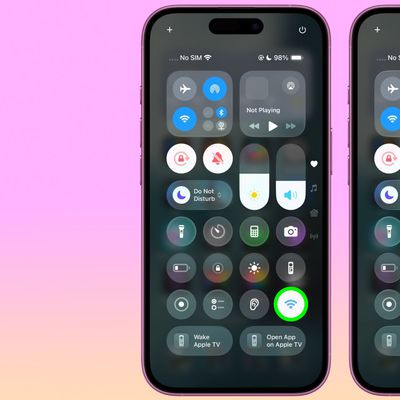
Quickly Check Wi-Fi Network Security on iPhone
In iOS, Apple makes it easy to spot potentially unsafe Wi-Fi networks before you connect. There are helpful privacy indicators in Control Center that instantly show whether nearby networks are password-protected or open to the public.
Accessing Wi-Fi Privacy Indicators
Getting to these privacy indicators is straightforward. Pull down from the top-right corner to invoke Control Center, then...
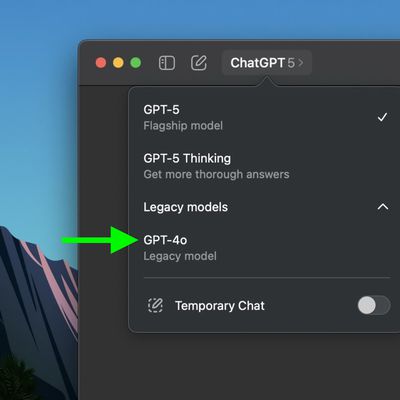
How to Re-Enable GPT-4o Model in ChatGPT for Mac
If you haven't heard, OpenAI's launch of ChatGPT-5 on August 7 has caused a furor among a contingent of paying ChatGPT subscribers who find the new frontier model's communication style too clinical compared to legacy model GPT-4o's warmer, more conversational approach. Keep reading to make the old model available to select again in the ChatGPT app for Mac.
After just a few days of trying...
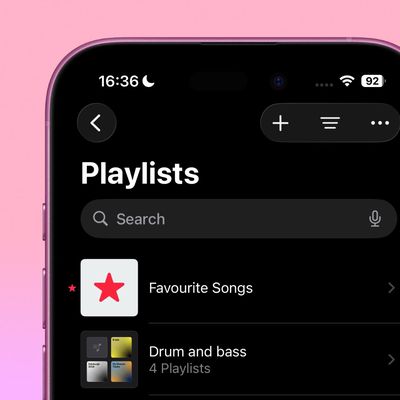
iOS 26: Use Folders to Manage Playlists in Apple Music
In iOS 26, Apple Music introduces playlist folders, bringing the same organizational power that's long been available for photos and notes to your music collection. Whether you're juggling workout mixes, seasonal soundtracks, or genre-specific selections, folders should be a welcome management tool for your most favored collections.
The feature works exactly as you'd expect – simply create ...
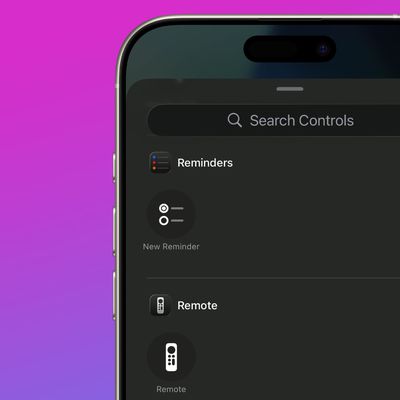
iOS 26: Add New Reminders Faster Than Ever
In iOS 26, currently in beta, creating a new task for Apple's Reminders app is now a much faster process, thanks to the introduction of a "New Reminder" control that lets you create tasks without ever opening the app.
Whether you assign it to Control Center, your Lock Screen, or the Action button (on iPhone 15 Pro models and newer), this simple addition should make it a lot easier to record ...
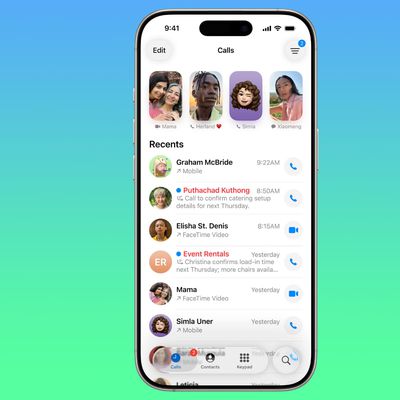
iOS 26: Get a Callback Reminder for a Missed Call
Keeping track of missed calls can be challenging if you're juggling several tasks during the day. Thankfully, iOS 26 introduces a streamlined way to set callback reminders directly from the Phone app, making it less likely that you'll forget to return important calls.
Set a Callback Reminder for a Missed Call
When iOS 26 launches this fall (or if you're already on the beta), you'll be able...
iOS 26: Make Your Favorite Podcasts Easier to Hear
Apple has finally caught up with rival podcast apps like Overcast by adding an Enhance Dialogue feature to the Podcasts app in iOS 26 (currently in beta).
The new audio processing option isolates voices and makes them sound clearer, which should prove ideal for any mumbled true crime episodes or echo-heavy interview shows you listen to.
How to Enable Enhance Dialogue
The setting is...
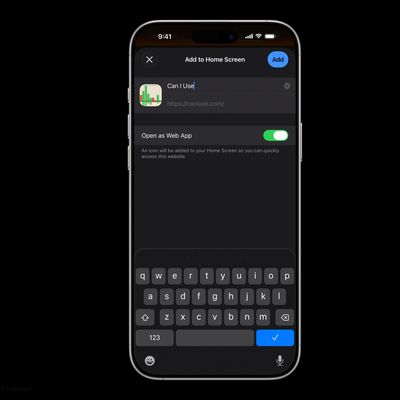
iOS 26: Add Web App or Bookmark to iPhone Home Screen
iOS 26 gives you two distinct ways to add websites to your iPhone's Home screen – as web apps or traditional bookmarks. They might look similar at first glance, but choosing the right option can dramatically improve how you access your favorite sites.
Understanding the Difference
When you add a website to your Home screen using the "Add to Home Screen" option, iOS 26 allows the website to...
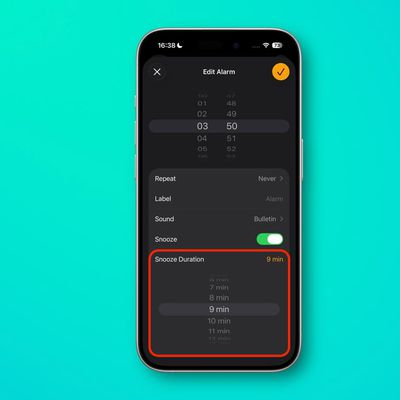
iOS 26: Customize iPhone Alarm Snooze Duration (Finally!)
iOS 26 finally breaks free from the tyranny of the 9-minute snooze. Apple's latest update (currently in beta) lets you customize your iPhone's alarm snooze duration anywhere from 1 to 15 minutes, which may well put an end to years of morning routine frustration.
Whether you only need a quick 2-minute buffer before rising from your slumber, or prefer a longer window to properly wake up, iOS...
iOS 26: Set a Custom iPhone Ringtone in Seconds
Setting custom ringtones on your iPhone is dramatically easier in iOS 26. Apple has eliminated the need for the cumbersome process of exporting a track from the GarageBand app, and now provides a simple four-step process that works directly from the Files app.
The new streamlined approach means you can transform any MP3 or M4A audio file that's less than 30 seconds into a personalized...
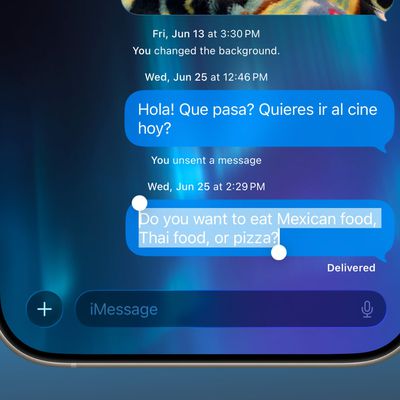
iOS 26 Finally Fixes This Annoying Messages Problem
In iOS 26, Apple is introducing several new features for its Messages app, and this one in particular is likely to make interacting with message bubbles way less frustrating.
When you tap and hold on any message bubble, a new "Select" option now appears alongside the familiar copy and reaction choices, finally solving one of Messages' most persistent frustrations.
The Select feature...
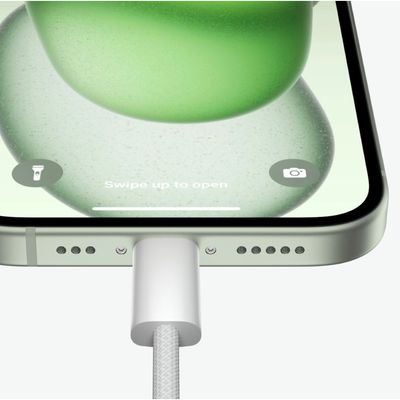
Charge AirPods (or Even an iPhone) With Your iPhone
If you own an iPhone or iPad with a USB-C port, the port can be used to charge AirPods, an Apple Watch, or even another iPhone, which is handy for times when you don't have a spare charger or power outlet available. Here's how it works.
If your AirPods or Apple Watch run out of battery while you don't have access to a charger, you can use the battery in your iPhone or iPad for a little extra ...

All the Gestures to Trigger Reaction Effects in FaceTime
Since iOS 17 and iPadOS 17, Apple has included Messages-like reactions in FaceTime that lighten up your video with visual effects. But rather than triggering them with words, you can trigger them using physical hand gestures.
Subscribe to the MacRumors YouTube channel for more videos.
When you're on a FaceTime video call on an iPhone running iOS 17 or later, or an iPad running iPadOS 17 or...
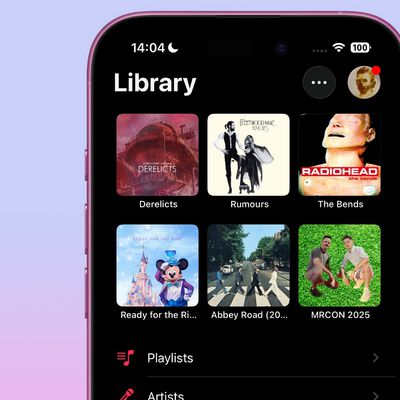
iOS 26: How to Use the New Music Pins Feature
If you've ever found yourself scrolling endlessly through your iPhone's music library to find that one album you play every morning or the workout playlist that gets you pumped, then you should find iOS 26's new Music pins feature a welcome addition to the app.
Basically, Apple Music lets you pin your most frequently accessed songs, playlists, albums, and artists directly to the top of your ...
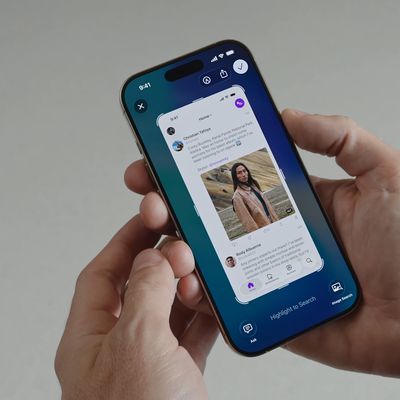
iOS 26 Screenshots: Turn Off Full-Screen Previews
Apple has modified the screenshot experience in iOS 26 to accommodate Visual Intelligence and its new Liquid Glass aesthetic. Taking a screenshot is still done by pressing the Side button and Volume Up button on your iPhone, but the interface has been redesigned, while there's another change that might slow down your workflow if you're used to the streamlined approach taken in iOS 18 and earlier.
...
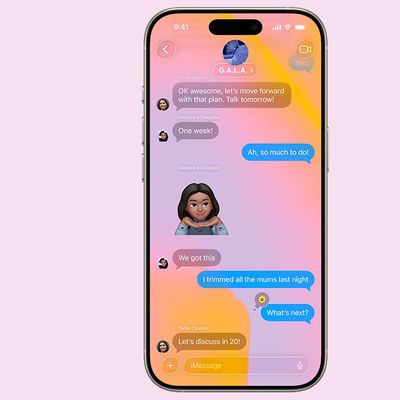
iOS 26: Remove Conversation Backgrounds in Messages
In iOS 26, Apple introduces conversation backgrounds to its Messages app for the first time. Custom backgrounds can help users better organize their conversations at a glance, and they also serve to add a personal touch to important chats, but they can feel like an imposition for other users.
The ability to apply custom backgrounds to Messages conversations in iOS 26 will be welcomed by many ...
















