How to Change an AirTag's Battery - MacRumors
Skip to Content

How to Change an AirTag's Battery

by

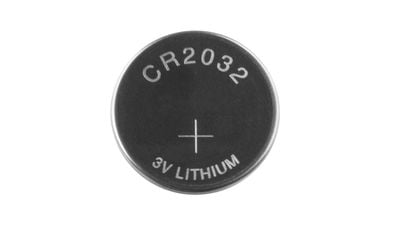
AirTags use standard coin-shaped CR2032 batteries, which are designed to last at least a year before needing to be replaced. Most early AirTag adopters have probably already had to swap in a new battery, but if you've never done it before and find yourself in need of a battery replacement, it's easy to put in a new one.
airtag battery cr2032
CR2032 batteries are common batteries that can be purchased on Amazon for about a dollar per battery, and you can also get them at many retail stores. Apple warns that some batteries with a bitterant coating intended to discourage children from swallowing them may not work with AirTags, so try to find a brand known to be compatible.

Once you have a new battery, follow these steps to put it in:

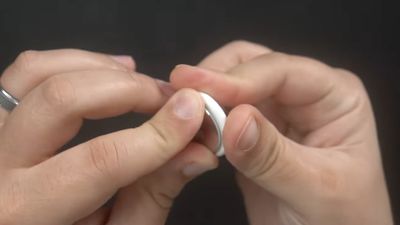
  1. Press down on the stainless steel backing of the ‌AirTag‌.
  2. As you press down, rotate counterclockwise until the cover stops rotating. airtag battery twist open
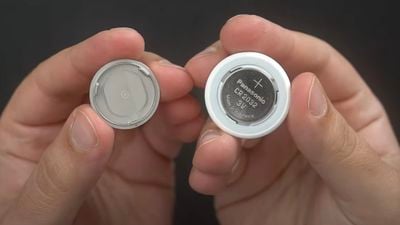
  3. Pull apart the two halves of the ‌AirTag‌. airtag battery pry apart
  4. Take out the old battery and replace it with the new battery in the same orientation, which is positive side up. You'll hear a chiming sound when the battery is seated correctly. cr2032 battery
  5. Replace the stainless steel bottom of the ‌AirTag‌, and make sure the three tabs on the cover align with the slots on the ‌AirTag‌.
  6. Rotate the cover clockwise back in place until it stops.
You can check the battery capacity of an ‌AirTag‌ in the Find My app, and you will receive a notification on your iPhone when the battery is low to let you know that it's time for a replacement.


Related Roundup: AirTag
Buyer's Guide: AirTag (Buy Now)

Popular Stories

iOS 26

iOS 26.4 Adds Two New Features to CarPlay

Tuesday March 24, 2026 1:55 pm PDT by
iOS 26.4 was released today, and it includes a couple of new features for CarPlay: an Ambient Music widget and support for voice-based chatbot apps. To update your iPhone 11 or newer to iOS 26.4, open the Settings app and tap on General → Software Update. CarPlay will automatically offer the new features so long as the iPhone connected to your vehicle is running iOS 26.4 or later....
Apple Business hero

Apple Unveils 'Apple Business' All-in-One Platform

Tuesday March 24, 2026 8:53 am PDT by
Apple today announced Apple Business, a new all-in-one platform that unifies device management, productivity tools, and customer outreach features. The service is designed to be a consolidated replacement for several of Apple's existing business-focused offerings, including Apple Business Essentials, Apple Business Manager, and Apple Business Connect. It provides organizations with a single...
AirPods Pro Firmware Feature

Apple Releases New Firmware for AirPods Pro 3, AirPods Pro 2 and AirPods 4

Tuesday March 24, 2026 12:31 pm PDT by
Apple today released new firmware for the AirPods Pro 2, AirPods Pro 3, and the AirPods 4. The firmware has a version number of 8B39, up from 8B34 on the AirPods Pro 3, 8B28 on the AirPods Pro 2, and 8B21 on the AirPods 4. There is no word on what's included in the firmware, but Apple has a support document with limited notes. Most updates are limited to bug fixes and performance...