

If you've got your hands on an Apple-branded MagSafe Charger, you can follow the steps below to check the current firmware version that your charger is running. Apple occasionally sends firmware updates to accessories over the air that contain bug fixes and improvements, so this is a good way of checking that your charger is up-to-date.
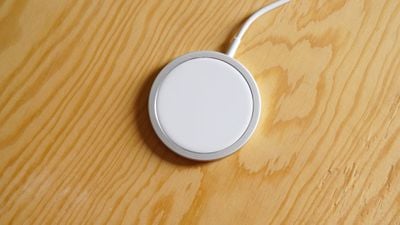
Perhaps more importantly, if you're able to follow these steps for your Apple MagSafe or Apple MagSafe Duo charger, then you'll know that it's a genuine Apple product and not a cheap knock-off, the latter of which could potentially damage your iPhone.
The method described below will also enable you to check the model number, which may come in useful if the device needs replacing by Apple. It's important to note that if you have an Apple-sanctioned third-party MagSafe accessories like Belkin's offering, you won't be able to see a firmware version or model number using these steps – that doesn't mean they're not genuine, however, so keep this caveat in mind.
- Place your iPhone on the Apple MagSafe Charger so that the magnets are aligned and charging is established (if your device is locked, you should see the charging animation appear on the screen. If it's unlocked, check the battery icon in the top-corner of the screen to make sure the charging symbol is shown.)

- Launch the Settings app on your iOS device, then tap General -> About.
- Scroll down and tap Apple MagSafe Charger.
- Check the numbers shown beside the Firmware Version and Model Number entries.
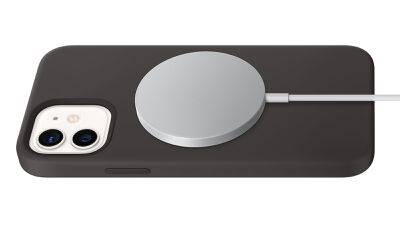
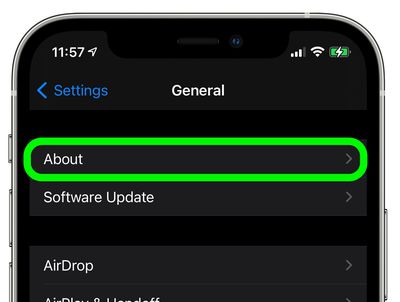
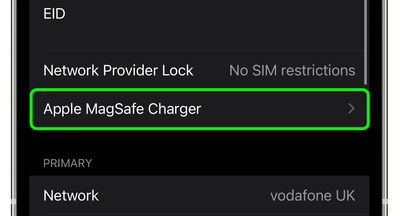
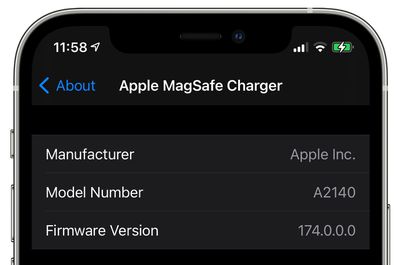
If the MagSafe Charger menu doesn't display in the About section of the Settings app, there's a good chance that your Apple-branded MagSafe Charger or Charger Duo is a fake, in which case you should stop using it and demand a refund from the seller. Again, this menu cannot be brought up when using an Apple-approved third-party MagSafe charger, so keep that in mind too.
















