

In iOS, Apple's Today View and Spotlight Search functions can be accessed via the iPhone Lock Screen. This article explains why you might want to disable access to them from the Lock Screen, and how to go about doing so.
In early versions of Apple's mobile operating system, all an iPhone's Lock Screen provided users with access to was the time, date, any notifications, and the camera and flashlight functions. To access anything else, you had to unlock the iPhone. It was straightforward and secure.
These days, iOS allows for optional access to several additional features from the Lock Screen, including (but not limited to) the Today View and Spotlight Search.
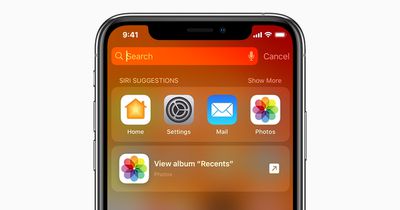
Accessed with a left-to-right swipe, the Today View is where you can add widgets and other things you might want to see at a glance without unlocking your iPhone. Swiping down from the middle of the Lock Screen brings up the search input field and Siri suggestions, which are the digital assistant's best guesses as to what apps you might want to use at a given time.
While these are worthwhile, handy features to have available from the Lock Screen, it does mean that anyone can view and use them when your iPhone is locked, and potentially learn things about your device's contents. If that sounds like a step too far from a security perspective, you can easily disable access to these functions on your iPhone. Here's how it's done.
- Unlock your iPhone and open the Settings app.
- Scroll down and tap Face ID & Passcode (or Touch ID & Passcode).
- Enter your passcode at the prompt.
- Scroll down, and under "Allow Access When Locked," toggle off the switch next to Today View and Search.
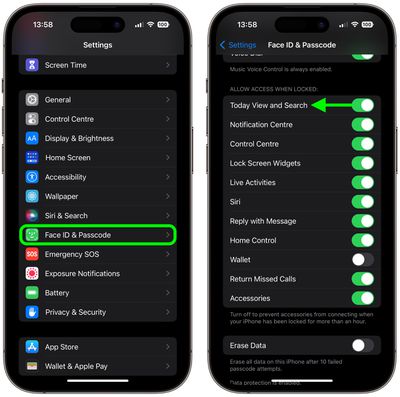
These functions will be disabled with immediate effect, and will no longer be available from the Lock Screen, giving you that added level of security.



















