

In iOS 16, Apple has introduced an option that lets you display the exact percentage of your iPhone's remaining battery in the status bar, even if you have a model with Face ID. This article explains how it works in iOS 16 Beta 5.
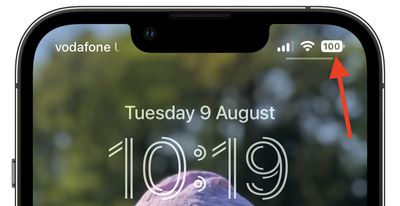
Before now, the option to show battery percentage in the status bar has only been available on pre-iPhone X models and iPhone SE models that have no notch, where space at the top of the screen isn't at a premium.
If you have a newer iPhone with Face ID running iOS 15, the battery icon shows a visual of the battery level, but it does not provide a specific percent, so you have to swipe into the Control Center or use the battery widget to view the battery percentage remaining.
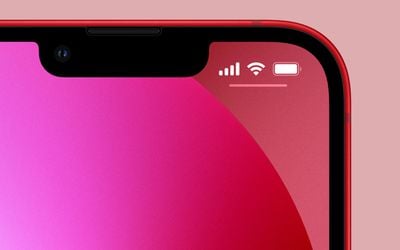
That's all changed in iOS 16, and the status bar percentage indicator is now available on newer iPhones with a notch – but not all models.
In iOS 16, the battery level option is available on the iPhone 12 and iPhone 13 models, with the exception of the 5.4-inch iPhone 12 mini and iPhone 13 mini. It is also available on the iPhone X, iPhone XS, and iPhone 11 Pro/Max, but not the standard iPhone 11 or the iPhone XR. It's not clear why all notched iPhones don't support the feature, that's the situation for now.
If you have a compatible iPhone with Face ID running iOS 16 here's how to enable the percentage indicator.
- Open Settings on your iPhone.
- Scroll down and tap Battery.
- Toggle on Battery Percentage.
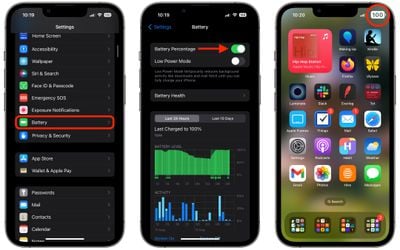
That's all there is to it. You'll now see a specific battery level inside the battery icon on both the Lock Screen and your Home Screens, providing a better idea of battery status at a glance.
The battery icon will change colors based on the status of the battery, and the color of the iPhone's wallpaper. When charging, for example, the battery icon will turn green and show a charging indicator. When the charge drops below 20%, the battery icon will show a red level.
If your iPhone doesn't support the new option, don't worry – you can still check the exact level of the battery using a handful of other methods.




















