
The discovery of a simple Terminal command that brings back the classic startup chime on newer Macs has gone viral in recent days. Apple disabled the startup sound on new Macs in 2016, and while a couple of tricks have worked in the past to get the chime back, updates to macOS appear to have stopped them working.
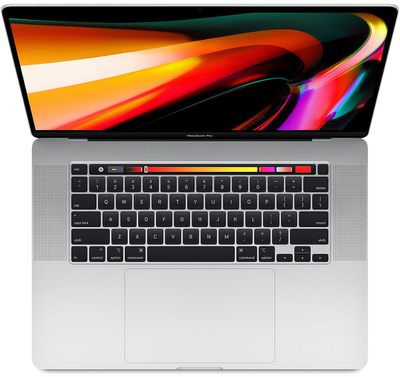
16 inch macbook pro orange background
However, the latest trick – first shared in the MacRumors Forums by BigMcGuire – appears to have a high success rate, although depending on your Mac model, your mileage may vary.

If you yearn for that classic Mac sound, follow these steps to re-instate it.

  1. Launch the Terminal app, which can be found in the Applications/Utilities folder. This will open a Terminal window and a command prompt for you to begin typing.
  2. Input the following command and then press Return: sudo nvram StartupMute=%00
  3. Enter your admin user password when prompted.
  4. Close Terminal, then restart your Mac.

Make sure the volume is up, and with a little bit of luck, you'll hear that soothing F-sharp chord sound the next time your Mac boots up.

If you want to get rid of the chime after re-activating it, simply repeat the steps above but replace the Terminal command in step 2 with the following: sudo nvram StartupMute=%01.

The iconic chiming startup sound was originally made to indicate that diagnostic tests had found no hardware or software issues. A similar sound accompanied almost every Mac boot sequence since 1991 and the most recent F-sharp chord incarnation was first used in the iMac G3.

Originally, a C major chord was recorded by Apple engineer Jim Reekes using a Korg keyboard, but what most users will hear these days is a pitch-shifted version of the sound made by the Macintosh Quadra family of professional computers, first released in 1991.


The Mac startup sound was immortalized in the 2008 Disney-Pixar movie WALL*E. When the titular robot character has reached 100 percent power after positioning his solar array, the booting chime goes off.


Top Rated Comments

markfc Avatar
78 months ago
now we just need the glowing Apple Logo and the sleep pulse light back and we're good! :-)
Score: 25 Votes (Like | Disagree)
Apple Knowledge Navigator Avatar
78 months ago
They should have just added an option in System Pref to turn it on or off.
Score: 15 Votes (Like | Disagree)
QuarterSwede Avatar
78 months ago
Now that Ive is gone it’s time for Apple to add little bits of whimsy back. I miss that.
Score: 14 Votes (Like | Disagree)
zorinlynx Avatar
78 months ago
I liked the sound because it meant a successful POST had occurred.

Sometimes when waking up a machine from sleep it actually crashed and starts up from scratch again; you hear the chime and it tells you that something went wrong.

Other times you power it on and it fails to boot, but you heard the chime, which meant a successful POST and that the problem is likely in storage or the OS installation.

It was useful and there was no reason to get rid of it. It could even be turned off for those who didn't want it.
Score: 10 Votes (Like | Disagree)
Reason077 Avatar
78 months ago
Confirmed working on MacBook Pro 2017 13” (non-touchbar).


now we just need the glowing Apple Logo and the sleep pulse light back and we're good! :)
Ahh yes, the sleep pulse light. How I miss nights with it’s deceptively bright pulsating glow, lighting up the room every 10 seconds or so!
Score: 6 Votes (Like | Disagree)
waquzy Avatar
78 months ago

They should have just added an option in System Pref to turn it on or off.
Exactly, Apple can be so annoying sometimes...
Score: 5 Votes (Like | Disagree)

Popular Stories

Apple Logo Zoomed

Tim Cook Teases Plans for Apple's Upcoming 50th Anniversary

Thursday February 5, 2026 12:54 pm PST by
Apple turns 50 this year, and its CEO Tim Cook has promised to celebrate the milestone. The big day falls on April 1, 2026. "I've been unusually reflective lately about Apple because we have been working on what do we do to mark this moment," Cook told employees today, according to Bloomberg's Mark Gurman. "When you really stop and pause and think about the last 50 years, it makes your heart ...
wwdc sans text feature

Apple Rumored to Announce New Product on February 19

Thursday February 5, 2026 12:22 pm PST by
Apple plans to announce the iPhone 17e on Thursday, February 19, according to Macwelt, the German equivalent of Macworld. The report, citing industry sources, is available in English on Macworld. Apple announced the iPhone 16e on Wednesday, February 19 last year, so the iPhone 17e would be unveiled exactly one year later if this rumor is accurate. It is quite uncommon for Apple to unveil...
Finder Siri Feature

Why Apple's iOS 26.4 Siri Upgrade Will Be Bigger Than Originally Promised

Friday February 6, 2026 3:06 pm PST by
In the iOS 26.4 update that's coming this spring, Apple will introduce a new version of Siri that's going to overhaul how we interact with the personal assistant and what it's able to do. The iOS 26.4 version of Siri won't work like ChatGPT or Claude, but it will rely on large language models (LLMs) and has been updated from the ground up. Upgraded Architecture The next-generation...
maxresdefault

Apple Shows Off a Key Reason to Upgrade to the iPhone 17

Saturday February 7, 2026 9:26 am PST by
Apple today shared an ad that shows how the upgraded Center Stage front camera on the latest iPhones improves the process of taking a group selfie. "Watch how the new front facing camera on iPhone 17 Pro takes group selfies that automatically expand and rotate as more people come into frame," says Apple. While the ad is focused on the iPhone 17 Pro and iPhone 17 Pro Max, the regular iPhone...
iOS 26

iOS 26.3 and iOS 26.4 Will Add These New Features to Your iPhone

Tuesday February 3, 2026 7:47 am PST by
While the iOS 26.3 Release Candidate is now available ahead of a public release, the first iOS 26.4 beta is likely still at least a week away. Following beta testing, iOS 26.4 will likely be released to the general public in March or April. Below, we have recapped known or rumored iOS 26.3 and iOS 26.4 features so far. iOS 26.3 iPhone to Android Transfer Tool iOS 26.3 makes it easier...















