
How to Find Your Powerbeats Pro Serial Number and Check Firmware - MacRumors
Skip to Content

How to Find Your Powerbeats Pro Serial Number and Check Firmware

by

If you've recently updated your PowerBeats Pro or are thinking of doing so, you can follow the steps below to check the current firmware version your wireless earphones are running. Apple will occasionally send ‌firmware updates for its audio accessories over the air, though the software should install automatically if you follow these general guidelines.
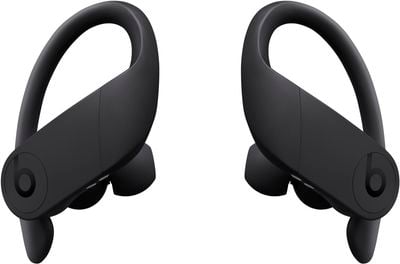
powerbeatsproblack
The method described below will also enable you to check the PowerBeats' unique serial number, which you'll need if you ever want to replace a lost or faulty earpiece.

  1. Make sure your PowerBeats Pro are charged and connect them to your iPhone or iPad in the usual way.
  2. Launch the Settings app on your iOS device.
  3. Tap General.
  4. Tap About.

  5. Tap PowerBeats Pro.
  6. Check the numbers shown beside the Firmware Version and Serial Number entries.

Note that you can also find your PowerBeats Pro serial number printed in small type on the inside of the charging case lid, near the top edge.

Popular Stories

iOS 26

iOS 26.4 Adds Two New Features to CarPlay

Tuesday March 24, 2026 1:55 pm PDT by
iOS 26.4 was released today, and it includes a couple of new features for CarPlay: an Ambient Music widget and support for voice-based chatbot apps. To update your iPhone 11 or newer to iOS 26.4, open the Settings app and tap on General → Software Update. CarPlay will automatically offer the new features so long as the iPhone connected to your vehicle is running iOS 26.4 or later....
Apple Business hero

Apple Unveils 'Apple Business' All-in-One Platform

Tuesday March 24, 2026 8:53 am PDT by
Apple today announced Apple Business, a new all-in-one platform that unifies device management, productivity tools, and customer outreach features. The service is designed to be a consolidated replacement for several of Apple's existing business-focused offerings, including Apple Business Essentials, Apple Business Manager, and Apple Business Connect. It provides organizations with a single...
AirPods Pro Firmware Feature

Apple Releases New Firmware for AirPods Pro 3, AirPods Pro 2 and AirPods 4

Tuesday March 24, 2026 12:31 pm PDT by
Apple today released new firmware for the AirPods Pro 2, AirPods Pro 3, and the AirPods 4. The firmware has a version number of 8B39, up from 8B34 on the AirPods Pro 3, 8B28 on the AirPods Pro 2, and 8B21 on the AirPods 4. There is no word on what's included in the firmware, but Apple has a support document with limited notes. Most updates are limited to bug fixes and performance...

















