How to Get Replacement AirPods Max Ear Cushions and Change Them Out - MacRumors
Skip to Content

How to Get Replacement AirPods Max Ear Cushions and Change Them Out

by

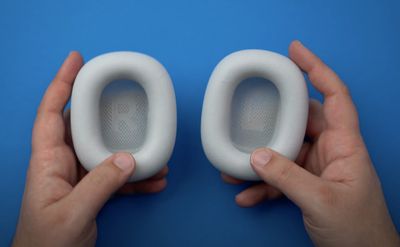
If you need replacement ear cushions for your AirPods Max either due to damage to the existing cushion or to have another color option, there's good news -- as of January, Apple is selling replacements.

How to Buy New Ear Cushions

Ear cushions can be purchased from Apple's online site for $69, and that price point includes both the left and right replacement cushions.
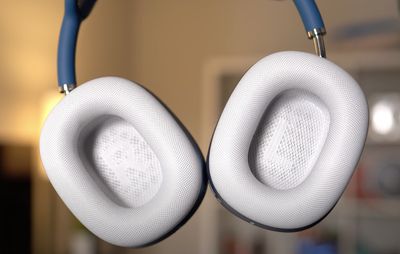
airpods max ear cushions
Apple sells ear cushions in all of the available AirPods Max colors so you can get the same color you had before or experiment with new color combinations.
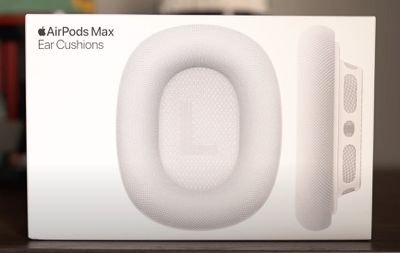
airpods max ear cushions in box

How to Swap Out AirPods Max Ear Cushions

Ear cushions attach to the AirPods Max ear cups magnetically, so it's incredibly easy to swap them out once you have a set of replacement cushions available.

  1. Take the AirPods Max out of the case.
  2. Unbox the new ear cushions from Apple. airpods max ear cushions unboxed
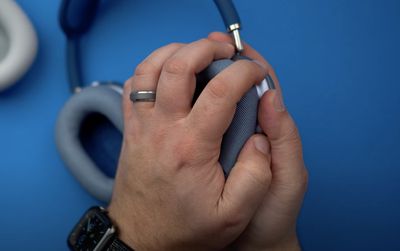
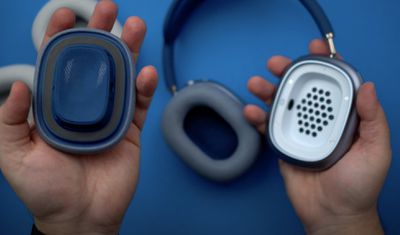
  3. Grasp the right ear cushion in your hand and pull upwards with a firm but gentle motion to remove the existing cushion. airpods max pulling cushion
  4. Repeat for the left side.airpods max removing cushion
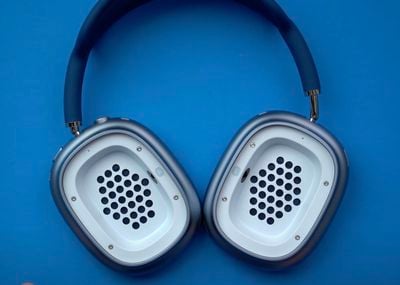
  5. Take the right replacement cushion and position it over the right ear cup, which is denoted with an "R" on the side of the cup. airpods max ear cushions off
  6. Gently set the ear cushion in place, where it will snap down thanks to the magnets.
  7. Repeat for the left side.

That's all there is to it. Removing the AirPods Max ear cushions and replacing them couldn't be simpler. Prior to the AirPods Max launch, there were rumors that Apple was aiming for the headphones to be customizable, so in the future, we could see additional ear cup color options made available for personalization purposes.


Related Roundup: AirPods Max 2
Buyer's Guide: AirPods Max (Buy Now)
Related Forum: AirPods

Top Rated Comments

-DMN- Avatar
67 months ago
Self-explanatory, no?
Score: 17 Votes (Like | Disagree)
67 months ago
Erm..... sorry to point out but the last photo is wrong...

left on the right, right on the left....

Attachment Image
Score: 9 Votes (Like | Disagree)
roland.g Avatar
67 months ago
I'm not sure I could have done this without the tutorial....:rolleyes:
Score: 8 Votes (Like | Disagree)
synergize Avatar
67 months ago
Anyone like a video on how to put your shoes on?
Score: 7 Votes (Like | Disagree)
jclo Avatar
67 months ago

It must be a super slow news day.
It really is.
Score: 6 Votes (Like | Disagree)
jclo Avatar
67 months ago

Erm..... sorry to point out but the last photo is wrong...

left on the right, right on the left....
Yes, Dan put them on wrong in the video. But you're right, maybe I should take it out to prevent confusion.
Score: 5 Votes (Like | Disagree)

Popular Stories

iOS 26

iOS 26.4 Adds Two New Features to CarPlay

Tuesday March 24, 2026 1:55 pm PDT by
iOS 26.4 was released today, and it includes a couple of new features for CarPlay: an Ambient Music widget and support for voice-based chatbot apps. To update your iPhone 11 or newer to iOS 26.4, open the Settings app and tap on General → Software Update. CarPlay will automatically offer the new features so long as the iPhone connected to your vehicle is running iOS 26.4 or later....
Apple Business hero

Apple Unveils 'Apple Business' All-in-One Platform

Tuesday March 24, 2026 8:53 am PDT by
Apple today announced Apple Business, a new all-in-one platform that unifies device management, productivity tools, and customer outreach features. The service is designed to be a consolidated replacement for several of Apple's existing business-focused offerings, including Apple Business Essentials, Apple Business Manager, and Apple Business Connect. It provides organizations with a single...
AirPods Pro Firmware Feature

Apple Releases New Firmware for AirPods Pro 3, AirPods Pro 2 and AirPods 4

Tuesday March 24, 2026 12:31 pm PDT by
Apple today released new firmware for the AirPods Pro 2, AirPods Pro 3, and the AirPods 4. The firmware has a version number of 8B39, up from 8B34 on the AirPods Pro 3, 8B28 on the AirPods Pro 2, and 8B21 on the AirPods 4. There is no word on what's included in the firmware, but Apple has a support document with limited notes. Most updates are limited to bug fixes and performance...