More and more smart home products include compatibility with Apple's HomeKit framework, allowing easy and automated control through an iOS device or Mac. Yet there are some actions that require the presence of a home hub, a device that remains powered on and connected at your home that can relay the commands you give via Siri while you're away. Apple's HomePod can act as such a hub, offering several benefits for your smart home setup.
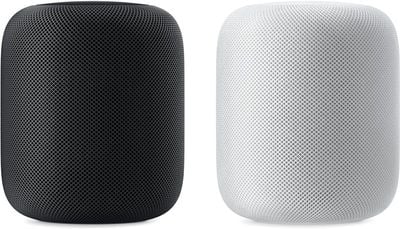
Benefits of a Home Hub
The key feature a home hub offers is the use of Siri to trigger actions when you're away from home. For example, if you're driving home from work, you can ask Siri to raise the temperature at home to 70º to direct a connected thermostat to adjust the temperature. Without a home hub, using Siri would only generate an error and you'd need to adjust the temperature manually using the thermostat's app or the Home app. While it's not a hardship to make these kinds of changes manually, having a home hub can make it easier (especially when you want to keep both hands on the steering wheel while driving).
If you've created scenes--which are sets of actions to trigger multiple changes at once, like turning off all the lights at bedtime--a home hub also allows you to set these via Siri when you're away from home.
Another advantage of a home hub is the ability to automate some actions based on your location using geofencing. For example, the Ecobee thermostat can automatically switch to Away mode to set the temperature to a more economical level when you leave home. You set the geofence area within the Ecobee app and once you've left it (based on your iPhone's location), your home hub triggers the applicable scene with the thermostat and any other smart home devices you've designated to act.
Setting up HomePod as a Home Hub
When you set up a new HomePod using the Home app, it's automatically designated as a home hub, so no specific steps to make it a home hub are necessary. If you have multiple HomePods, note that only one is designated as a home hub while the others are marked as on standby. While this automated set-up is handy, it's not immediately clear which smart devices you own can take advantage of the HomePod as a home hub -- you may need to explore a bit with each device to see what additional features the presence of a home hub could offer.
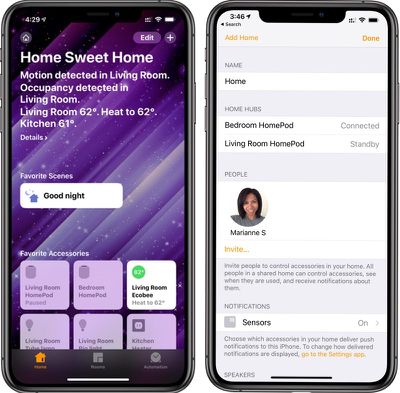
If you plan to make use of your HomePod as a home hub, you should just double-check to ensure it's set up with the same Apple ID account email address as the one you're using for HomeKit.
Using a Home Hub via Siri Remotely
With HomeKit, a home hub operates pretty seamlessly to relay commands given to Siri when you're away from home. While you're out and about, you can ask Siri on any of your iOS devices or Macs that have an internet connection to trigger a scene or change the state of a specific smart home device. Here are some example commands:
- "Turn on the living room light."
- "Open the garage door."
- "Close all of the window blinds."
- "Turn on the air purifier."
In short, you can ready your home for your arrival or departure, or adjust it for any current occupants by voice as you please. You can also check a device's status with Siri. For example, you can ask what the temperature inside your home is, if any lights are on, or if the garage door is closed.
Find a list of all HomeKit-compatible devices. Apple maintains this list and keeps it updated.
Despite being able to play an important role within the HomeKit framework as a home hub, it's not yet possible to directly trigger a HomePod to carry out a specific action as part of a scene. There's a currently a workaround using a Siri Shortcut with the Shortcuts app, allowing you to have HomePod start playing a specific playlist when a scene is triggered. It's possible that Apple may add more functionality related to HomeKit scenes for the HomePod in the future.