

Apple has seeded the first beta of an upcoming tvOS 16 software update to its public beta testing group, giving non-developers a chance to try out the new Apple TV software ahead of its official release in the fall.
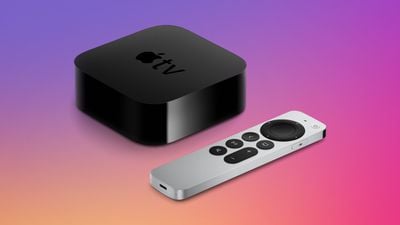
tvOS 16 brings several new features to Apple TV. tvOS 16 enables cross-device connectivity, a feature that allows developers to integrate Apple TV apps with iPhone, iPad, and Apple Watch apps to unlock new experiences on the TV. Apple has also improved how multiple user profiles work in tvOS 16 by adding a shared keychain, so users won't need to sign in and choose their profile when launching an Apple TV app.
Game controller support has been expanded to the Nintendo Joy-Cons and Pro Controller, and HDR10+ support is available in the tvOS 16 Apple TV app. With tvOS 16, the Apple TV will support Matter, an upcoming standard that will improve interoperability between smart home accessories from different companies.
Before you rush to install the tvOS 16 beta, it's worth remembering that this is pre-release software, so don't expect things to work 100 percent trouble-free. Apple has released relatively stable beta versions of its operating systems this year, but beta software is inherently unstable, as it contains bugs and issues that have yet to be ironed out. Still interested? Then read on.
Is tvOS 16 Compatible With My Apple TV?
tvOS 16 is designed to run on the fourth and fifth-generation Apple TV models (Apple TV HD and Apple TV 4K, respectively). It is not compatible with earlier versions of the Apple TV, because those models do not support tvOS.
How to Enroll in the Apple Beta Software Program
To download and install the tvOS 16 beta, you must enroll in the free Apple Beta Software Program. If you're already enrolled, you can skip these steps and jump to the next section.
- Open Apple's Safari browser on a computer or iOS device and navigate to the Apple Beta Software Program.
- Tap the blue Sign up button, or, if you're already a member, click Sign in in the top-right of the webpage.
- Enter your Apple ID credentials and tap the Sign in button.
- Agree to the Apple Beta Software Program terms and conditions if necessary.
How to Download and Install tvOS 16 on Apple TV
Once you're enrolled in the Apple Beta Software Program, you'll need to carry out the following steps on your Apple TV.
- From your Apple TV, click through to Settings > Accounts.
- Under Apple ID, sign into at least one of the account options (iCloud, iTunes and App Store, or Game Center) with the same Apple ID that you used to register for the Apple Beta Software Program.
- On your Apple TV, click through to Settings > System > Software Updates.

- Click Get Beta Updates to turn it on.
- Follow the onscreen instructions to complete the process.
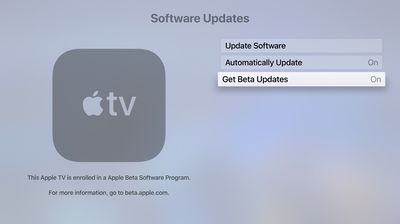
Your Apple TV should automatically download and install the latest public beta software if you have Automatically Update turned on in the Software Updates settings, but you can always manually check for updates by clicking through to Settings > System > Software Updates > Update Software.




















