

In iOS 26, Liquid Glass is Apple's new translucent material that reflects and refracts its surroundings, while dynamically transforming to help bring greater focus to content across system controls, navigation elements, app icons, and widgets. The design represents the most significant visual overhaul since iOS 7, and it also brings a new clock appearance option to your iPhone Lock Screen.
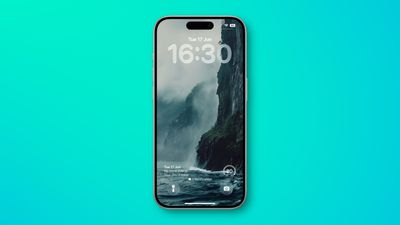
If you haven't installed the iOS 26 beta on your iPhone, you can do so by following the steps in this link. Apple will release the software to the general public in September. You can check if your iPhone model is compatible with the update by referring to this article. With all that said, here's how to change the clock on your Lock Screen to the new Liquid Glass aesthetic.
Change Lock Screen Time to Liquid Glass
- Wake your iPhone so the Lock Screen is showing.
- Long press anywhere on the Lock Screen, then tap Customize.
- Tap the time within the square frame.
- Tap the new Glass option to switch from Solid.
- Make any other desired changes to the clock's color and style, then tap Done to finish.
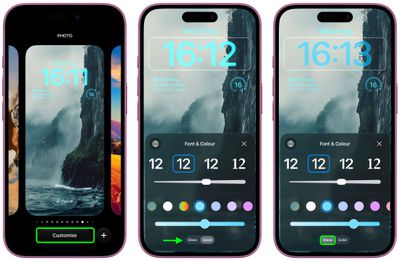
Widgets that you have on the Lock Screen have the same translucent look as the Glass option, as do the quick access buttons on the bottom. Notifications are also glassy and see through, and you can see hints of your wallpaper behind them. The same aesthetic extends to the Home Screen and Control Center, and can be found elsewhere throughout the system.
Liquid Glass also features in iPadOS 26, macOS 26, watchOS 26, and tvOS 26. iPadOS 26 looks a lot like iOS 26, and macOS 26 has a translucent menu bar and dock background, plus it uses Liquid Glass for buttons, side bars, navigation bars, and the Control Center.
Apple says that Liquid Glass will be the basis for the next decade of software design.




















