

In iOS 15, Apple's new Focus feature aims to reduce distractions and set your device to help you be in the moment. You can do this by creating a new Focus or selecting a suggested one based on the context, like during work hours or while you're winding down for bed.
If you want to customize a Focus that's already set up, you can do so by going into Settings -> Focus and selecting the Focus mode in question.
In the Focus options, there are several settings available to you. At the top of the menu, you can change the name and icon of the Focus by tapping it, and change the people and apps that you're happy to receive notifications from.
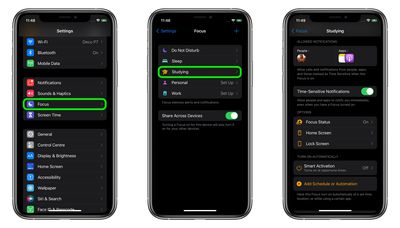
Below that, you'll see a toggle to enable/disable Time-Sensitive Notifications. With this option on, people and apps will be able to notify you immediately even when you have the Focus turned on.
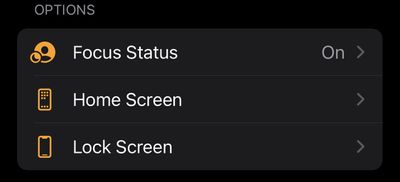
Under "Options," you'll see Focus Status – turning this on allows apps to display to people who message you that you have notifications silenced. You'll also see an option to Hide Notification Badges on app icons and an option to hide certain Home Screen pages using the Custom Page toggle. You can also choose to Dim Lock Screen appearance and Show On Lock Screen any silenced notifications you receive.
Under the last section, "Turn on Automatically," you'll see a Smart Activation option. Turning this on will automatically activate the selected Focus at relevant times throughout the day, based on signals like your location, app usage, and more.
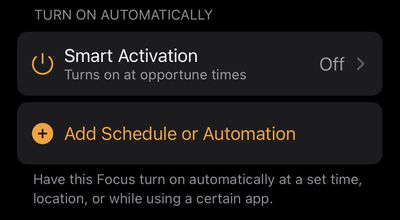
If this is too vague for your liking, you can use the alternate Add Schedule or Automation option to have the Focus turn on automatically at a set time, location, or while using a certain app.
Any customizations you make to a Focus will be applied the next time you activate it.




















