
iOS 18.1: Take a Selfie With Camera Control - MacRumors
Skip to Content

iOS 18.1: Take a Selfie With Camera Control

by

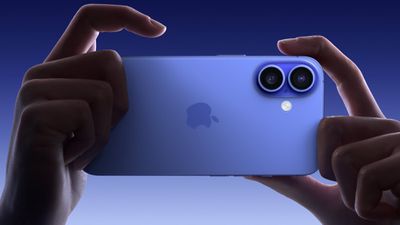
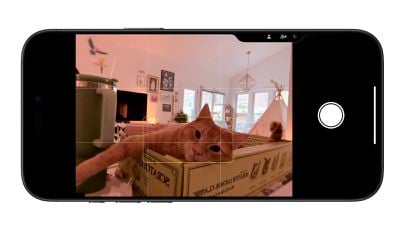
Apple has introduced a handy new feature for iPhone 16 users in iOS 18.1 (currently in beta) that makes taking selfies easier: The Camera Control button now allows quick access to the front-facing camera without touching the screen.
iphone 16 capture button 2
Here's how to use this new selfie functionality on ‌iPhone 16‌ models running iOS 18.1:

  1. Open the Camera app by pressing the Camera Control button.
  2. Swipe on the Camera Control button to scroll though the lenses until you reach the icon that represents the front-facing camera (a person icon).
  3. Release your finger to switch the camera to selfie mode.
  4. Press down on the Camera Control button to take your selfie.
iphone 16 selfie camera control

This new gesture works seamlessly with the existing lens-switching functionality. You can swipe through the ultra-wide (0.5x), wide (1x), and telephoto (2x and 5x on Pro models) lenses before reaching the selfie camera option.

If you've customized your Camera Control settings, you might need to take an extra step. Open the Camera app, activate Camera Control, and tap the screen to change tools. Look for the "Cameras" section, where you'll find the selfie camera option alongside the other lenses.

It's worth noting that the last tool you used will be the default when you next open Camera Control. So if you frequently take selfies, this feature will become even more convenient over time. If you aren't using the iOS 18.1 beta, expect the public release to become available to download on your ‌iPhone 16‌ this October.

Related Roundup: iPhone 16
Related Forum: iPhone

Popular Stories

iOS 26

iOS 26.4 Adds Two New Features to CarPlay

Tuesday March 24, 2026 1:55 pm PDT by
iOS 26.4 was released today, and it includes a couple of new features for CarPlay: an Ambient Music widget and support for voice-based chatbot apps. To update your iPhone 11 or newer to iOS 26.4, open the Settings app and tap on General → Software Update. CarPlay will automatically offer the new features so long as the iPhone connected to your vehicle is running iOS 26.4 or later....
Apple Business hero

Apple Unveils 'Apple Business' All-in-One Platform

Tuesday March 24, 2026 8:53 am PDT by
Apple today announced Apple Business, a new all-in-one platform that unifies device management, productivity tools, and customer outreach features. The service is designed to be a consolidated replacement for several of Apple's existing business-focused offerings, including Apple Business Essentials, Apple Business Manager, and Apple Business Connect. It provides organizations with a single...
AirPods Pro Firmware Feature

Apple Releases New Firmware for AirPods Pro 3, AirPods Pro 2 and AirPods 4

Tuesday March 24, 2026 12:31 pm PDT by
Apple today released new firmware for the AirPods Pro 2, AirPods Pro 3, and the AirPods 4. The firmware has a version number of 8B39, up from 8B34 on the AirPods Pro 3, 8B28 on the AirPods Pro 2, and 8B21 on the AirPods 4. There is no word on what's included in the firmware, but Apple has a support document with limited notes. Most updates are limited to bug fixes and performance...

















