

iPhone 14 Pro models feature an upgraded rear camera system that can shoot 48-megapixel photos, but only in ProRAW mode. This article explains what ProRAW is and how to enable it.
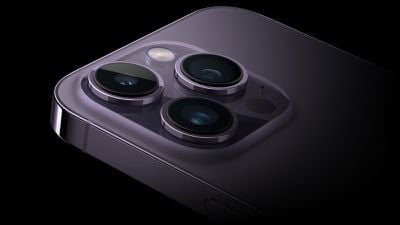
Apple's biggest camera upgrade for the iPhone 14 Pro and iPhone 14 Pro Max models is to the Main lens, which has been increased to 48 megapixels.
Apple says the new sensor also comes with a "new machine learning model [that] delivers sharper images and less noise for unprecedented detail." However, this only applies when taking ProRAW shots at 48 megapixels. Otherwise, the camera defaults to shooting in 12-megapixel resolution, similar to iPhone 13 models.
There's a good reason for this. ProRAW is a 10-bit file that uses the Linear DNG format to retain more information and dynamic range, providing additional flexibility when editing exposure and white balance.
With a ProRAW image containing 8,064 x 6,048 pixels, these files consume a significant amount of storage and can be approximately 75MB in size, or three times the size of an average 12-megapixel image.
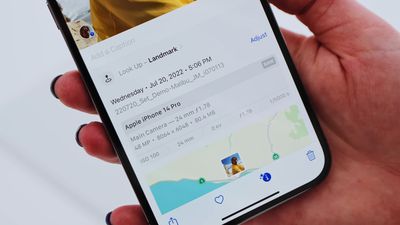
Unless you have the largest capacity 1TB iPhone 14 Pro model, you're unlikely to want to shoot at this resolution all the time. But on those occasions that you do want to take advantage of ProRAW levels of detail, here's how to turn on the feature.
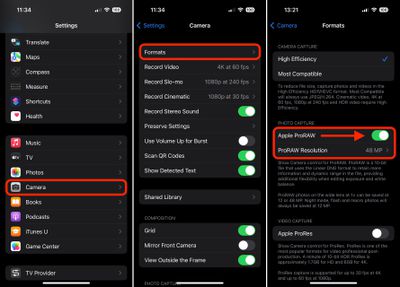
- Launch the Settings app on your iPhone 14 Pro
- Scroll down and tap through to Camera.
- Tap Formats.
- Under "Photo Capture," switch on the toggle next to Apple ProRAW.
- Make sure the ProRAW Resolution setting that appears is set to 48MP.
Now when you go into the Camera app, tap the ProRAW icon in the top-right of the interface so that it is no longer crossed out, then you're ready to point and shoot. Note that Night mode, flash and macros are always saved at 12 megapixels.




















