

On iPhone and iPad, Apple's Visual Look Up feature for photos makes it possible to isolate the subject of a picture from its background so that you can copy it to the clipboard for use elsewhere or share it in another app.
Apple says the feature relies on advanced machine learning, and its ability to recognize and isolate subjects from a variety of photos is pretty impressive.
In fact it's so easy to use that performing painstaking subject isolation actions in image editing apps could soon become a thing of the past. Here's how it works.
- Launch Photos and select an image from your library containing a well-defined subject.
- Press and hold on the subject until it ripples and a white glow flows around its outline.
- In the popup menu that appears, tap Copy to send the isolated subject to the clipboard for pasting elsewhere, or tap Share... to access the standard sharing options in the Action menu and send it on its way.
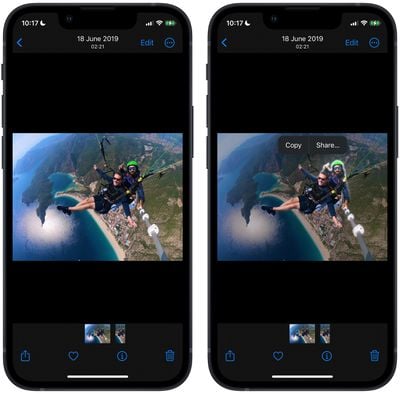
- Alternatively, press and hold the subject to lift it from the background. Now, without taking your finger off the screen, use another finger to exit the Photos app and launch Messages, Mail, Notes, or another app that accepts images.
- Now drag and let go of the subject to place it where you want in the input field.

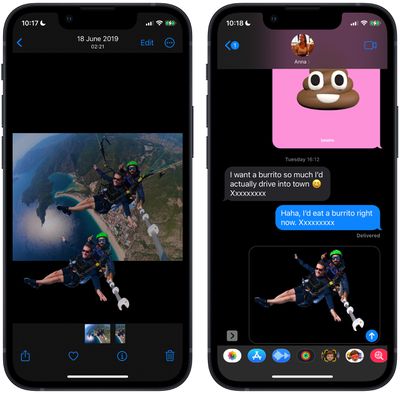
That's all there is to it. You can even use it in paused frames in videos. The feature works not just in Photos, but also in screenshots and the Quick Look feature in the Files app.
As mentioned, the feature uses advanced machine learning and image analysis, therefore it is only available on phones with the A12 Bionic or newer chip. The A12 Bionic processor debuted in 2018 in the iPhone XS, iPhone XS Max, and the iPhone XR, so you need to be using one of these iPhones or a later model for it to work.




















