
How to Know If Your iPhone Supports iOS 16 - MacRumors
Skip to Content

How to Know If Your iPhone Supports iOS 16

by

Apple announced iOS 16 at its Worldwide Developers Conference in June, with an official release date to the public on Monday, September 12.
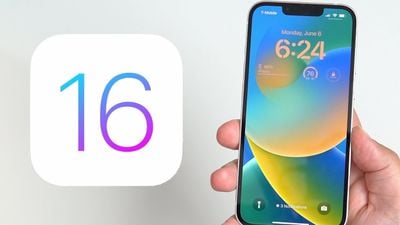
ios 16 lock screen
iSO 16 introduces new Lock Screen personalization features including widgets, new Messages features like Mark as Unread and the ability to edit or delete sent messages, new Focus filters, new ways to use SharePlay, and more. This version also includes an iCloud Shared Photos Library, and comes with a Fitness app that doesn't require an Apple Watch to use.

Will My iPhone Run iOS 16?

Apple's newly announced iOS 16 operating system is compatible with many of the iPhones that are able to run iOS 15, but it does drop support for some older devices, including the iPhone SE, the iPhone 6s, the ‌iPhone‌ 6s Plus, the iPod touch, and the ‌iPhone‌ 7 and ‌iPhone‌ 7 Plus. Here's the full list of compatible devices:

  • iPhone 14
  • iPhone 14 Plus
  • iPhone 14 Pro
  • iPhone 14 Pro Max
  • iPhone 13
  • iPhone 13 mini
  • iPhone 13 Pro
  • iPhone 13 Pro Max
  • iPhone 12
  • iPhone 12 mini
  • iPhone 12 Pro
  • iPhone 12 Pro Max
  • iPhone 11
  • iPhone 11 Pro
  • iPhone 11 Pro Max
  • iPhone XS
  • iPhone XS Max
  • iPhone XR
  • iPhone X
  • iPhone 8
  • iPhone 8 Plus
  • iPhone SE (2nd generation and later)

How to Find Out Your iPhone Model

If you're unsure what iPhone model you have, go to Settings -> General -> About, and you'll find the model name there.

You can also find out which version of iOS your device is running by going to Settings -> Software Update. If an update is available for your iPhone, it will notify you here.
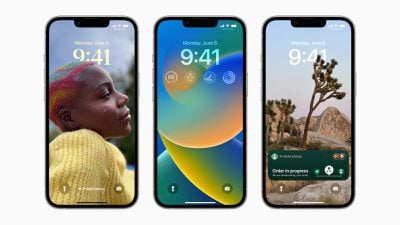
ios 16 lockscreens
You can check in the Settings app when the new update is officially launched to ensure your iPhone stays up-to-date with all the latest features.


Related Forum: iOS 16

Popular Stories

iOS 26

iOS 26.4 Adds Two New Features to CarPlay

Tuesday March 24, 2026 1:55 pm PDT by
iOS 26.4 was released today, and it includes a couple of new features for CarPlay: an Ambient Music widget and support for voice-based chatbot apps. To update your iPhone 11 or newer to iOS 26.4, open the Settings app and tap on General → Software Update. CarPlay will automatically offer the new features so long as the iPhone connected to your vehicle is running iOS 26.4 or later....
Apple Business hero

Apple Unveils 'Apple Business' All-in-One Platform

Tuesday March 24, 2026 8:53 am PDT by
Apple today announced Apple Business, a new all-in-one platform that unifies device management, productivity tools, and customer outreach features. The service is designed to be a consolidated replacement for several of Apple's existing business-focused offerings, including Apple Business Essentials, Apple Business Manager, and Apple Business Connect. It provides organizations with a single...
AirPods Pro Firmware Feature

Apple Releases New Firmware for AirPods Pro 3, AirPods Pro 2 and AirPods 4

Tuesday March 24, 2026 12:31 pm PDT by
Apple today released new firmware for the AirPods Pro 2, AirPods Pro 3, and the AirPods 4. The firmware has a version number of 8B39, up from 8B34 on the AirPods Pro 3, 8B28 on the AirPods Pro 2, and 8B21 on the AirPods 4. There is no word on what's included in the firmware, but Apple has a support document with limited notes. Most updates are limited to bug fixes and performance...















