

If you've taken up the Apple Card offer in the Wallet app on your iPhone, it's worth ordering a physical titanium Apple Card. Keep reading to learn how you can go about ordering one if you didn't elect to have one sent when you signed up for Apple Card.
The titanium Apple Card can be used to make purchases anywhere that Mastercard is accepted. It's made entirely from titanium and comes laser etched with your name.
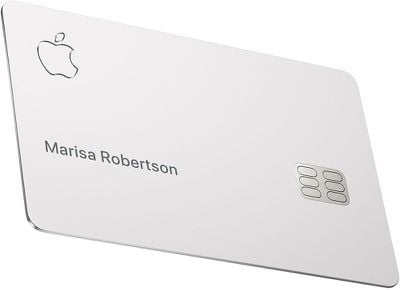
It has a traditional magstripe on the back and a built-in chip, but unlike typical credit cards, there's no card number or expiration date on the front, and no CVV or signature space on the back.
All of this information is stored in the Wallet app on your iPhone, which makes Apple Card more secure than other credit cards.
You can use the card in retail locations without your iPhone nearby just like any other card, but Apple Card doesn't support contactless payments, which must be made using your iPhone or Apple Watch.
Apple offers 1 percent Daily Cash on every purchase you make with the titanium Apple Card. Apple pays out this cash back bonus on a daily basis, so you don't have to wait weeks for your rewards to show up on a statement.
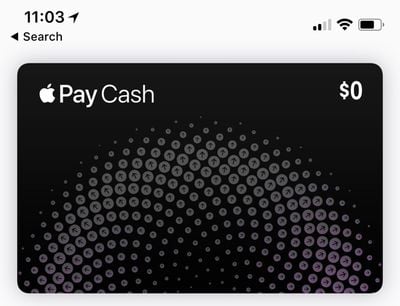
Daily Cash is transferred to your digital Apple Cash card, and can be used for Apple Pay purchases, sent to friends or family using the Apple Cash feature in Messages, or transferred to your bank account.
How to Order a Titanium Apple Card
After your Apple Card application receives approval and you accept the offer, you'll be given the option to request a titanium Apple Card. Here's how it works.
- Launch the Wallet app on your iPhone and tap Apple Card.
- Tap the ellipsis button (the circle containing three dots).
- Scroll down and tap Get Apple Card.
- Follow the onscreen instructions.
Once you've completed the request, your titanium Apple Card will be posted to you free of charge and you'll receive a notification on your iPhone when it ships. To have your card delivered to a different address, you'll need to update your billing address in the Wallet app before you request a titanium Apple Card.




















