

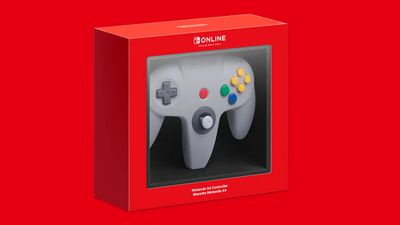
With the release of iOS 17.1, iPadOS 17.1, macOS Sonoma 14.1, and tvOS 17.1, iPhones, iPads, Macs, and Apple TVs include support for pairing Nintendo Switch N64 controllers. Keep reading to learn how it's done.
As many Apple Arcade games enthusiasts will know, Apple's mobile devices and Apple TV set-top box support some popular game controllers right out of the box. For example, these devices have supported PlayStation 5 DualSense and Xbox Series X controllers since April 2021.
With its latest round of software updates (October 2023), Apple has also added support for Nintendo Switch N64 controllers, so if you have one of these lying around then you can finally play better than you otherwise would using on-screen touch controls or your Apple TV Remote.
The following steps describe the process of pairing an N64 controller to your Apple device. If you haven't already, you'll need to update your iPhone/iPad to iOS 17.1/iPadOS 17.1 (Settings > General > Software Update), your Mac to macOS Sonoma 14.1 (System Settings -> General -> Software Update), or your Apple TV to tvOS 17.1 (Settings -> System -> Software Updates).
Pair Nintendo Switch N64 to iPhone, iPad, Mac, Apple TV
- Open your Apple device's Settings and navigate to the Bluetooth menu.
- Press and hold down the SYNC Button for at least one second on the Nintendo 64 Controller you wish to pair.
- On your Apple device, under "Other Devices," tap the detected N64 controller to connect. If you're on Apple TV, connection will be confirmed with a notification via tvOS.
The above steps should work for most wireless console controllers, including the PS5 DualSense Edge Controller, DualShock 4 Wireless controller, the Xbox Wireless controller, the Xbox Series X Controller, and the original PS5 DualSense Controller.




















