

Family Setup is an Apple Watch feature in watchOS 7 that's designed to allow parents to set up Apple Watches for their children without them needing to own an iPhone as well.
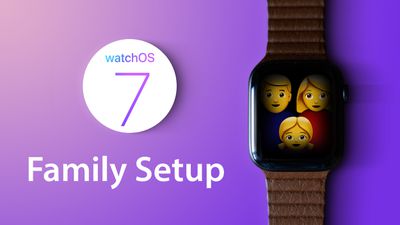
Family Setup is mainly aimed at families with children, but it can also be used to set up an Apple Watch for an older adult or anyone else who doesn't have an iPhone but wants to take advantage of the health and fitness features of Apple Watch.
This article explains how to set up an Apple Watch to be used by someone else via Family Setup. First though, there are some requirements to Family Setup that you should be aware of.
What You'll Need for Family Setup
Family Setup is designed to work with a GPS and Cellular enabled Apple Watch Series 4 or later that's running watchOS 7. It is not compatible with earlier Apple Watch models nor with those that do not have a cellular connection.
Cellular Apple Watch models require their own cellular plan, the price of which can vary between network operators, but you can get a plan for $10 month with most carriers in the United States. Note that while a cellular Apple Watch is required to set up a watch under Family Setup, it can be activated without using a cellular plan.
The main person setting up Family Setup must have an iPhone 6s or later with iOS 14 installed, and all participants will need an Apple ID and will need to be part of a Family Sharing setup.
These last two requirements can be worked out during the setup process, but activating them beforehand will make the setup process a lot faster. Below are links to some how-tos that will help you with these pre-requisites, followed by a step-by-step walkthrough to set up an Apple Watch for Family Setup.
- How to Create an Apple ID on iPhone or iPad
- How to Create an Apple ID on Mac
- How to Enable Family Sharing in iOS and macOS
- How to Set Up Two-Factor Authentication
How to Set Up an Apple Watch for Family Setup
- Turn on the Apple Watch.
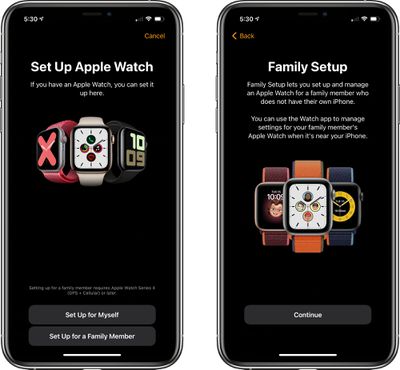
- Launch the Watch app on your iPhone and go to the Apple Watch setup screen.
- Choose Set Up for a Family Member.

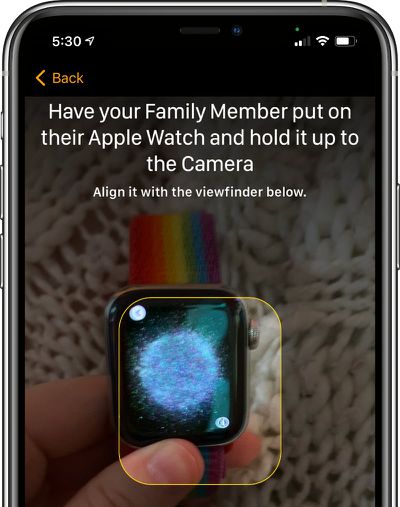
- Pair the Apple Watch with your iPhone by lining up the graphic on the watch's display with the iPhone's camera.
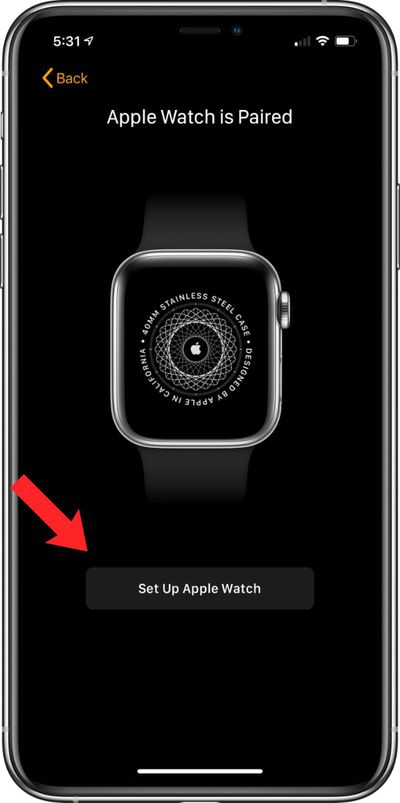
- Tap Set Up Apple Watch.
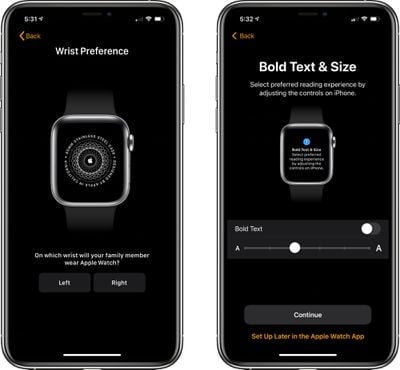
- Agree to the terms and conditions and select a wrist preference.
- Choose a text size for the Apple Watch, then select a passcode for unlocking it.
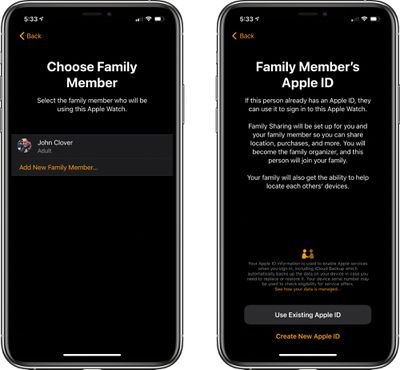
- Select the family member from your Family Sharing circle who will be using the Apple Watch. If the person is not a part of the Family Sharing group, you can choose to Add New Family Member and enter their Apple ID.
- If you chose the Apple ID route, you will need to go through some verification steps and enable two-factor authentication if it's not turned on. If you already had Family Sharing set up, enter the family member's Apple ID password to continue.
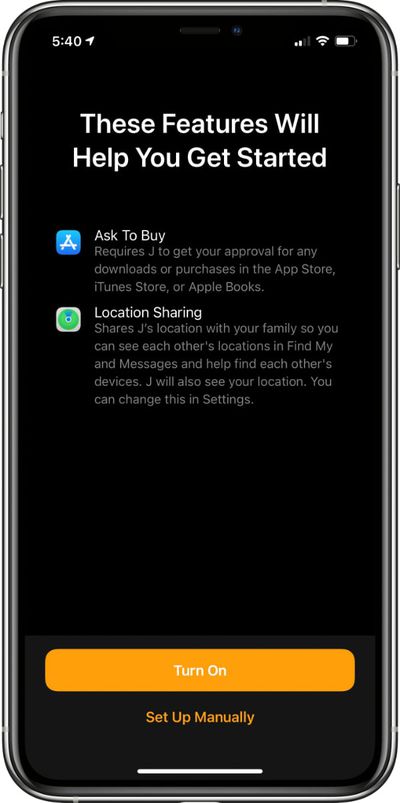
- Turn on Ask to Buy or Location Sharing if desired.
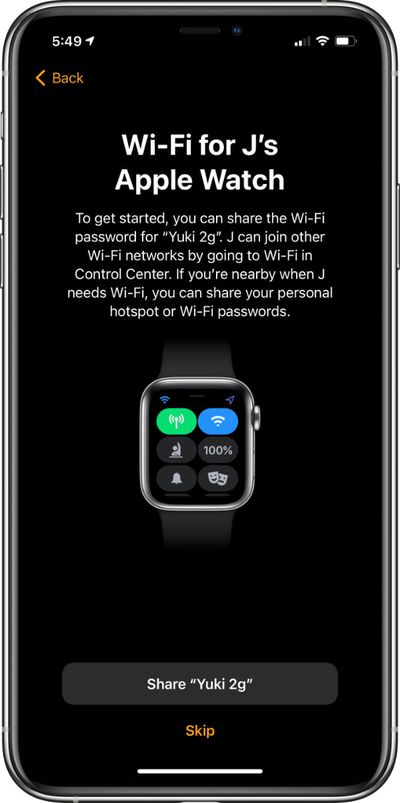
- Set up cellular and Wi-Fi access. Setting up cellular access will require going through your carrier/network operator, such as Verizon or Vodafone. This process can vary by carrier, but Apple and your carrier will walk you through the process on screen.
- You can also opt to set up cellular access at a later time and rely on Wi-Fi, but cellular is required for continual connectivity without an iPhone. After setting up cellular or skipping it until later, tap the Share button to share your WiFi password with the Apple Watch.
- Go through the additional setup screens for Location Sharing, Siri, analytics, and more.
- Choose whether to set up Apple Cash Family, the feature that lets parents provide small amounts of cash to kids that can be used with Apple Pay for purchases. Parents can choose who their kids can send money to and receive money from. Agree to the Terms and Services, and confirm the legal name of your child.
- Continue through the setup process, enabling or disabling additional services such as Messages in iCloud, Emergency SOS, Medical ID, Activity and route tracking options, Photos, trusted Contacts, Screen Time limits, Schooltime for limiting access during school hours, and a feature that lets parents view their children's health data, so daily activity can be monitored.
- After all of these settings are figured out, the Apple Watch will be ready to use and it will be listed under "Family Watches" in the Apple Watch app that belongs to the parent.
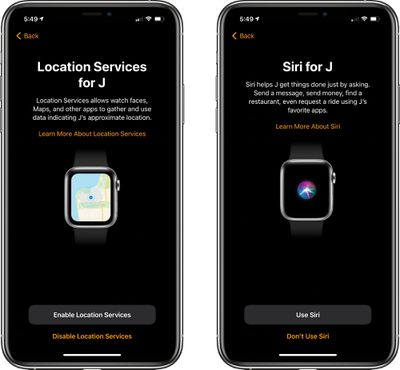
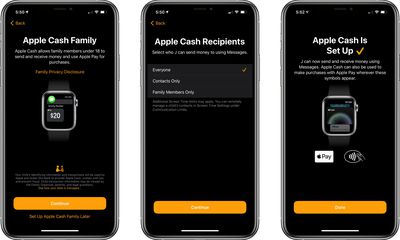
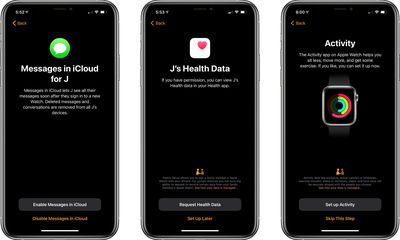
Apple offers parents quite a lot of control over what's enabled in Family Setup and how the Apple Watch functions. For an overview of what's available, be sure to check out our dedicated Family Setup guide.




















