

Spatial audio is a sonic feature exclusive to AirPods (3rd generation), AirPods Pro, Beats Fit Pro, and AirPods Max that adds surround sound to Apple's premium audio wearables. By utilizing dynamic head tracking, it brings a theater-like audio experience to the movie or video you're watching, so that it seems as if the sound is coming from all around you. This article explains how to listen to spatial audio on Mac.
Spatial audio uses the gyroscope and accelerometer in your AirPods, AirPods Pro or AirPods Max to track the motion of your head and the position of your Mac. It then compares the motion data and maps the sound field to what's happening on the screen even as you move your head.
What You Need
To take advantage of spatial audio on AirPods (3rd gen), Beats Fit Pro, AirPods Pro or AirPods Max, you'll need a MacBook Pro introduced in 2021. That includes:
- 14-inch MacBook Pro
- 16-inch MacBook Pro
You'll also need iOS 14 or iPadOS 14 or later installed on your iPhone or iPad if you intend to use it to update the firmware of your AirPods or AirPods Max.
Make Sure Your AirPods Firmware is Up to Date
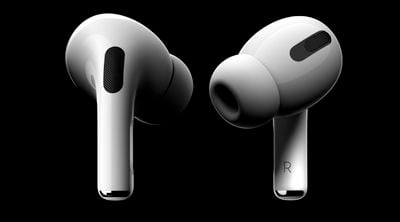
While there's no clear cut way to upgrade the firmware of the AirPods, AirPods Pro and AirPods Max, with new firmware installed over-the-air when the AirPods are connected to a Mac or iOS device, putting your AirPods in the case, connecting them to a power source, and then pairing the headphones to a iPhone/iPad or Mac should force the update after a short period of time.
Apple in September 2020 released the 3A283 firmware for AirPods that introduced spatial audio. Apple may have released newer firmware by the time you read this, but you can check your AirPods firmware by following these steps:
- Make sure the AirPods or AirPods Max are connected to your iOS device.
- Open the Settings app.
- Tap General.
- Tap About.
- Tap AirPods or AirPods Max.
- Look at the number next to "Firmware version."
You can check AirPods and AirPods Max firmware on a Mac by connecting them to the Mac, clicking the Apple symbol in the menu bar, and selecting About This Mac -> System Report -> Hardware -> Bluetooth -> Devices. You should be able to see the information for your AirPods there.
Hoe to Activate or Deactivate Spatial Audio on Mac
- Make sure that you're wearing your AirPods Pro, AirPods Max, AirPods (3rd generation), or Beats Fit Pro, and that they're connected to your MacBook Pro over Bluetooth.
- Click the Control Center icon in the menu bar.
- Click Sound, then find your AirPods or Beats in the list (for example, "Tim's AirPods").
- Choose Spatial Audio while you're playing multichannel content recorded in Dolby Atmos. Choose Stereo Audio to switch back to normal stereo.
In Monterey, Apple has also included an audio feature called "Spatialize Stereo" that takes any non-Dolby stereo mix and creates a virtual spatial audio environment out of it. To access it, connect a pair of AirPods or AirPods Max headphones to your Mac and start playing some audio. Next, click the Control Center icon in the menu bar, and then click the Sound volume bar. You should see the option to Spatialize Stereo in the dropdown beneath your headphones.




















