

In iOS 18, Apple has introduced a clever new way to identify if your iPhone charging setup is running at less than optimal speeds. The new feature appears directly in Settings, making it easy to spot when you're not getting the fastest possible charge.
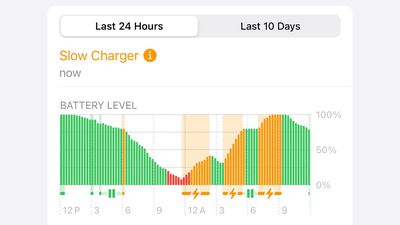
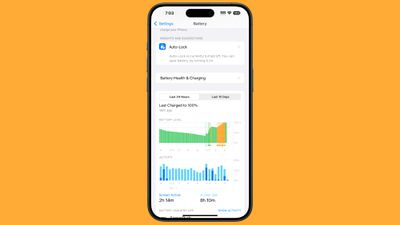
The Battery section displays a Slow Charger message when your iPhone detects a "slow" charger in use. You'll also see charging periods with an orange bar. This visual indicator appears in both the 24-hour and 10-day battery usage views.
What Makes a Charger "Slow"?
- Wired chargers providing 7.5W or less power
- Standard Qi1 wireless chargers (less than 10W)
- USB ports in cars or hubs
- Chargers with multiple connected devices sharing power
Common Causes of Slow Charging
Several situations can slow down your iPhone's charging speed. A counterfeit charger could be the culprit, for example. Even some authentic third-party wireless chargers claim MagSafe compatibility but only deliver standard Qi charging speeds.
If you keep accessories like headphones connected during wireless charging, your device automatically limits power to 7.5W to meet safety standards. Running demanding apps, playing graphics-intensive games, or streaming video at high brightness while charging can also reduce charging speeds as your iPhone manages power and heat. Lastly, it's worth bearing in mind that charging in a warm environment may cause your iPhone to temporarily pause charging until the temperature falls.
Get Faster Charging Speeds
To get the fastest possible charging speeds, you'll want to use a USB-C Power Delivery charger along with the appropriate cable - USB-C for iPhone 15 and later, or USB-C to Lightning for earlier models. Alternatively, you can opt for either Apple's MagSafe Charger or any Qi2-certified wireless charger, both of which provide significantly faster charging than standard Qi chargers.




















