In iOS 26, Apple Maps quietly learns your daily driving patterns to help you beat traffic, but you might not want it tracking your regular routes. Here's how to disable the feature.

Using on-device Apple intelligence, Maps learns the routes you prefer to use to get to locations you visit frequently, such as work, home, and school. The app tracks when you typically visit these places and monitors for traffic or road closures that could impact your commute.
When there's an issue on your usual route, Maps can alert you and suggest alternatives so you arrive on time. The same information appears in a Maps Suggestions widget if you have it added to your Home screen. It's an under-the-hood feature that only activates when needed, so if you have a short commute that doesn't involve roads with frequent traffic, you might never see it.
Why You Might Want to Disable Preferred Routes
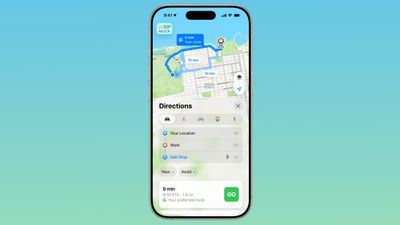
Preferred Routes can help you avoid unexpected delays, but for whatever reason you might prefer not to have your regular routes tracked, even if the data does stay on-device. You might also find the notifications intrusive if you already know about traffic on your route.
How to Turn Off Preferred Routes
- Open the Settings app on your iPhone.
- Tap through to Apps ➝ Maps ➝ Location.
- Toggle off Preferred Routes and Predicted Destinations.
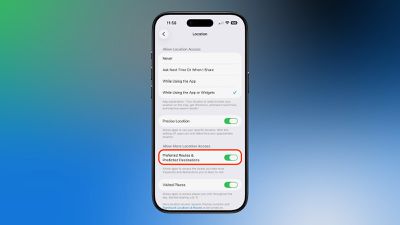
Once disabled, Apple Maps will no longer learn your preferred routes or send you alerts about traffic conditions on your regular commutes. However, you'll still receive standard navigation and traffic information when actively using the app for directions.
To re-enable the feature, simply toggle Preferred Routes and Predicted Destinations back on in Settings ➝ Apps ➝ Maps ➝ Location.