

Since debuting CarPlay in the 2017 Maxima, Nissan has been gradually expanding support for Apple's in-car platform throughout much of the carmaker's lineup, integrating with its NissanConnect infotainment system.
I've had an opportunity to spend some time testing out CarPlay and NissanConnect on a new 2019 Nissan Altima, one of the most popular midsize sedans on the market, and I've found it to be a solid combination.
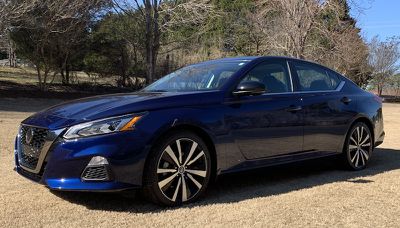
For the redesigned Altima, Nissan is offering CarPlay standard across all trims, meaning that even the base model starting at $23,900 will support it. That's a welcome distinction from many other vehicles where a higher-level trim or a special package is needed in order to get CarPlay. Not all Nissans include CarPlay on the base trims, but the company tells me that it's moving in that direction and the Altima redesign for 2019 was a good opportunity to make it a priority.
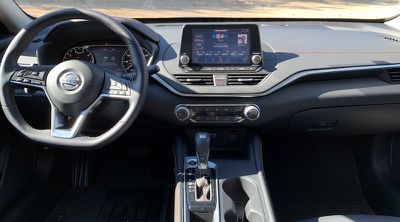
My tester was an Altima SR with front-wheel drive, which represents the model's second-level trim and starts at $25,250. It includes a spacious 8-inch touchscreen display atop the center stack that's standard across the lineup. The SR trim does not include built-in navigation or more advanced NissanConnect subscription services, but it offers a good idea of what you can get at a relatively low-level trim that minimizes the hit to your pocketbook.
NissanConnect
The Altima comes with a standard 8-inch touchscreen and an updated version of NissanConnect that is similar to versions found in other recent Altima models but includes some improvements in visual appeal and performance, although some of the screens do appear a bit busy and cluttered.
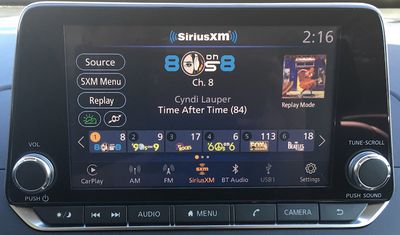
The 8-inch touchscreen is large enough that it's easy to hit most icons on the touchscreen, whether it be in CarPlay or in NissanConnect, and you can customize some of the NissanConnect screens to make it easy to jump to your favorite audio sources or other functions. Nissan has also provided some hardware buttons in a strip below the touchscreen, as well as a volume knob at the left side and a tune/scroll knob at the right side.
Those buttons offer convenient access to some features, such as a prominent Home button to take you back to the NissanConnect home screen, a Phone button to jump into the phone app (either NissanConnect or CarPlay), an Audio button to select sources or see the main audio screen, buttons for switching audio tracks or presets, and of course a Back button to get you out of whatever you're currently doing.
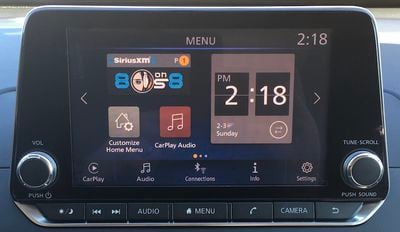
There's also a dedicated Camera button that on my tester simply allowed for adjusting picture quality for the rear camera but is more useful on higher-level trims that include features such as a front camera or a surround-view camera system.
As in many other vehicles, the Altima's touchscreen can attract some fingerprints that are most visible in direct sunlight, but there's a little bit of a matte finish to help reduce fingerprints and glare.
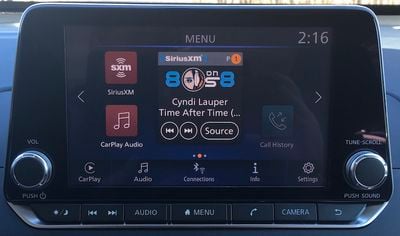
On the software side, the Altima's implementation of NissanConnect actually includes three different home screens, all of which are customizable with various widgets and shortcuts. Widgets can share live bits of information like clock, phone, and audio apps, while shortcuts are simply icons that let you hop into a specific function or audio source.
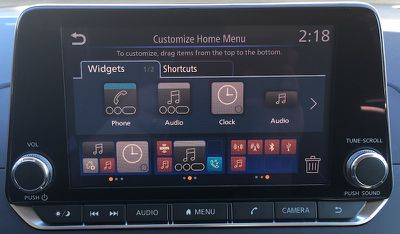
Each home screen is based around a 4x2 grid of spaces, and you can fill up those spaces with whatever combination of widgets and shortcuts will fit in your layout. Widgets can take up larger spaces such as 2x1 or 2x2, and then you can scatter 1x1 shortcut icons in any remaining spaces.
Once you have your home screens set up, you can easily swipe between them, so it's convenient to have something like a central home screen with your most used functions and then a swipe to the left or right can access more focused home screens, but the choice is yours.
CarPlay
Unsurprisingly, the Altima's CarPlay implementation is a wired one, and you can use either the USB-A or USB-C port up front to connect to the system. CarPlay setup was seamless, as CarPlay popped up on the car's display the instant I plugged my phone in, without having to jump through any hoops other than granting permission on my phone to allow CarPlay to function while the phone was locked.
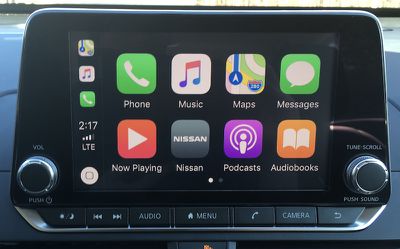
CarPlay appears big and bright on the large 8-inch screen with a traditional aspect ratio that includes the usual 4x2 grid of icons on the home screen. In addition to all of your Apple apps and CarPlay-compatible third-party apps, the home screen also includes a Nissan app icon that makes it easy to jump back to the NissanConnect system. You can also use the hardware home button centered under the screen if you prefer a more tactile method.
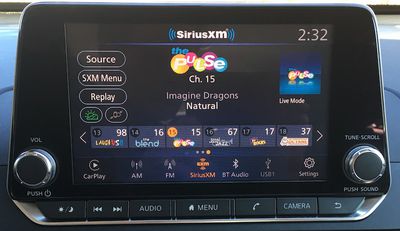
Going in the other direction, the NissanConnect audio screens by default place an icon at the lower left that will take you to functions for a paired phone or, if an iPhone is connected via USB, into CarPlay.
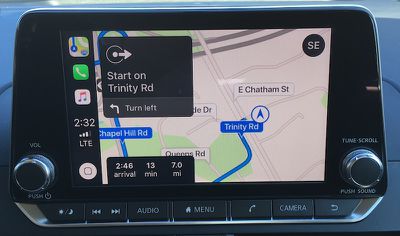
My preference for infotainment systems is for there to be some way to display information from the native system alongside CarPlay, whether it be a split widescreen or portrait display or even something like FCA's Uconnect system with status and menu bars that can display a little bit of information for increased integration. The Altima doesn't offer that, but it does make it fairly easy to jump back and forth.
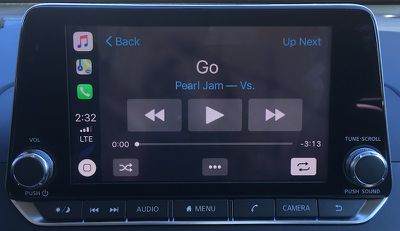
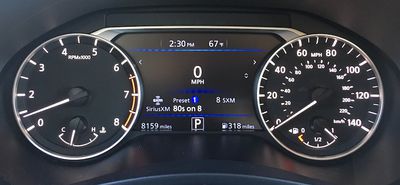
Fortunately, car manufacturers are also moving toward digital driver's displays that can display some additional information and be customized to suit your preferences. On the Altima, the driver's display can be set to show full audio track information, or if you choose a digital speedometer, for example, you can have audio information displayed at the bottom of the screen. Unfortunately, only the channel name is shown for SiriusXM, but for other sources (Bluetooth, USB, FM radio when track data is broadcast) it will display the song name.
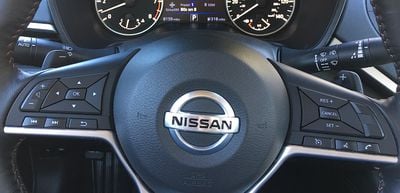
As is nearly universal among car manufacturers, the voice control button on the Altima's steering wheel serves dual duty, with a short press bringing up the Nissan assistant and a long press activating Siri. The hardware Tune/Scroll knob can also be used to control the CarPlay interface if you prefer a more tactile feel than the touchscreen, but its location at the far side of the display from the driver makes it a bit inconvenient, so you're pretty much going to want to use either the touchscreen or Siri to control CarPlay.
Ports and Connectivity
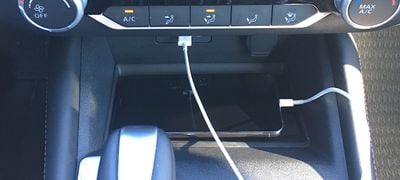
The 2019 Altima is among the growing number of vehicles offering USB-C ports for connecting devices. At the base of the center stack is a smartphone storage tray (which is a bit too small for an iPhone XS Max with a Lightning cable sticking out the bottom) and a pair of USB ports: one USB-A and one USB-C.
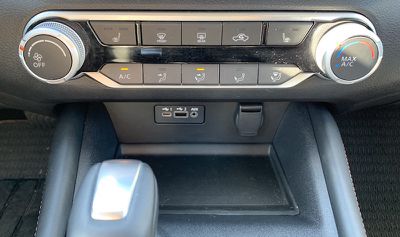
It's certainly nice to see USB-C starting to make its way into vehicles, as even though USB-A is still common, cars are designed to last ten years or more and it's good future-proofing to include these newer ports even though they're still just starting to gain traction with consumers.
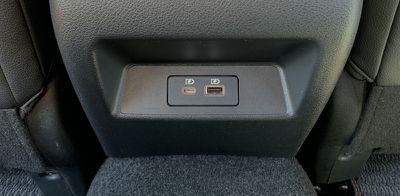
There is a second set of USB-A/USB-C ports on the back of the center console for rear passengers, but these are only for charging, not for connecting media devices to the NissanConnect system for playback. Nissan does not offer wireless charging or Wi-Fi hotspot functionality as options on the Altima.
Wrap-up
The Altima along with the Toyota Camry and Honda Accord remain the most popular midsize models in a shrinking sedan market, with those top manufacturers seeking to maintain some momentum while others scale back or even eliminate their sedan models in favor of crossovers that are dominating sales growth. As a result, the redesigned 2019 Altima brings some nice enhancements across the board, and the in-car technology is no exception.
I appreciate the spacious 8-inch touchscreen and CarPlay support across the board on Altima trims, giving everyone easy access to the ecosystems they're already familiar with on their phones. If anything, CarPlay is even more important to have on lower-level trims where built-in navigation isn't available, so it's great to see Nissan going all-in on CarPlay with the Altima and other models as their redesign cycles allow.
The native NissanConnect infotainment system is intuitive with a customizable interface, and the display is bright with vivid colors to help the interface elements stand out. Some of the pages can get a bit cluttered, and I'd like to see a little more modernization of some of the user interface elements, particularly the home screen widgets and shortcut icons.
For a mainstream midsize sedan intended for mass market appeal, the Altima does a solid job of presenting a clean and useful experience with NissanConnect and offering convenient integration with CarPlay.
The 2019 Nissan Altima starts at $23,900 with CarPlay included standard. A new all-wheel drive option is available for a $1,350 charge on all trims other than the high-end ones equipped with the VC-Turbo engine, and you can push pricing all the way to over $37,000 if you choose to max things out with an Edition ONE VC-Turbo trim.















































Top Rated Comments
I am also glad that Nissan is joining a few other companies, making CarPlay standard, and not just a higher tier standard/option.
For example, Mazda doesn't have CP for their lowest tier cars, not even as an option.
Back to the Nissan, this looks like a great implementation. Nissan's prior headunit systems are okay (I have one in my Frontier) but not class-leading by any means. I would like more buttons (easier to use while driving) but it's not as bad as some in that regard.
That said, some of them are. The new Volvos have a pretty huge and high-res screen. The new Audis have very nice screens in place of a gauge cluster.
You need special screens designed for that. Circuit boards and infotainment systems take close to a year to test and qualify before the car companies are certain they will withstand the harsh conditions. This is usually also why they never have the latest and greatest ships - the bigger older chips, with bigger solder connections, are simply more durable.
Anecdotally, I used to keep an iPod Nano (4th gen) in my car for music. On some winter mornings, it wouldn't power up from being too cold. On some hot summer days, it wouldn't power up from being too hot. That would be totally unacceptable if it was your car radio like that.