

The Smartmi P1 Air Purifier is one of the few air purifiers that include HomeKit integration, allowing it to be added to the Home app and to be controlled with Siri voice commands. Released earlier this year, the Smartmi P1 is a relatively new product, but Smartmi has other air purifiers and home products, and it is a subsidiary of Chinese company Xiaomi.
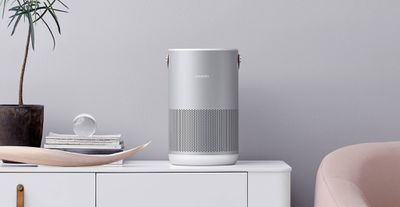
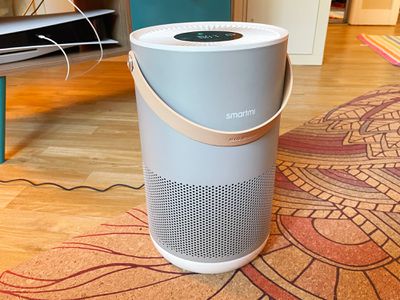
The Smartmi P1 features an attractive circular design that blends well into a home's decor. There's a fan at the top that circulates purified air out, along with holes on the bottom half of the purifier that draw dirty air in through the HEPA filter. There's a convenient handle for carrying the Smartmi P1 at the top, which makes it easy to move from room to room.
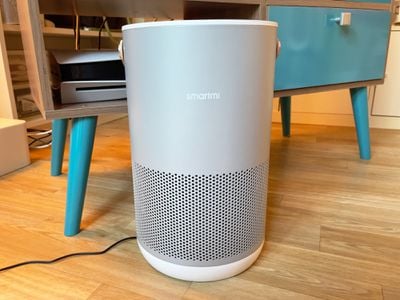
Design wise, I liked the look of the P1 and it was unobtrusive in any room that it was in. This is an air purifier meant for smaller rooms, so it's not as big as some other air purifier options on the market. It's a little over 14 inches tall and it's about 8.7 inches in diameter. The Smartmi P1 that I tested is made from a silver aluminum with white plastic accents, but there is also a darker version with gray aluminum and black plastic accents.
Setting up the Smartmi P1 was an absolute nightmare, and I almost canceled the review because of it. The app is not intuitive to use and it took me two days of resetting and redownloading the app to get it to somewhat function. It would not detect my WiFi network during the setup process so I had to manually enter my SSID and password in a hard to find location, and it also struggled with my 2.4/5GHz merged network. Most smart home products have no issue detecting nearby WiFi networks, and I suspect most people are going to have problems with this app.
I started out by connecting to HomeKit first, but if you do this, everything breaks. The Smartmi P1 has to be set up in the Smartmi Link app before being connected to HomeKit, and I did eventually get everything set up in the correct order after some help from the company.
With setup complete, the app is mediocre at best. The app responds well enough to controls that let me change the air purifier's power level, but that's about all it's good for. I do think you can ultimately use this air purifier without the app and without HomeKit, but then you're losing out on some of the main appeal.
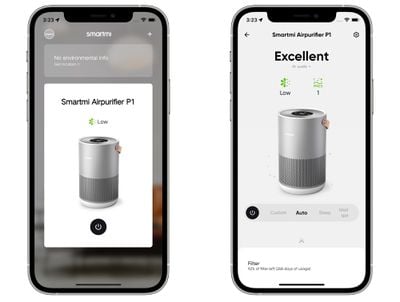
Other than controlling the level of the air purifier from the app, I can set a timer to turn it off or on, turn the LCD screen on or off, turn the sound on or off, and see the filter life remaining. I think I'm supposed to be able to see a historical air quality chart based on the App Store screenshots, but this does not work. There's also a feature for listing the air quality outdoors, but I declined to give the app my location information.
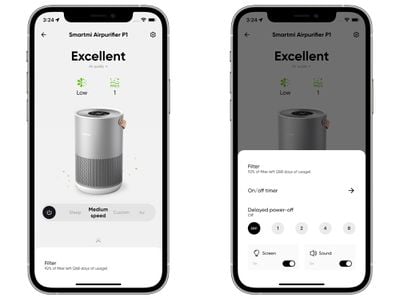
There was a firmware update for my P1 that initially would not install no matter what I did, but a week later, it seemed to be able to install fine. I didn't notice a difference in functionality after installing it.
In short, the app is terrible, which is a shame because the air purifier itself seems to be decent enough. When I manually activated it to clean out cooking smells and to clear up the air quality after a candle was burned, it worked in a small space.
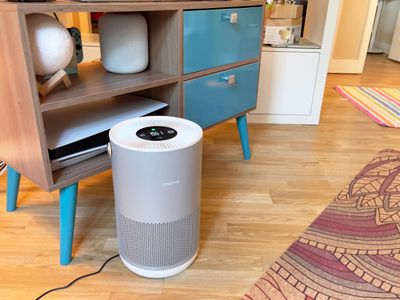
It didn't work as well in my kitchen and living room, which are a larger size, but in a smaller bedroom, it was able to better keep the air clean. I'm not sure how well it works at sensing air quality manually, though. I have significant pollen and dust allergies so I have two Dyson air purifiers that I use.
At no time during my testing of the Smartmi P1 did it ever sense enough allergens in the air to kick up its speed on its own. It always seemed to have a PM2.5 reading of 10 or below. At one point, my Dyson air purifier came on and reported a PM2.5 level of 50 and a PM10 level of 54, but even though the Dyson was right next to the Smartmi, the Smartmi did not detect the same particles in the air. It also detected no change in air quality with the smoke from a candle, and it only worked to clear the air from the candle scent/smoke when I manually turned it up.
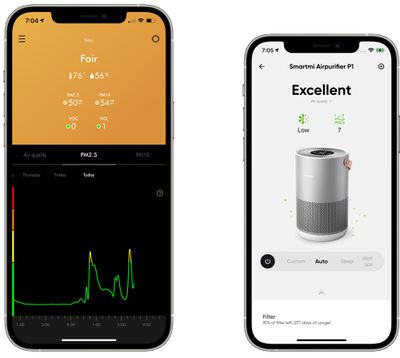
Be aware if you're purchasing the Smartmi P1 it only detects PM2.5 and PM10 particles. It does not work with volatile organic chemicals (VOCs) or NO2 like some higher-end air purifiers. You can get an allergen filter (which is the default) or a charcoal (pet) filter that's better for smells. All replacement filters are priced at $40 and need to be swapped out around the one-year mark.
I was able to test the separate charcoal filter and I preferred that to the standard filter because it is better at filtering out smells from cooking, and it should also be ideal for those who have pets and want a filter that will help with any smell related to the pet.
As for HomeKit, Siri can be used to turn on the air purifier, turn off the air purifier, tell you the remaining filter life, adjust the speed, and let you know the PM 2.5 level in the room. This is more than most air purifiers can do, so it's useful to have, but since most air purifiers are meant to work automatically or through manual control, I'm unsure if people will get much value out of the HomeKit integration.
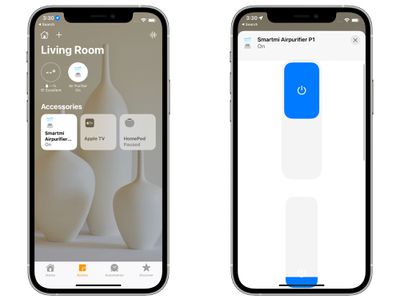
The Home app can be used to turn the Smartmi P1 on or off and it can adjust the level, plus it lets the air purifier be used in different scenes and automations.
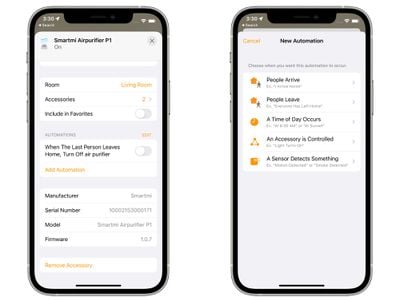
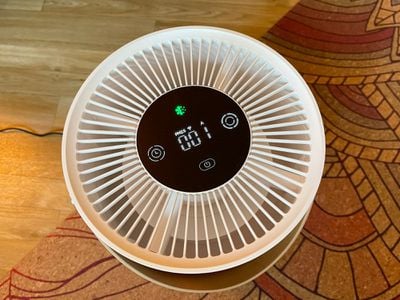
There are some other useful features to note. The Smartmi P1 is silent in auto mode, and even at a medium speed, it's not overwhelmingly loud. It has several usage modes you can choose from, and it's easy to take it from room to room with the included handle. Usage modes can be swapped through Siri, the Home app, the Smartmi app, or through physical controls on the device itself.
Bottom Line
The Smartmi P1 seems like a decent air purifier and the HomeKit connectivity has the potential to be useful for those that need it, but it's crippled by a bad app and a terrible setup experience. Until the Smartmi Link app gets some major updates, I don't recommend the Smartmi P1.
How to Buy
Though not recommended, the Smartmi P1 can be purchased from Amazon for $153.


















