

Apple released iOS 7 to the public earlier today and while we highlighted a number of the major features in the operating system, there are more than 200 changes in all, including hundreds of minor tweaks and improvements. We’ve gathered up a list of some of the lesser known iOS 7 features below and additional information about iOS 7 can be found in our iOS 7 forum and our post on the iOS 7 release.
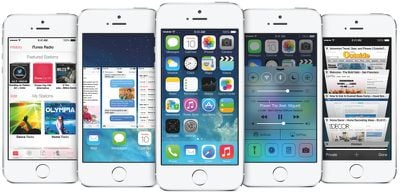
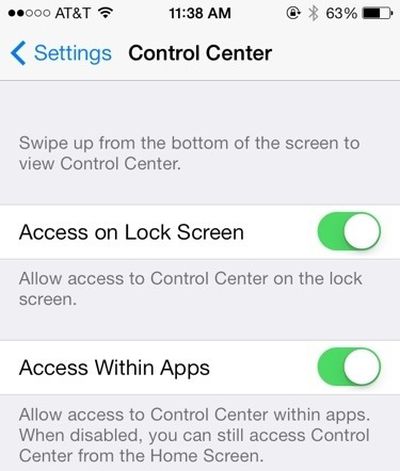
Control Center: The new Control Center can be accessed by swiping upwards from the bottom of the screen. It includes quick access buttons for AirPlane, Wi-Fi, Bluetooth, Orientation Lock, and Do Not Disturb mode. It can also be used to adjust brightness and open apps like Calculator, Clock, and Camera. There’s even a built-in flashlight. Control Center can be disabled/enabled within apps or on the lock screen via Settings > Control Center.
Notification Center: Notification Center is accessed by swiping downwards from the very top of the screen. Choose what is displayed in Notification Center by accessing the option in the Settings menu. It can display Calendar events, Reminders, Stocks, and daily summaries. It is also able to provide location based information such as weather and driving times. Tapping on the temperature within Notification Center will open the weather app, and Notification Tabs can be swiped to change windows as well.
Weather App: Tap on the temperature within the weather app to reveal additional information like humidity, chance of rain, and wind speed. Temperature is also now displayed in the Notification Center, as long as Location Services for the Weather app are turned on, accessible through Settings > Privacy.
Automatic App Updates: In iOS 7, apps can update automatically. To turn this feature on and off, access Settings > iTunes & App Store. This setting is turned off by default, but when it is on, app updates will be downloaded and applied automatically without the need to visit the App Store and update manually. This saves time, but it does not allow users to pick and choose updates.
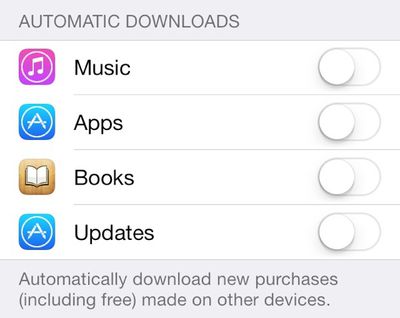
Turning off Location Data: To prevent Notification Center and other apps from using location-based data, go to Settings > Privacy > Location Services > System Services to turn off options like Frequent Locations and location based iAds, which are new features found within iOS 7. Frequent Locations is a function that will store location histories in order to provide information to various apps.
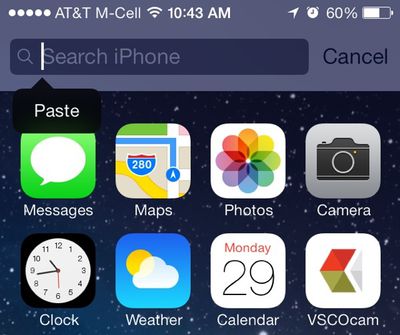
Spotlight Search: Spotlight, which allows users to open apps and locate both files and information, can now be accessed by swiping downwards on any app page. Previously, it had a dedicated screen that was accessed by swiping left on the home screen.
Closing/Switching Apps: Double tapping on the home button now brings up a display of apps that are currently running. Users can switch between apps by tapping on an app card, or close apps that are running with an upwards swipe. Multiple apps can be closed at once by swiping with more than one finger on the screen.
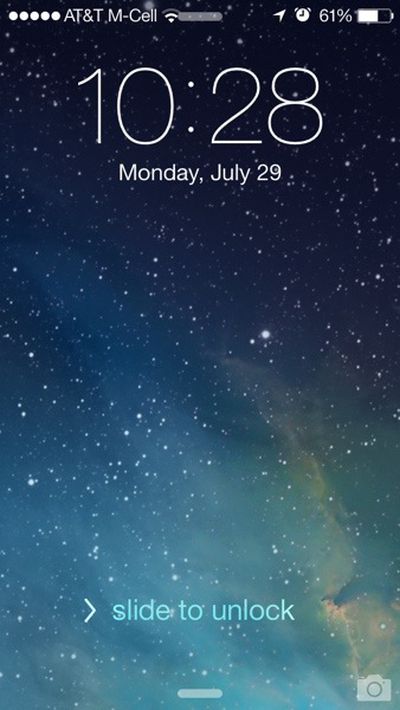
Lock Screen: Both the Control Center and the Notification Center can be accessed from the lock screen for user convenience. Swipe upwards from the bottom of the screen to open Control Center, and swipe downwards from the top to access Notification Center. The camera can also be quickly accessed from the lock screen by swiping upwards on the Camera icon.
Folder Size: Folders are now able to support multiple pages and can hold more apps than before. Swipe left or right to access different pages within a folder. Folders have also been made translucent and blend in better with the background of the device. Apple's Newsstand app can also be put away into a folder now.
Siri: Siri can now pull up restaurant reviews, toggle settings, search for images, post to Facebook, play Voicemail, and access tweets. Siri will now attempt to learn the pronunciation of difficult names and Siri also has a new male voice that can be accessed through Settings > General > Siri > Voice Gender.
iMessage/SMS Time Stamps: Time stamps within iMessage are now available. Pull to the left within on a speech bubble within the app to see when a text or message was sent or received.
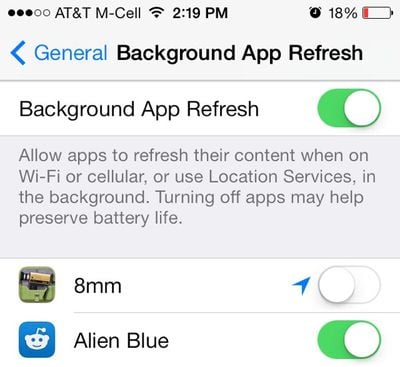
Background App Refresh:: Apps are able to refresh their content in the background in iOS 7, keeping them up-to-date at all times. This can be toggled on and off for individual apps by accessing Settings > General > Background App Refresh. Disabling Background App Refresh can potentially increase battery life, so it is best to limit this function to apps that are used often.
Go Back Gesture: There's a new system-wide gesture that can be used to go back to the previous window, which is especially useful in Safari. Swipe to the right from the very left edge of the screen to use the gesture.
Names in Messages: The way names are displayed within Messages can be changed in iOS 7. Go to Settings > Mail Contacts and Calendars > Short Name (Under Contacts) to select an option. Choices include first name and last initial, full name, and first name only.
Closing Safari Tabs: Safari in iOS 7 has a new tabbed layout. Tabbed pages can be closed quickly by swiping the page to the left.
Ringtones and Sounds: iOS 7 adds a slew of newly redesigned ringtones and system sounds, which can be accessed via Settings > Sounds.
AirDrop: AirDrop can be used to wirelessly transfer files between the iPhone 5 and later, the fourth-generation iPad, the iPad mini, and the fifth-generation iPod touch. It does not work with earlier devices (there will be no AirDrop option in the Control Center) or with AirDrop on the Mac.
Private Browsing in Safari: Private browsing is no longer turned on within system settings. Instead, when a new window is created within the browser, the "Private" button can be tapped to initiate a private browsing session. Do Not Track can be enabled within Settings > Safari.
Clock: The Clock icon now displays the correct time. Within the Clock app, world clocks will display as black for places where the sun has set, and white where the sun remains up. Times can also be swapped from digital to analog by tapping on the city name.
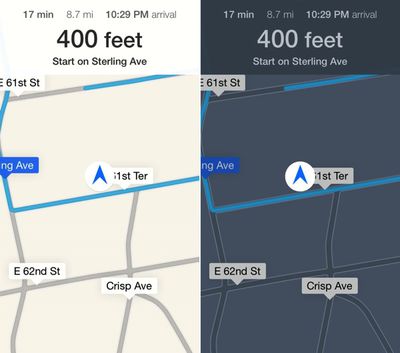
Maps: When viewing turn-by-turn directions, Maps automatically switches from day to night mode using both the current time and ambient light sensor to judge which is more appropriate.
Deleting Bookmarks in Safari: Swipe left on bookmarked pages to quickly delete them. This also works in Reading List.
Dynamic Font Sizes: A system-wide font size can be selected for apps that support it. To change the font, access Settings > General > Text Size.
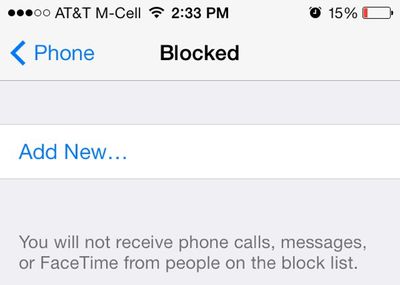
Block Phone Numbers: Specific contacts and phone numbers can be blocked within iOS 7. Go to Settings > Phone > Blocked to add contacts that will be prevented from calling (sending the calls to voicemail), FaceTiming, and sending messages.
Level: The Compass app now includes a built-in level that can be accessed by swiping to the right on the main screen of the app. Double tap on the Level screen in order to zero it out at any angle.
App Downloads: Blue dots are used to denote apps that have been newly downloaded or updated, and a new app installation animation has been introduced with iOS 7.
Cellular Data Usage: iOS 7 provides an overview of the amount of data that each app uses. Go to Seeings > Cellular and scroll down to the bottom to view the amount of data that apps are using. It is also possible to toggle Cellular Data usage on and off for specific apps that are eating up a significant amount of data when on a Cellular connection.
Turn Off Parallax: iOS 7's slight motion effect, termed parallax, shows up when an iPad or iPhone is slightly tilted. Parallax can be disabled by accessing Settings > General > Accessibility > Reduce Motion. Turning this setting on will disable the parallax motion effects.
iTunes Radio: iTunes Radio can be accessed from within the Music app. It is currently only available for users located in the United States, though it works for users outside of the U.S. as long as they have a U.S. iTunes account.
Camera: The Camera app includes new photo filters, which can be applied to the live view. Tap on the colored dots at the bottom of the screen to access the new filters, and swipe on the screen itself to switch between Video, Photo, Square (takes an Instagram-sized image) and Panoramic modes. Focusing photos can also be done by pressing the volume up button rather than tapping on the screen.
Photo Sharing: Tapping on the Photos tab within the Photo app will open a new organizational system divided into Years, Collections, and Moments. Tapping on a Year, and then a Collection within a Year will display photos taken throughout the course of the year, which are divided into Moments. Entire Moments, which are essentially different events, can be shared all at once (via AirDrop, Messages Mail, Facebook and Flickr) rather than on an individual basis.

















































