
Tips for Taking Better Photos With Your iPhone - MacRumors
Skip to Content

Tips for Taking Better Photos With Your iPhone

There's an adage that says the best camera is the one you have with you, and for most MacRumors readers, that's an iPhone. On popular photography site Flickr, the iPhone has long been the most popular camera, responsible for a significant portion of the photos uploaded to the site.

Apple has fully embraced the iPhone's position as a serious photography device, and over the years, the camera has steadily improved, but getting a great picture is about more than just the camera it's shot with -- factors like lighting and positioning can have a huge impact on the outcome.

With that in mind, our videographer, Mattdgonzalez, has created a basic introduction video on how to take better photos using your iPhone and the stock camera app.
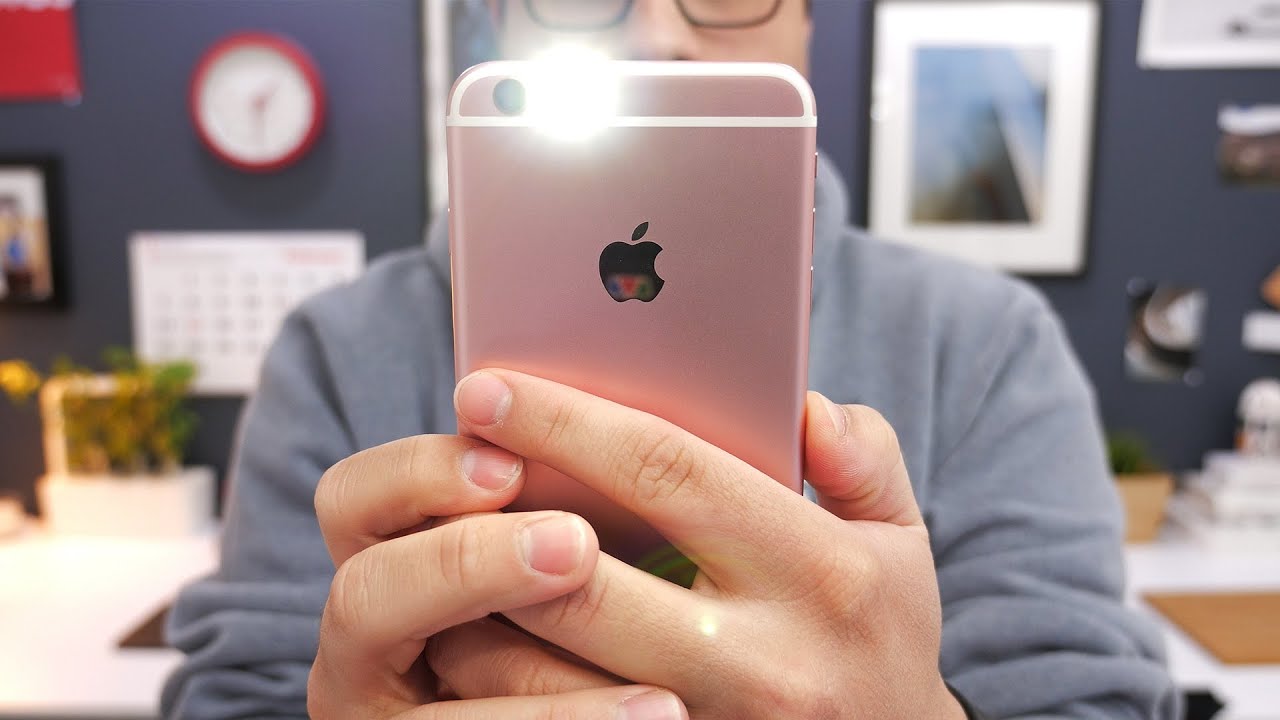

Following the rule of thirds and working with the ambient light around you are two of the most important factors when it comes to good photography, but there are a few built-in iPhone tools that can help you get the perfect shot, like tap to focus, exposure control, and HDR.

There are two iPhone tools you'll want to use sparingly or not at all -- digital zoom and flash. Digital zoom is just going to make your photos look grainy, and it's rare photos using the flash will look halfway decent. Simple tips like additional light sources or moving closer to your subject instead of zooming digitally can make a world of difference when it comes to quality.

Matt's also been producing our iOS Beta walkthroughs and regularly publishing videos on our YouTube channel which don't all make their way to the main site. Other recent videos include:

- How to Create an "Unread" Folder in the iOS Mail App
- Avoid Read Receipts in Messages with 3D Touch
- What happens when you block someone on your iPhone?
- 5 Cool Things to do with 3D Touch!

Subscribe to our YouTube channel to be automatically notified of future videos.

Related Forum: iPhone

Popular Stories

M5 MacBook Pro

RIP, MacBook Ultra

Monday October 19, 2026 9:37 am PDT by
Apple today sent out invites for an experience in Los Angeles on Wednesday, October 28, and the "Pro and tell" tagline on the invitation likely means that the rumored MacBook models with touch-enabled OLED displays will stick with MacBook Pro branding instead of the once-rumored "MacBook Ultra" name. The long-rumored "iPhone Ultra" ended up being named iPhone Duo, so speculation that Apple...
iPhone Duo Trio

Here's What Apple's Apps Look Like on the iPhone Duo

Tuesday October 20, 2026 11:12 am PDT by
With just three days to go until the iPhone Duo is released, Apple is getting ready for the launch. Behind the scenes, the App Store now has screenshots of Apple's built-in apps running on the Duo. We've seen some apps in marketing materials, but images of the ones we haven't seen give us an idea of what it will be like using the iPhone Duo day to day. Many apps are shown in landscape...
apple pro tell logo

Apple Announcing New Products Next Week: 'Pro and Tell'

Monday October 19, 2026 9:05 am PDT by
Apple's Greg Joswiak today hinted at new product announcements coming next week, sharing a social media post that says "Can't wait to pro and tell next week." Rumors suggest Apple is planning to debut the new MacBook Pro with an OLED touchscreen display, an M6 entry-level MacBook Pro, an M6 iMac, an iPad mini with an OLED display. Can't wait to pro and tell next week....

Top Rated Comments

zorinlynx Avatar
139 months ago
Digital zoom is a big one. It is absolutely identical to cropping. Avoid zoom and just crop; the result looks better (no upscaling) and you can change your mind later!
Score: 11 Votes (Like | Disagree)
macduke Avatar
139 months ago
Here's a tip: buy a DSLR if you want good photos.
Here's a tip: Not everyone knows how to handle a dSLR, nor the time to take to learn it, nor the capability to buy a $600+ device in addition to their expensive phone, nor the want (or extra attention) of carrying a bulky device around their neck everywhere they go.

Source: I'm sitting here at work with my 5D MkIII 24-70mm f/2.8L. I'm also considering a move to mirrorless to minimize size and weight. I know other pros who have already made the switch. For instance the Sony A7rII is a beast. If you can't get people like us to still use dSLRs, then there is no hope for regular consumers. dSLRs are still useful (mostly for sports), but they're in decline.
Score: 10 Votes (Like | Disagree)
139 months ago
Here's a tip: buy a DSLR if you want good photos.
Score: 9 Votes (Like | Disagree)
ghost187 Avatar
139 months ago
How to take better photos with your phone:
STEP 1: Upgrade your phone.
STEP 2: Wait a year, than goto STEP 1.
Score: 9 Votes (Like | Disagree)
69Mustang Avatar
139 months ago
Here's a tip: buy a DSLR if you want good photos.
/takes DrumApple's advice
/buys DSLR

/takes pictures with iPhone
/realizes DSLR purchase didn't help me take better pictures with iPhone:rolleyes:

/hunts down DrumApple


OT: These are good tips for taking pics with any smartphone. More of us need to use them.
Score: 8 Votes (Like | Disagree)
139 months ago
There's an adage that says the best camera is the one you have with you, and for most MacRumors readers, that's an iPhone. On popular photography site Flickr ('https://www.flickr.com/cameras'), the iPhone has long been the most popular camera ('https://www.geekwebguides.com/2015/12/03/flickr-iphone-most-popular-camera-2015/'), responsible for a significant portion of the photos uploaded to the site.

Apple has fully embraced the iPhone's position as a serious photography device, and over the years, the camera has steadily improved, but getting a great picture is about more than just the camera it's shot with -- factors like lighting and positioning can have a huge impact on the outcome.

With that in mind, our videographer, Mattdgonzalez ('https://twitter.com/mattdgonzalez'), has created a basic introduction video on how to take better photos using your iPhone and the stock camera app.


Subscribe to the MacRumors YouTube channel ('https://www.youtube.com/user/macrumors?sub_confirmation=1') for more videos.
Following the rule of thirds and working with the ambient light around you are two of the most important factors when it comes to good photography, but there are a few built-in iPhone tools that can help you get the perfect shot, like tap to focus, exposure control, and HDR.

There are two iPhone tools you'll want to use sparingly or not at all -- digital zoom and flash. Digital zoom is just going to make your photos look grainy, and it's rare photos using the flash will look halfway decent. Simple tips like additional light sources or moving closer to your subject instead of zooming digitally can make a world of difference when it comes to quality.

Matt's also been producing our iOS Beta ('https://www.geekwebguides.com/2016/02/08/apple-seeds-third-ios-9-3-beta/') walkthroughs and regularly publishing videos on our YouTube channel ('https://www.youtube.com/user/macrumors?sub_confirmation=1') which don't all make their way to the main site. Other recent videos include:

- How to Create an "Unread" Folder in the iOS Mail App ('https://www.youtube.com/watch?v=ybvpXVyMWY0')
- Avoid Read Receipts in Messages with 3D Touch ('https://www.youtube.com/watch?v=UY6Nj5KKgUc')
- What happens when you block someone on your iPhone? ('https://www.youtube.com/watch?v=zYzg_JJTTnU')
- 5 Cool Things to do with 3D Touch! ('https://www.youtube.com/watch?v=YhAk70G9yyg')

Subscribe ('https://www.youtube.com/user/macrumors?sub_confirmation=1') to our YouTube channel to be automatically notified of future videos.

Article Link: Tips for Taking Better Photos With Your iPhone ('https://www.geekwebguides.com/2016/02/23/how-to-take-better-photos-with-iphone/')
SOMEONE GET THIS TO TIM COOK ASAP BEFORE HE POSTS ANY MORE RUBBISH PICS
Score: 5 Votes (Like | Disagree)
Latest Stories
Tesla App Gains iPad and iPhone Duo Support
42 minutes ago
Apple Reportedly Boosts iPhone Duo Orders by 44%
1 hour ago
Fortnite Returning to Australian App Store After Court Ruling
2 hours ago
Apple Ordered to Open iPhone to Rival App Stores in Australia
2 hours ago
Apple Suppliers Face Hurdles Cutting Circuit Board Emissions
2 hours ago
Things Updated for iPhone Duo With Adaptive Layout
3 hours ago
Simplicity and Siri AI Are HomeView's Killer Features, Apple Says
3 hours ago
iPhone Duo Reviewers Really Miss Face ID
8 hours ago
Does the iPhone Duo Run Hot? Here's What Reviews Found
9 hours ago
Apple Music's New Look is Now Live on Apple's Website
10 hours ago
Anthropic Launches Claude Duet, a Proactive AI Agent
11 hours ago
What 32,000 Folds Did to the iPhone Duo's Hinge
11 hours ago
iPhone Duo's Hidden FaceTime Camera Takes 'Trash' Photos
13 hours ago
iPhone Duo Has 'Edge Light' Feature That Debuted on Macs Last Year
14 hours ago
Apple Support App Updated for iPhone Duo's Larger Display
14 hours ago
Amazon Sweetens the Deal on Entry-Level 16-Inch MacBook Pro With $570 Off
14 hours ago
iPhone Duo Tips Over on MagSafe Stands When Unfolded
14 hours ago
Apple Music's New Look Officially Announced
15 hours ago
iPhone Duo Supports Apple Pencil Starting With iOS 27.2
16 hours ago
iPhone Duo Accessories Roundup: Cases and Screen Protectors From OtterBox, ZAGG, and More
17 hours ago
Apple Stores Will Have 'Limited' Availability of iPhone Duo for Walk-In Customers
17 hours ago
iPhone Duo Reviews Explain Why Device is Both 'Fun' and 'Frustrating'
18 hours ago
Apple Says 'Reachability' Feature Coming to iPhone Duo Later This Year
19 hours ago
Loop Capital Cuts Apple Rating Over iPhone Sales Outlook
23 hours ago
Apple Stores in Bordeaux and Lille Looted During French Protests
23 hours ago
Bluesound Adds Native Apple Music Support
23 hours ago
Apple CEO John Ternus Explains What Makes Good Product Design
1 day ago
UK Proposes New Ways to Help Apple Pay Rivals
1 day ago
WhatsApp Developing In-App Browser for All Chat Links on iPhone
1 day ago
Apple's App Store Chief Explains Its Push for Premium Games
1 day ago










































