

Apple at WWDC unveiled a new "Find My" app, which is available across its Mac and iOS platforms. Find My on iOS replaces Find My Friends and Find My iPhone, and on Mac, it introduces a native "Find" app for the first time as an alternative to using iCloud on the web.
Find My has a useful feature that's designed to let you locate your lost devices even when they're not connected to WiFi or a cellular network by leveraging nearby Bluetooth devices. Your lost iPhone, iPad, or Mac will be able to communicate via Bluetooth with any nearby Apple device, relaying its location right back to you.
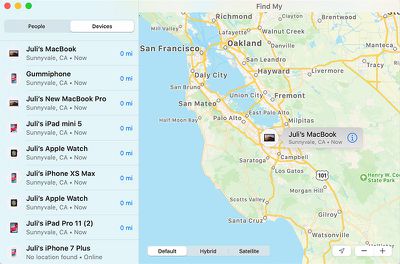
Apple described the feature on stage on Monday, but today provided additional details to WIRED for those interested in an overview of just how it works.
Apple designed the Find My feature with privacy in mind. It uses an encryption system that prevents people from abusing it for tracking purposes, making your personal location unavailable to people aiming to intercept your device's Bluetooth signal and from Apple itself.
Apple's encryption solution requires "Find My" users to have at least two Apple devices. As relayed by Apple to WIRED, each device emits a constantly changing public key that nearby Apple devices use to encrypt and upload your geolocation data. Only other Apple devices that you own (and that are linked to your Apple ID and protected with two-step authentication) are able to decrypt those locations.
Because only your own devices can decrypt the encrypted location signal that's being sent from a lost device, no one, not even Apple, can intercept it and locate you or your devices.
Apple says that "Find My" uses just tiny bits of data piggybacked on existing network traffic so there's no impact on device battery life, data usage, or privacy. WIRED has a specific set of steps on how Find My works, from setup to what happens when a device is lost, which is worth checking out for those interested.
Basically, when a device you own goes missing, it's going to broadcast the aforementioned public key, which can be picked up by any other Apple device owned by anyone.
Say someone steals your MacBook. Even if the thief carries it around closed and disconnected from the internet, your laptop will emit its rotating public key via Bluetooth. A nearby stranger's iPhone, with no interaction from its owner, will pick up the signal, check its own location, and encrypt that location data using the public key it picked up from the laptop. The public key doesn't contain any identifying information, and since it frequently rotates, the stranger's iPhone can't link the laptop to its prior locations either.
The stranger's iPhone then uploads two things to Apple's server: The encrypted location, and a hash of the laptop's public key, which will serve as an identifier. Since Apple doesn't have the private key, it can't decrypt the location.
The Find My app is available in iOS 13, iPadOS, and macOS Catalina right now, but it's not going to be a fully functional system until these software updates are installed on millions of devices around the world.

















































