Apple Seeds Second Beta of watchOS 7.1 to Public Beta Testers
Apple today seeded the second beta of an upcoming watchOS 7.1 update to public beta testers, two days after providing the beta to developers.
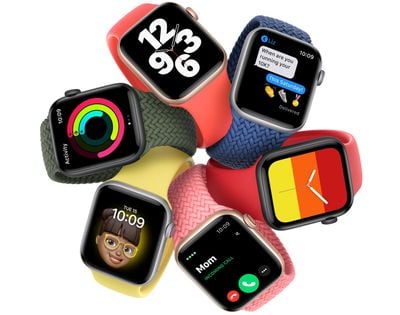
The watchOS 7.1 update can be downloaded after installing the proper profile from Apple's Public Beta website. Once the profile is in place, the watchOS 7.1 beta can be downloaded through the dedicated Apple Watch app on the iPhone by going to General > Software Update.
To update to the new software, the Apple Watch needs to have 50 percent battery life, it must be placed on the charger, and it must be in range of the iPhone.
There were no new features discovered in the first two betas of watchOS 7.1, so we don't yet know what new additions may be included in the update. It likely focuses on under-the-hood improvements and bug fixes for issues that weren't able to be addressed in the initial watchOS 7 release.
Today's update does re-enable blood oxygen monitoring and watch faces that were disabled in the prior beta update.
Popular Stories
After releasing watchOS 27.0.1 for the Apple Watch Series 12 and Apple Watch Ultra 4 last week to address a bug that was causing devices to restart unexpectedly, Apple has now released the update for all eligible watches, which includes Series 9 and later.
Apple's release notes say only that the update "provides bug fixes for your Apple Watch" and the company does not list any security fixes,...
Wednesday September 23, 2026 12:44 pm PDT by
Juli CloverApple today released watchOS 27.0.1, a minor update to the watchOS 27 operating system that came out last week. The update is limited to the Apple Watch Series 12 and Apple Watch Ultra 4.
watchOS 27.0.1 can be downloaded through the Settings app on the watch or the Apple Watch app on a connected iPhone. Software can only be installed when the Apple Watch is on the charger and has over 50...
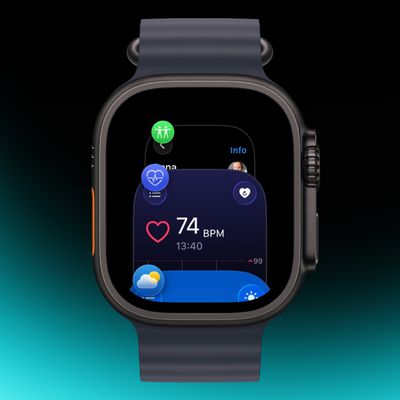
Apple has apparently listened to user feedback and brought back the App Switcher screen in the latest watchOS 27.2 beta, but accessing it is a little different than before.
In watchOS 26 and earlier versions, a double press of the Digital Crown would bring up the App Switcher, where you could easily switch to the last-used app and view and open other recently used apps. You could also swipe...




/https://forums.macrumors.com/proxy.php%3Fimage=https://images.macrumors.com/article-new/2014/09/applewatchse.jpg&hash=cf8add2dff8be2c1dea67f0a09ad9cb9)














































