
Apple Details What to Do If You Can't Update HomePod When Advanced Data Protection Is Enabled

Apple has published a new support document explaining what to do if users are unable to set up or update a HomePod when Advanced Data Protection for iCloud is enabled.
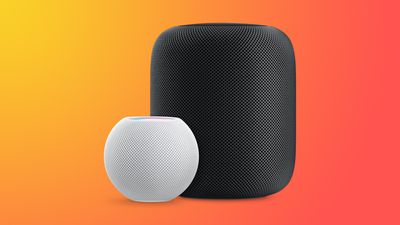
HomePodandMini feature orange
To use Advanced Data Protection for iCloud, all the devices logged into your Apple ID require a minimum software version. That includes HomePod speakers, which must be running at least HomePod software 16.2.

However, according to Bloomberg's Mark Gurman, there is a bug in the Home app that prevents HomePods running older versions of the software from being updated if iCloud end-to-end encryption has been turned on.

This means anyone buying a HomePod that ships with an OS older than 16.2 won't be able to set it up, because doing so first requires an update.

Apple's support document explains what options are available to customers facing this predicament. If the speaker in question is a HomePod mini, users can connect it to a Mac via the USB-C cable and update it through Finder (or iTunes on a PC) by selecting the HomePod in the Finder sidebar and clicking the Restore HomePod option. This will update the speaker to the latest software, after which it can be properly set up.

The full-size first-generation HomePod and the new 2023 HomePod have no USB-C port, so unless Apple includes a fix in iOS 16.3, which is expected to be released next week, owners of these speakers will have to temporarily turn off Advanced Data Protection to update the HomePod software. Apple outlines how to do that in the following way:

  1. Turn off Advanced Data Protection in iCloud settings on your iPhone, iPad, or Mac: In Settings or System Settings, tap your name, then tap iCloud. Scroll to Advanced Data Protection and turn off Advanced Data Protection.
  2. If you received an error message when you previously tried to set up your HomePod, you may need to reset your HomePod. Then set up your HomePod.
  3. Update your HomePod to the latest software using the Home app.
  4. Turn on Advanced Data Protection in iCloud settings on your iPhone, iPad, or Mac: In Settings or System Settings, tap your name, then tap iCloud. Scroll to Advanced Data Protection and turn on Advanced Data Protection.

Apple advises anyone who temporarily turns off Advanced Data Protection to turn it back on immediately after their HomePod software is updated.


Related Roundups: HomePod, HomePod mini

Popular Stories

maxresdefault

Apple Shows Off a Key Reason to Upgrade to the iPhone 17

Saturday February 7, 2026 9:26 am PST by
Apple today shared an ad that shows how the upgraded Center Stage front camera on the latest iPhones improves the process of taking a group selfie. "Watch how the new front facing camera on iPhone 17 Pro takes group selfies that automatically expand and rotate as more people come into frame," says Apple. While the ad is focused on the iPhone 17 Pro and iPhone 17 Pro Max, the regular iPhone...
Finder Siri Feature

Why Apple's iOS 26.4 Siri Upgrade Will Be Bigger Than Originally Promised

Friday February 6, 2026 3:06 pm PST by
In the iOS 26.4 update that's coming this spring, Apple will introduce a new version of Siri that's going to overhaul how we interact with the personal assistant and what it's able to do. The iOS 26.4 version of Siri won't work like ChatGPT or Claude, but it will rely on large language models (LLMs) and has been updated from the ground up. Upgraded Architecture The next-generation...
wwdc sans text feature

Apple Rumored to Announce New Product on February 19

Thursday February 5, 2026 12:22 pm PST by
Apple plans to announce the iPhone 17e on Thursday, February 19, according to Macwelt, the German equivalent of Macworld. The report, citing industry sources, is available in English on Macworld. Apple announced the iPhone 16e on Wednesday, February 19 last year, so the iPhone 17e would be unveiled exactly one year later if this rumor is accurate. It is quite uncommon for Apple to unveil...
apple wallet drivers license feature iPhone 15 pro

Apple Says These 7 U.S. States Plan to Offer iPhone Driver's Licenses

Monday February 9, 2026 6:24 am PST by
In select U.S. states, residents can add their driver's license or state ID to the Apple Wallet app on the iPhone and Apple Watch, and then use it to display proof of identity or age at select airports and businesses, and in select apps. The feature is currently available in 13 U.S. states and Puerto Rico, and it is expected to launch in at least seven more in the future. To set up the...
14 inch MacBook Pro Keyboard

New MacBook Pros Could Now Arrive in March

Sunday February 8, 2026 6:02 am PST by
New MacBook Pro models with the M5 Pro and M5 Max chips could arrive as soon as Monday, March 2, according to Bloomberg's Mark Gurman. In today's "Power On" newsletter, Gurman said that the release of new MacBook Pro models is tied to the release of macOS Tahoe 26.3. The launch is said to be slated for as early as the week of March 2. He added that the M4 Pro and M4 Max models on sale today...

Top Rated Comments

cashville2400 Avatar
40 months ago
This is ridiculously embarrassing! I miss the old Apple.
Score: 16 Votes (Like | Disagree)
contacos Avatar
40 months ago
It just works …

if you research. That value preposition of Apple is long gone unfortunately
Score: 15 Votes (Like | Disagree)
mystery hill Avatar
40 months ago

The full-size first-generation HomePod and the new 2023 HomePod have no USB-C port
Why don’t they just standardize on USB-C?

The product lineup is becoming too fragmented.
Score: 13 Votes (Like | Disagree)
jk111 Avatar
40 months ago
Oops. But I'm not surprised. This is the new Apple.
Score: 12 Votes (Like | Disagree)
MacWiz_007 Avatar
40 months ago
Here's what I'll do, I won't buy a HomePod...for the second time around.
Score: 7 Votes (Like | Disagree)
Menel Avatar
40 months ago

It just works …

if you research. That value preposition of Apple is long gone unfortunately
It's an optional security layer.
The more security layers you heap on, the more issues you're going to have, in general.
Score: 6 Votes (Like | Disagree)















