

In computing lore, an Easter egg typically refers to a secret message, image, or feature intentionally left in software, often (but not always) hidden in plain sight. Since the 1970s, programmers have used them to credit unheralded developers, reference pop culture, sneak games into productivity apps, and generally inject a little bit of humanity into their code.


When Apple was a fledgling company, Mac developers regularly left fun little Easter eggs in software, but not so much these days. While surprises can still be found, they are a lot more subtle and sober, and exist more as a nod and wink to Apple's origins rather than anything edgy or unauthorized. Here are some of our favorite remaining Easter eggs in macOS.
1. EP Record Profile Picture
Open System Settings -> Users & Groups, then click on your login profile picture. If you click Suggestions, you'll find a bunch of classic profile avatars, including a vinyl record.
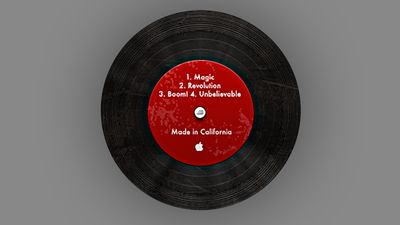
It's not obvious at this scale, but the four listed music tracks in this EP are unequivocally a tribute to Steve Jobs's favorite expressions: 1. Magic, 2. Revolution, 3. Boom, and 4. Unbelievable.
2. Incomplete Download Creation Date
Try downloading a file (any file) from a trusted place on the internet, but pause the download midway through. Now right-click on the partially downloaded file and select Get Info.
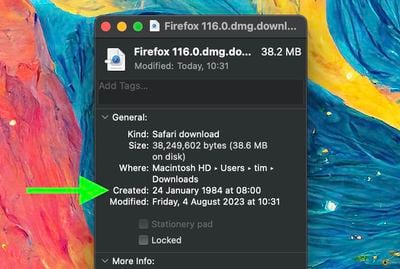
Note the file's creation date, January 24, 1984. That's no error: It's the date Steve Jobs formally unveiled the first Macintosh. Let the download complete, and the file's true creation date will replace it.
3. Sosumi
In the late 1980s, Jim Reekes began working as a sound designer for Apple, creating some of the Mac's most iconic sounds like the "Sosumi" beep, startup chord, and camera/screenshot click. The reason for the name "Sosumi" was due to a lawsuit from The Beatles' record label, also named Apple. At the time, Steve Jobs promised that his company would stay focused on computers and not get involved with music, so that the two similarly named companies could coexist.

After Macs added support for audio recording and MIDI (a standard that connects musical instruments to computers), The Beatles sued and forced Reekes to rename any sound effect that had a "musical-sounding name." Reekes' frustration with the lawsuit eventually led him to the name "Sosumi," because it sounded like "so sue me." He told the lawyers it was a Japanese word that didn't mean anything musical.
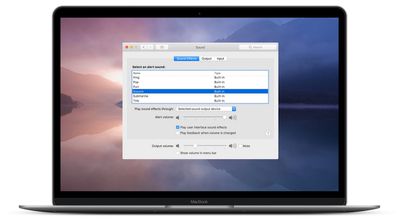
In macOS Big Sur and later, the Sosumi alert sound appears in System Preferences/Settings -> Sound with an alternative name: "Sonumi." But look for the sound file in /System/Library/Sounds/ and you'll find that it's still named "Sosumi.aiff." Sneaky.
4. Blue Screen of Death
Apple and Microsoft have generally maintained a friendly relationship over the decades, but neither company is averse to an occasional dig directed at its biggest rival. If your Mac is on a shared network to which a Windows PC could also be connected, try opening Finder and click the Network option in the sidebar, under "Locations."
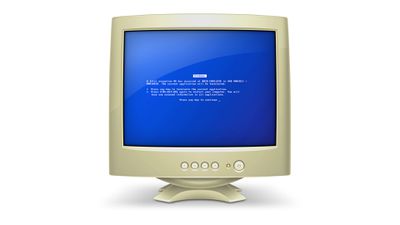
If a PC is indeed on the network, it will be represented by a vintage-looking computer icon with Microsoft's infamous and frustrating "Blue Screen of Death" (BSoD) displayed on the screen. The location of the icon's file "public.generic-pc.icns" is in /System/Library/CoreServices/CoreTypes.bundle/Contents/Resources.
5. Here's to the crazy ones
Apple's iconic "Think Different" marketing campaign will be remembered by many, not least for its Steve Jobs quote, which goes like this:
"Here’s to the crazy ones. The misfits, the rebels. The troublemakers. The round pegs in the square holes. The ones who see things differently. They're not fond of rules. You can quote them, disagree with them, glorify or vilify them. About the only thing you can’t do is ignore them. Because they change things. They push the human race forward. And while some may see them as the crazy ones, we see genius. Because the ones who are crazy enough to think that they can change the world, are the ones who do."
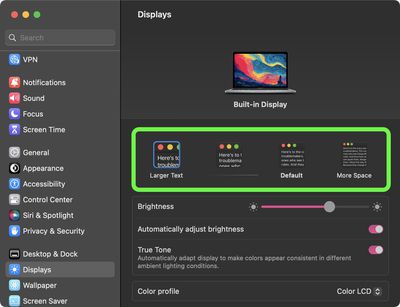
The quote is hidden in several places across macOS. In System Settings -> Displays, for example, the words can be seen in the resolution examples when choosing for Larger Text or More Space. Zoom in on the "open book" emoji, and you'll see the same text on its pages. There's also a silver "coin" emoji with the words "The Crazy Ones" emblazoned over an image of an eagle.
6. Clarus the Dogcow
Open your Mac's Emoji keyboard and enter the word "moof" into the search field. The filtered results should return a dog and a cow. Why would that be?
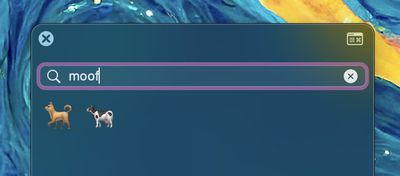
It's a reference to Clarus, a bitmap image of the dogcow that was used to demonstrate page layout in the classic Mac OS, indicating to users which orientation the paper would be in when it was printed. The original glyph it was based on was created by Susan Kare for the Cairo dingbat font that came with the original Mac in 1984, but it became the official mascot of Apple's Developer Technical Support.
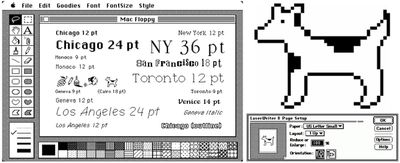
According to Apple's Macintosh Technical Notes, "Dogcows, by their nature, are not all dog, nor are they all cow, but they are a special genetic hybrid." As a result, the sound they make is "Moof!", a portmanteau of "moo" and "woof."


At the height of her popularity in the early and mid 1990s, Clarus showed up in everything from early versions of QuickTime to mousepads and T-shirts. But the dogcow became harder and harder to spot in subsequent versions of Mac OS X, and for a while it seemed Clarus had gone the way of the dodo. But in macOS Ventura, a smooth version of the dogcow returned to the page setup window.
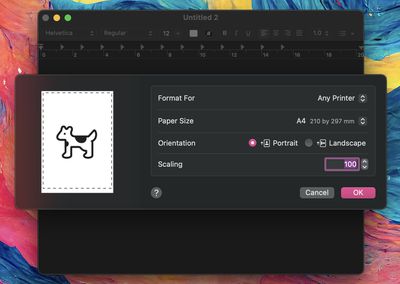
Be wary of the dogcow. According to Apple, they are capable of mind control, but rarely seen in the wild: "Since dogcows are two dimensional, they will stand facing a viewer 'on edge' to avoid being seen."
7. Voice Memos App Icon
Open the Voice Memos app and record yourself saying the word "Apple." Does the waveform look familiar? It should do.
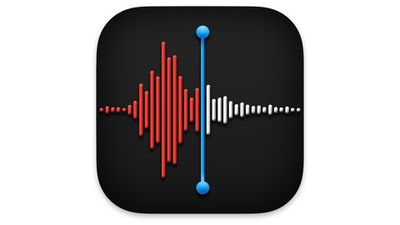
Now go back and take a look at the Voice Memos app icon. That's right – it's been designed to look like the waveform of someone saying the company name.
8. Safari Reading List
When Apple released Safari 5.1 for OS X Lion in July 2011, it included a new Reading List feature. It let users add websites and articles for later perusal, and has since become a staple of Apple's ecosystem.
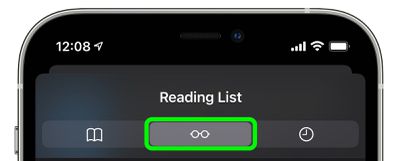
In 2013, Apple updated the Reading List icon, but look closer at it and you may find those spectacles look familiar somehow. It's highly likely they are modeled on the iconic round and rimless Robert Marc eyeglasses worn by the late Steve Jobs.
9. Terminal Historical Calendars
Back in the day when Mac OS shipped with GNU Emacs installed, Terminal was a haven for Easter eggs. With the right kind of command line knowledge, users could fire up hidden games like Tetris or Snake, access recipes, and even chat with the therapist inside their computer. Since the Emacs command-line interface was removed in macOS Catalina, those days are long gone. But there are still a couple of neat fun facts to be found in Terminal.
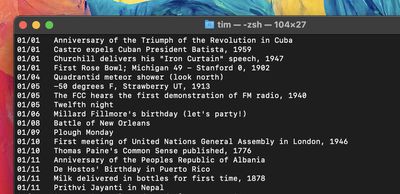
Enter "cat /usr/share/calendar/calendar.history" (minus quotes) for a list of historical facts for every single day of the year. Alternatively, if you're a fan of Middle Earth, enter "cat /usr/share/calendar/calendar.lotr" for a dated list of major events from the Lord of the Rings canon.
10. Stocks App Icon
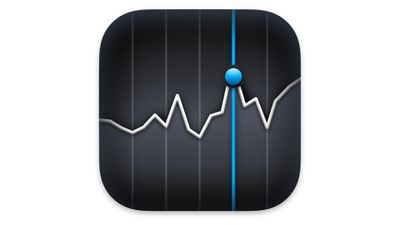
We left this Easter egg until last because, quite frankly, we weren't able to corroborate it, so the claim's accuracy is up for debate (call it a rumor). With that said, take a look at the design of the Stocks app icon. See the blue line pinpointing the peak in a stock's value? According to Mac Life, this is supposed to represent the moment when Apple's share value surpassed Dell in January 2006.
In 1997, when Steve Jobs returned to an ailing Apple, Dell CEO Michael Dell was asked what he would do if he was in charge of the company. Dell famously responded, "What would I do? I'd shut it down and give the money back to the shareholders."
According to one Apple employee at the time, on hearing this advice, Jobs' responded: "F*ck Michael Dell!" Jobs never forgot what he had said, and even shared an email with his employees at the expense of Dell on the day Apple's stock surged to push the company's market capitalization to $72.13 billion, passing Dell's value of $71.97 billion. So, who knows? Maybe the Stocks app icon was indeed designed at Jobs' behest to digitally memorialize the moment.





/https://forums.macrumors.com/attachments/2242820/)











































