
watchOS 10.2 Beta Reintroduces Option to Change Apple Watch Faces With a Swipe - GeekWebGuides
Skip to Content

watchOS 10.2 Beta Reintroduces Option to Change Apple Watch Faces With a Swipe

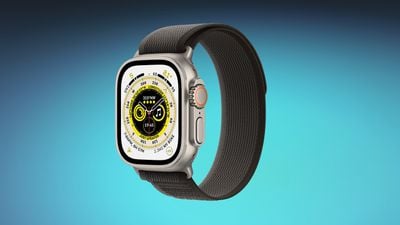
The third watchOS 10.2 beta that Apple released this week reintroduces an Apple Watch feature for swapping watch faces that was initially removed with the upgrade to watchOS 10.
apple watch ultra blue
Users can now choose to use a swipe gesture to switch the active Apple Watch face by enabling the option in the Apple Watch Settings app. With the feature turned on, swiping left or right on the watch face scrolls through the available watch faces that have been set up.

Switching watch faces with a swipe gesture was the default in watchOS 9, but Apple updated the interaction because of complaints that it was too easy to accidentally change watch faces. The current gesture requires long pressing before swiping to change the active watch face.


With watchOS 10.2, Apple Watch owners who preferred the prior method of changing their watch faces can choose to enable the setting if desired. The option is under Settings > Clock in the third beta.

watchOS 10.2 is available to both developers and public beta testers at this time, and it is expected to see a public launch in December.

Related Roundups: watchOS 26, watchOS 27
Related Forum: Apple Watch

Popular Stories

watchos 27

Apple Releases watchOS 27.0.1 for Additional Models

Monday September 28, 2026 2:08 pm PDT by
After releasing watchOS 27.0.1 for the Apple Watch Series 12 and Apple Watch Ultra 4 last week to address a bug that was causing devices to restart unexpectedly, Apple has now released the update for all eligible watches, which includes Series 9 and later. Apple's release notes say only that the update "provides bug fixes for your Apple Watch" and the company does not list any security fixes,...


watchos 27

Apple Releases watchOS 27.0.1 With Fix for Restart Bug

Wednesday September 23, 2026 12:44 pm PDT by
Apple today released watchOS 27.0.1, a minor update to the watchOS 27 operating system that came out last week. The update is limited to the Apple Watch Series 12 and Apple Watch Ultra 4. watchOS 27.0.1 can be downloaded through the Settings app on the watch or the Apple Watch app on a connected iPhone. Software can only be installed when the Apple Watch is on the charger and has over 50...
apple watch app switcher

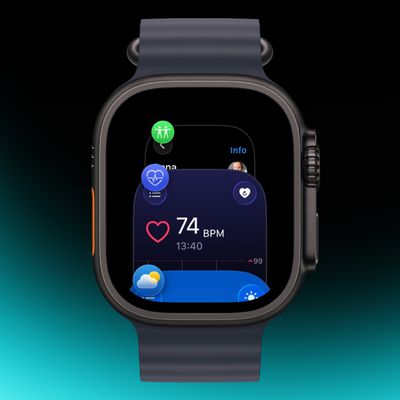
App Switcher Returns in watchOS 27.2 Beta With New Launch Gesture

Tuesday September 22, 2026 1:41 am PDT by
Apple has apparently listened to user feedback and brought back the App Switcher screen in the latest watchOS 27.2 beta, but accessing it is a little different than before. In watchOS 26 and earlier versions, a double press of the Digital Crown would bring up the App Switcher, where you could easily switch to the last-used app and view and open other recently used apps. You could also swipe...

Top Rated Comments

38 months ago
THANK YOU! This change has bothered me SO much.
Score: 64 Votes (Like | Disagree)
Osxguy Avatar
38 months ago
Unpopular option but the push side button for control center is stupid!!! What happened in the watch team? Like a new team came in and made unnecessary changes? I’d understand it if it wasn’t a swipe for all the rest of the devices but it’s always been a swipe. At least make it a customizable option.
Score: 51 Votes (Like | Disagree)
Cobra Kai Avatar
38 months ago
How about they let give us our side button back. Why they moved control center (something I don’t even use) to the side button and removing the ability to have a favorites dock is beyond me. Feels like this years OS’s updates have been worse.
Score: 51 Votes (Like | Disagree)
38 months ago

Really don't know why they changed it, it was perfect for many years. The layout is now stupid, you scroll the crown up for the smart stack, swipe up for the smart stack and tap your fingers for the smart stack on the newer watches, so three ways to get to the same damn thing 🤦‍♂️

And then they moved the control center swipe up to the side button which I still hate, ridiculous change.

I would have had it like this, swipe up for the control center as it used to be, crown up for the smart stack and finger tap for the smart stack.

And as as the side button on a single press now does nothing, maybe we could customise it to make it a second shortcut button. Or we could press the side button once to bring up the apps instead of double pressing the crown which is annoying.
Best option of all: Let the user customize what button does what function.
Score: 20 Votes (Like | Disagree)
MrGimper Avatar
38 months ago
Agree with others .... pointless change and glad it's back.

And also agree with changing side button back to a dock and swipe up for CC .... absolute numpty changes!
Score: 16 Votes (Like | Disagree)
haruhiko Avatar
38 months ago

Unpopular option but the push side button for control center is stupid!!! What happened in the watch team? Like a new team came in and made unnecessary changes? I’d understand it if it wasn’t a swipe for all the rest of the devices but it’s always been a swipe. At least make it a customizable option.
Totally agree. As if they find that the side button is used too rarely and purposefully force us to use it.
Score: 16 Votes (Like | Disagree)
Latest Stories
iPhone Duo Reviewers Really Miss Face ID
3 hours ago
Does the iPhone Duo Run Hot? Here's What Reviews Found
4 hours ago
Apple Music's New Look is Now Live on Apple's Website
5 hours ago
Anthropic Launches Claude Duet, a Proactive AI Agent
5 hours ago
What 32,000 Folds Did to the iPhone Duo's Hinge
6 hours ago
iPhone Duo's Hidden FaceTime Camera Takes 'Trash' Photos
8 hours ago
iPhone Duo Has 'Edge Light' Feature That Debuted on Macs Last Year
8 hours ago
Apple Support App Updated for iPhone Duo's Larger Display
8 hours ago
Amazon Sweetens the Deal on Entry-Level 16-Inch MacBook Pro With $570 Off
9 hours ago
iPhone Duo Tips Over on MagSafe Stands When Unfolded
9 hours ago
Apple Music's New Look Officially Announced
10 hours ago
iPhone Duo Supports Apple Pencil Starting With iOS 27.2
11 hours ago
iPhone Duo Accessories Roundup: Cases and Screen Protectors From OtterBox, ZAGG, and More
12 hours ago
Apple Stores Will Have 'Limited' Availability of iPhone Duo for Walk-In Customers
12 hours ago
iPhone Duo Reviews Explain Why Device is Both 'Fun' and 'Frustrating'
12 hours ago
Apple Says 'Reachability' Feature Coming to iPhone Duo Later This Year
13 hours ago
Loop Capital Cuts Apple Rating Over iPhone Sales Outlook
18 hours ago
Apple Stores in Bordeaux and Lille Looted During French Protests
18 hours ago
Bluesound Adds Native Apple Music Support
18 hours ago
Apple CEO John Ternus Explains What Makes Good Product Design
19 hours ago
UK Proposes New Ways to Help Apple Pay Rivals
21 hours ago
WhatsApp Developing In-App Browser for All Chat Links on iPhone
22 hours ago
Apple's App Store Chief Explains Its Push for Premium Games
22 hours ago
Apple Could Owe Even More After $5.7 Billion Patent Verdict
23 hours ago
Skyrim Comes to Apple Silicon Macs With New Unofficial Installer
23 hours ago
Apple Highlights Mac and iPad Use in Paris Design Exhibition
1 day ago
Apple Seeks 6G Modem Engineers as It Plans for Post-5G iPhones
1 day ago
First iPhone Duo Unboxing Video Appears Ahead of Friday Launch
1 day ago
Perplexity Computer Can Now Run Fully Locally on Mac
1 day ago
Apple's Touchscreen OLED MacBook Pro: Everything We Know
1 day ago







































