Apple Music Features Improved Spotify-Like Queue System on iOS 18
Apple has revamped the song queuing system in the Music app on iOS 18, and early reaction to the changes has been overwhelmingly positive.
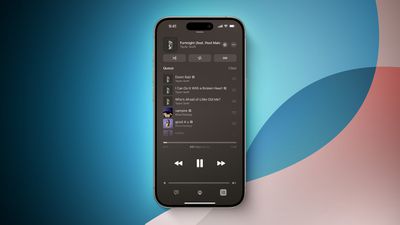
Notable changes include a new "Add Songs to Queue" button at the bottom of the queue, an option to clear the entire queue all at once, and the ability to change the currently playing song without having the queue disappear. In addition, the former "Play Last" menu option has been replaced with "Add to Queue." While listening to a playlist, it is now possible to add a song to the queue for immediate playback after the current song, whereas the song would previously get added to the end of the playlist.
These changes bring Apple Music's queuing system on iPhone more in line with Spotify, and the Android version of the Apple Music app. It also brings Apple Music's queuing system more in line with how it worked back on iOS 9.
iOS 18 is currently available in beta for members of the Apple Developer Program, with a public beta to follow in July. The update should be widely released in September, allowing everyone to try out the new queuing system.
Popular Stories
Following the introduction of a new Apple Music logo and app icon earlier this month, Apple today officially introduced Apple Music's new brand identity.
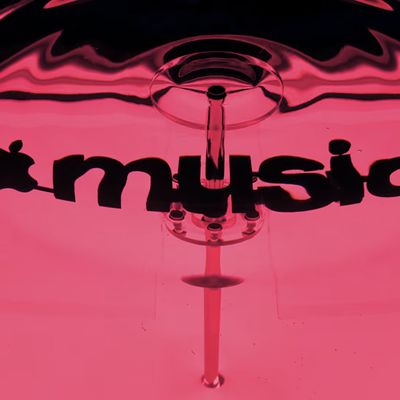
In a YouTube video shared today, Apple said the new Apple Music visuals were "made by sound." More specifically, Apple said it played a sound through a container of water, resulting in the liquid moving at the frequency of the notes. Apple...
Apple appears to be rolling out a new logo for Apple Music in its upcoming set of software updates. The logo has been spotted in both macOS 27.2 beta 3 and iOS 27.2 beta 3, and it's identical to the one that Apple used in its Apple Music Hall announcement last month.
When Apple used the logo in the venue's press materials and on its new official website, it wasn't clear if this was a one-off ...
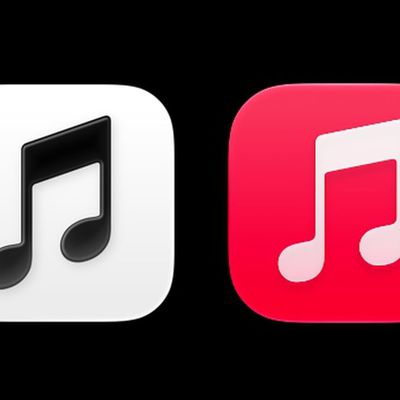
In the fourth beta of iOS 27.2, Apple updated the Apple Music icon. The new icon is black and white, replacing the prior icon.
In light mode, the logo is black on a white background, and in dark mode, it's white on a black background.
The refreshed Music app icon comes after Apple debuted a new Apple Music logo in an earlier version of iOS 27.2 and in marketing materials for its recent...