

Apple is beta testing iOS 17.2, the second major update to the iOS 17 operating system that came out in September. We are expecting to see a public launch in December, so there are still several betas to go before the software debuts.
This guide includes everything new in the iOS 17.2 beta, and we'll be updating it throughout the beta testing period.
Journal App
iOS 17.2 includes the Journal app that Apple announced as part of iOS 17. With the Journal app, users can record their daily activities and thoughts, with Apple providing optional prompts that can be used as inspiration.
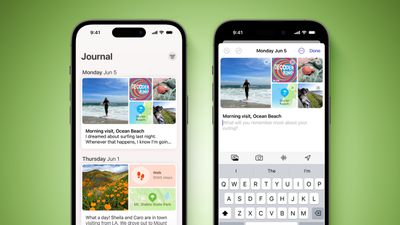
A Journal entry can be added by tapping on the "+" button in the Journal app, and from there, users can choose a suggestion as the basis for their writing or just opt for "New Entry" to write anything at all.
Entries are automatically tagged with a date for organizational purposes, but there are options for bookmarking, too. Journal entries can include images, voice recordings, and location tags.
Messages App Sticker Reactions
You can now long press on any chat bubble in the Messages app to add a sticker response that serves as an alternative to a tapback reaction. Tapping on "Add Sticker" lets you choose either a sticker or an emoji to apply to the corner of an iMessage.
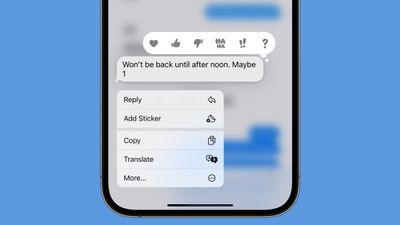
There was already an option to drag a sticker or an emoji onto any message bubble, but this is a much quicker method of quickly responding to an incoming message with a quick graphic that is more expressive than a tapback reaction.
Spatial Video Recording
With iOS 17.2, the iPhone 15 Pro and iPhone 15 Pro Max can be used to record spatial video that will be viewable in the Photos app on the Vision Pro headset.
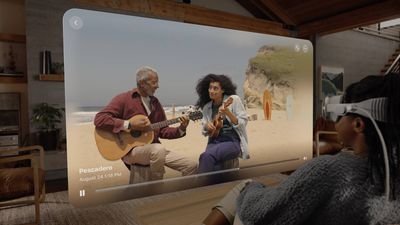
Spatial video recording can be enabled by going to the Settings app, tapping into the Camera section, selecting Formats, and toggling on "Spatial Video for Apple Vision Pro." Apple says that for best results when recording spatial video, the iPhone should be held stable in landscape orientation while capturing video. Video is recorded at 30 frames per second at 1080p, and one minute of video takes up 130MB of storage space.
When spatial videos captured with an iPhone are viewed on the iPhone, they appear as normal videos. Viewing the video in 3D requires the Vision Pro headset.
Collaborative Apple Music Playlists
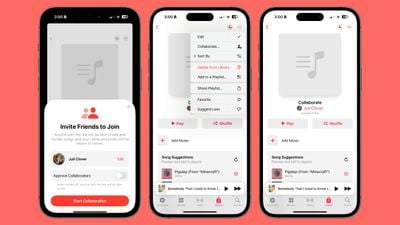
There is was an option to create a playlist in Apple Music that multiple people can add to, but Apple removed the feature in the fourth beta and it is not clear if it is coming back before iOS 17.2 launches.
Favorites Apple Music Playlist
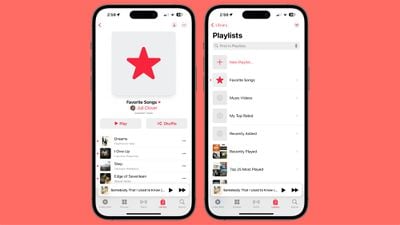
Songs that you have favorited in the Apple Music app are now aggregated into a Favorites playlist.
Apple Music Favorite Songs
In the Music section of the Settings app, there is now an option to add songs to your Music Library when they are favorited. The feature is toggled on by default, but it can be turned off if desired.
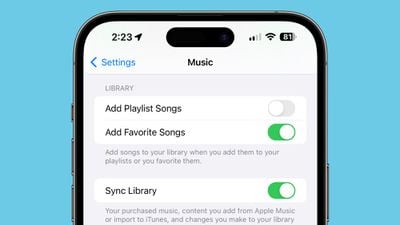
The option to "Favorite" songs was added in iOS 17.1.
Apple Music Listening History Focus Filter
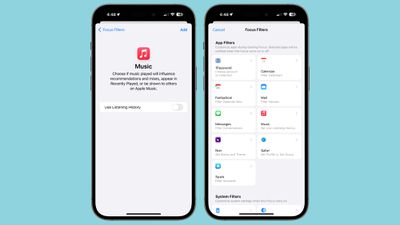
There is a Focus Filter for the Apple Music Listening History feature, so if you want to let someone else use your device to listen to music, you can activate this to turn off the Listening History so their song choices won't affect your recommendations.
Action Button Translate
iPhone 15 Pro and iPhone 15 Pro Max users can now choose a new Translate option for the Action button.
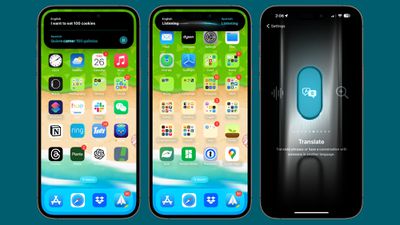
When the Action button is set as Translate, pressing to hold causes the iPhone to pop up a Translate window that listens for spoken text. It is able to translate from one set language to another, using the languages that you have previously set up in the Translate app.
Keyboard
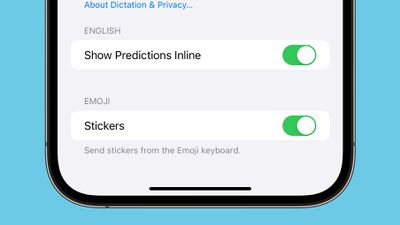
Apple has added an option to disable inline predictions when typing. It can be accessed by opening up the Settings app, choosing General, going to Keyboard, and scrolling down to the "Show Predictions Inline" option.
iMessage Contact Key Verification
First previewed in December 2022, iMessage Contact Key Verification is a feature designed for those who face "extraordinary digital threats," such as journalists, human rights activists, and government officials.
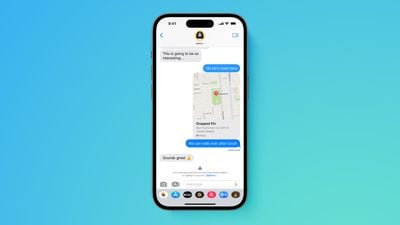
Users can ensure that there is no "man in the middle" snooping on iMessage conversations, and there is an option to display a Contact Verification Code so that iMessage users can verify that they're speaking to the correct individual during in-person meetings or on FaceTime calls.
Messages in iCloud Syncing
The "Messages" section in iCloud in the Settings app has been renamed to "Messages in iCloud." It shows the total amount of storage that messages are taking up, the number of messages synced to iCloud, and the time of the last sync. There's also a "Sync Now" option to force an update.
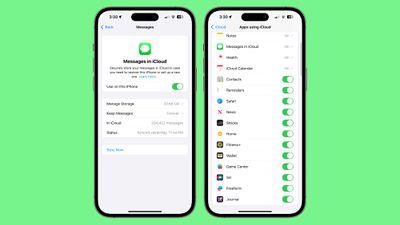
Apple previously said that additional settings would be synced through Messages in iCloud in iOS 17, like Text Message Forwarding, Send & Receive accounts, and SMS filters across devices, so this may see those additional settings syncing.
Apple TV App
Apple has removed the separate tabs for Movies and TV shows in the Store section of the Apple TV app on the iPhone and the iPad.
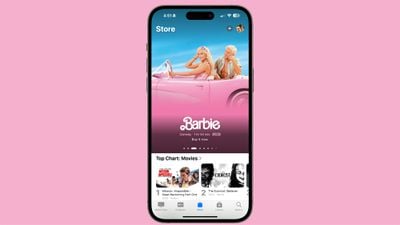
Code in iOS 17.2 asp confirms that Apple is planning to eliminate the option to purchase TV shows and movies in the iTunes app. TV and movie content will need to be purchased in the TV app in the future, but for now, the change has not actually been implemented. "You can buy or rent TV shows and find your purchases in the Apple TV app," reads the code.
Phone and FaceTime
In the Phone and FaceTime settings, there is a Share Name and Photo option that uses the Contact Poster. Name and Photo Sharing can be toggled off, set to Contacts Only, or set to Always Ask, which prompts you before sharing that information with others.
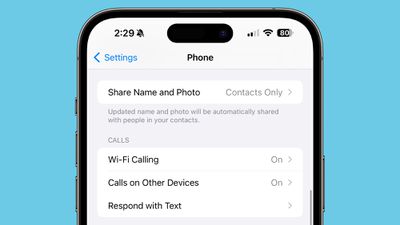
This setting was previously available for the Messages app.
FaceTime
If you join a FaceTime call that includes a contact you have blocked, you will now get a warning. Apple provides warnings when joining a call with a blocked contact, or when a blocked contact is joining a call you're already on.
Emergency Alerts Local Awareness
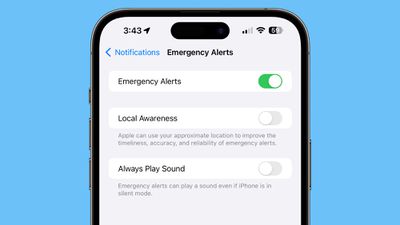
Under Notifications & Emergency Alerts in the Settings app, there is a new "Local Awareness" option that can be turned on. Apple says that Local Awareness uses your approximate location to improve the timeliness, accuracy, and reliability of emergency alerts.
Weather Widgets
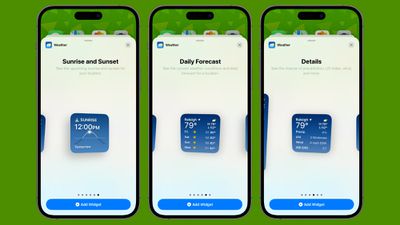
There are new Details, Daily Forecast, and Sunrise/Sunset widgets for the Weather app. Details shows information like precipitation chance, UV index, wind speed, and air quality, while Daily Forecast offers the weather for the next few days in a small widget size. Sunrise/Sunset shows the sunrise and sunset times for each day.
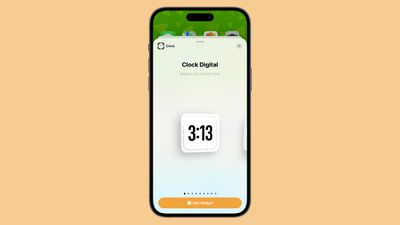
Digital Clock Widget
There is a new Digital Clock widget that can be added to the Home Screen or Lock Screen.
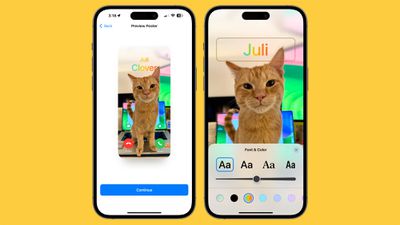
Contact Posters
You can now select rainbow-colored text for your name when setting up a Contact Poster in the Contacts app.
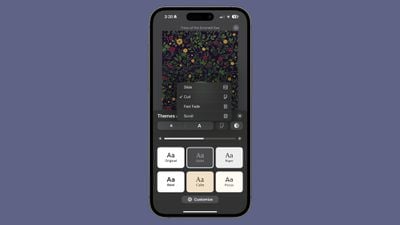
Books Page-Turning Animation
There's a new "Fast Fade" option for the page-turning animation in the Books app. Apple has also removed the icon that you could turn on to scroll through content quickly.
AirPlay
There's a new "AirPlay Receiver" setting that will allow the upcoming Apple Vision Pro headset to stream or share content to an iPhone.
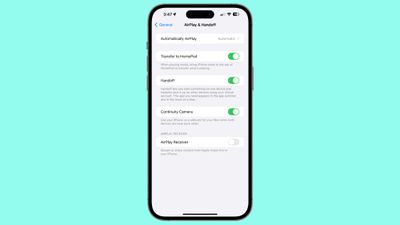
It also looks like the AirPlay feature for hotels that Apple announced earlier this year is live or will be live soon. It is designed to let you AirPlay content from your iPhone or iPad to an AirPlay-equipped smart TV.
Memoji
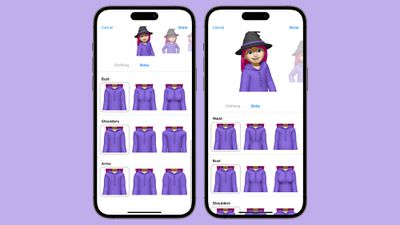
Apple added a "Body" section for Memoji where users can customize waist, bust, shoulders, and arms.
News App
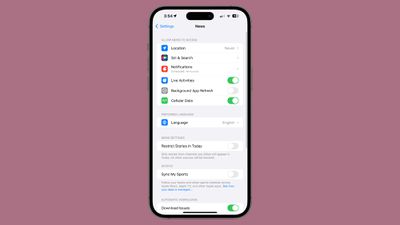
The News app now supports Live Activities for following news-related events such as elections.
Expanded Sensitive Content Warnings
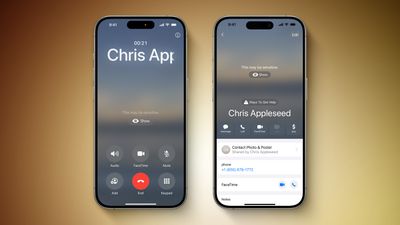
Apple's opt-in Sensitive Content Warning feature is expanding to Contact Posters in the Contacts and Phone apps, as well as in stickers in the Messages app. Sensitive Content Warnings use on-device machine learning to blur out photos or videos with any nudity detected before users view them.
App Store Categories
The "Apps" and "Games" sections of the App Store have new top bar navigation that allows users to scroll through various app categories, exploring apps in that category with a tap.
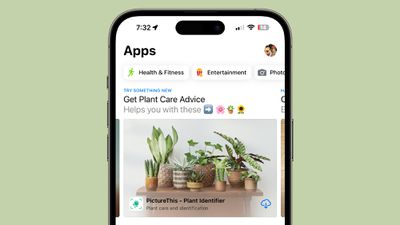
The categories mirror the categories that can be found at the bottom of each App Store section, and it is a layout that Apple has previously used for Apple Arcade.
AppleCare+ Coverage Menu
The AppleCare+ "Coverage" menu is now in Settings > General rather than Settings > General > About, making it more visible than before. The Coverage interface lists AppleCare+ on your device and any paired AirPods.
Siri
Siri in iOS 17.2 can provide details on an estimated time of arrival when there are active turn-by-turn directions in the Maps app, and the personal assistant can provide altitude data.
Photos
When opening the Photos app after updating to iOS 17.2 beta 3, there is a prompt to allow Photos to access the Apple Music library. Photos is then able to use Apple Music to curate songs for Memories.
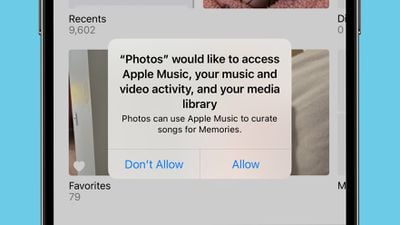
Photos is listed as an app accessing Apple Music under Settings > Privacy and Security after enabling access. Note that Photos already had this capability, but Apple now offers an option to turn off access.
Recording to an External Device
With the iPhone 15 Pro models, ProRes video can be recorded directly to an external device. iOS 17.2 appears to include a new pop up message that lets users know that external recording is not working because of a USB-C cable that is too slow.
There was previously a warning about an external storage device not having a fast enough write speed to support external recording, but now there is an added message about the write speed of the USB-C cable.
AppleCare Settings
The "Coverage" section under Settings > General has been renamed to AppleCare & Warranty. It still includes AppleCare info for your iPhone and connected devices such as the Apple Watch and AirPods.
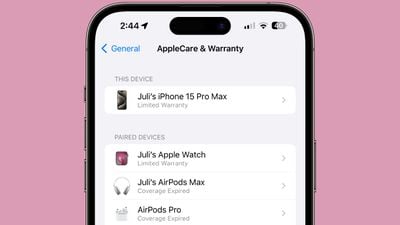
Under General > About there's a new Warranty section that provides coverage information for the iPhone.
Default Notification Sound
Under Sounds & Haptics, there's a new "Default Alerts" section that allows you to choose the sound used for all incoming notifications aside from texts, mail alerts, and calendar alerts, which already had customization options.
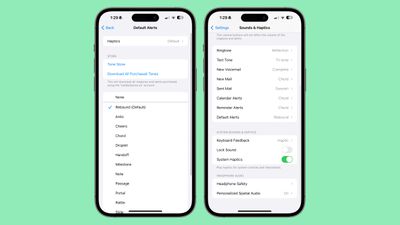
All of the text tones can be used for the default notification sound, plus there is an option to also change the haptic vibration of default notifications.
More iOS 17.2 Beta Features
Know of a feature that we've missed on this list? Let us know in the comments below.





/https://forums.macrumors.com/attachments/2311903/)














































