How to Create an Apple ID on a PC - MacRumors
Skip to Content

How to Create an Apple ID on a PC

by

An Apple ID is a key part of owning an Apple device, and it is used for access to iCloud, the App Store, iTunes, Apple Music, and more. It is also necessary for syncing content across devices, making purchases, and more.

Creating an ‌Apple ID‌ is free and easy, and it's the first step to getting an Apple device set up if you're new to the Apple ecosystem. This how to walks through creating an ‌Apple ID‌ on an a Windows PC.

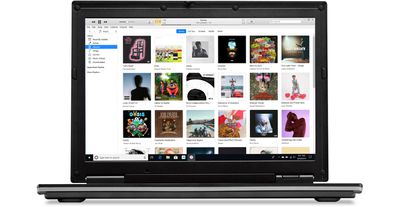
windows 10 itunes 12 9 hero

  1. Open iTunes for Windows and make sure it's up to date.
  2. Using the menu bar at the top of the iTunes window, select Account > Sign In.
  3. Choose the Create New ‌Apple ID‌ option.

From here, you'll need to agree to Apple's Terms and Conditions and Privacy Policy, and then you can fill out the form to create a new ‌Apple ID‌. Your ‌Apple ID‌ will be the email address that you use to sign up for the account.

You need to enter your first name and last name, country, a password, and a series of security questions.

Note that you may be asked to provide a credit card and billing information, but choosing "None" allows the request to be bypassed. ‌Apple ID‌ account sign ups will need to be verified, and Apple will send a verification email.

Signing Up on the Web

On a PC, you can also sign up for an ‌Apple ID‌ on the web by following these steps:

  1. Open a browser.
  2. Visit the ‌Apple ID‌ account page through this link.
  3. Scroll down to "Create your ‌Apple ID‌" and click it.appleidwebsignup
  4. Go through the steps and fill out the form.
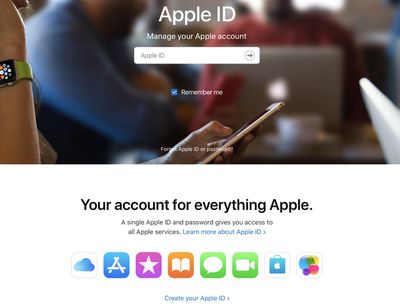
The process for signing up for an ‌Apple ID‌ on the web is identical to the sign up process through iTunes, and it will require the same verification.


Popular Stories

iOS 26

iOS 26.4 Adds Two New Features to CarPlay

Tuesday March 24, 2026 1:55 pm PDT by
iOS 26.4 was released today, and it includes a couple of new features for CarPlay: an Ambient Music widget and support for voice-based chatbot apps. To update your iPhone 11 or newer to iOS 26.4, open the Settings app and tap on General → Software Update. CarPlay will automatically offer the new features so long as the iPhone connected to your vehicle is running iOS 26.4 or later....
Apple Business hero

Apple Unveils 'Apple Business' All-in-One Platform

Tuesday March 24, 2026 8:53 am PDT by
Apple today announced Apple Business, a new all-in-one platform that unifies device management, productivity tools, and customer outreach features. The service is designed to be a consolidated replacement for several of Apple's existing business-focused offerings, including Apple Business Essentials, Apple Business Manager, and Apple Business Connect. It provides organizations with a single...
AirPods Pro Firmware Feature

Apple Releases New Firmware for AirPods Pro 3, AirPods Pro 2 and AirPods 4

Tuesday March 24, 2026 12:31 pm PDT by
Apple today released new firmware for the AirPods Pro 2, AirPods Pro 3, and the AirPods 4. The firmware has a version number of 8B39, up from 8B34 on the AirPods Pro 3, 8B28 on the AirPods Pro 2, and 8B21 on the AirPods 4. There is no word on what's included in the firmware, but Apple has a support document with limited notes. Most updates are limited to bug fixes and performance...