
How to Change Siri and Audio Volume on HomePod - MacRumors
Skip to Content

How to Change Siri and Audio Volume on HomePod

by

The HomePod and the HomePod mini are designed to automatically adjust the volume of the Siri assistant based on the level of noise in the room, but you can also verbally adjust ‌Siri‌'s volume level separately from the volume level of the media that's playing.
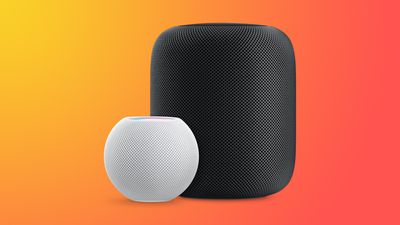
HomePodandMini feature orange
This how to walks you through the commands that you need to specifically adjust ‌Siri‌'s volume as needed.

How to Change Siri's Volume on HomePod

On ‌HomePod‌ or ‌HomePod mini‌, you can ask ‌Siri‌ to set the ‌Siri‌ volume to a specific percent, which is an adjustment that is separate from the media volume.

To do so, just say "Hey ‌Siri‌, change your volume to [percent]." You can also say "Hey ‌Siri‌, speak at [percent]."

If you tell ‌Siri‌ to set the ‌Siri‌ volume to 34 percent, for example, it will adjust it to that level while the music volume stays the same. ‌Siri‌ can be forced to be quieter or louder than your music.

Change the Media Volume on HomePod

You can also verbally adjust the media volume with a similar command, and this will adjust just the song volume without changing the ‌Siri‌ sound level.

To change the media volume, just say "Hey ‌Siri‌, change the media volume to [percent]."

Music levels can also be adjusted using the - and + buttons on the top of the ‌HomePod‌ or through a connected iPhone or iPad, but adjusting ‌Siri‌ volume specifically seems to require the spoken command.

Related Roundups: HomePod, HomePod mini

Top Rated Comments

67 months ago

Too bad Siri's volume won't stay set. Set the volume to a percentage and then ask a question. It jumps back up. You can verify by asking Siri what her speaking volume is.

Also, when did it become impossible to set or check the volume of other HomePods around the house? The only response I get now from Siri is "I can't volume information on multiple speakers".
This. It’s infuriating that there isn’t a maximum or persistent volume slider for Siri in each HomePod’s settings. Also, that it doesn’t allow you to set a nighttime speaking volume there.
Score: 12 Votes (Like | Disagree)
michaeldlord Avatar
67 months ago
Too bad Siri's volume won't stay set. Set the volume to a percentage and then ask a question. It jumps back up. You can verify by asking Siri what her speaking volume is.

Also, when did it become impossible to set or check the volume of other HomePods around the house? The only response I get now from Siri is "I can't check volume information on multiple speakers".
Score: 9 Votes (Like | Disagree)
PigsOnTheWing Avatar
67 months ago
This article needs to be deleted as Sir's volume level absolutely, positively does not stick beyond the initial request.
Score: 8 Votes (Like | Disagree)
67 months ago
While this feature would be seriously welcome, for some people in this thread [https://forums.macrumors.com/threads/14-4-brings-separate-siri-volume-control.2282052/]
including myself, the Siri volume reverts back to default volume the next time Siri speaks.
Score: 7 Votes (Like | Disagree)
Sanlitun Avatar
67 months ago
No this doesn't work.

You can ask Siri to set voice volume to 10% and then immediately ask her what time it is and she will revert to an automatic volume setting. Every time. Siri will not retain volume settings.

There is a huge thread on /r/Homepod Reddit ('https://www.reddit.com/r/HomePod/comments/lgtvcg/is_your_siri_too_loud_sometimes/') in regards to this, and in my case it's almost a dealbreaker with the HomePod.
Score: 5 Votes (Like | Disagree)
67 months ago
“Hey Siri, what is your speaking volume?”

“I’m at 61%”

“Hey Siri, change s speaking volume to 50%”

“Ok, I’ll dial it down”

“Hey Siri, what is your speaking volume?”

“I’m at 61%”
Score: 4 Votes (Like | Disagree)

Popular Stories

iOS 26

iOS 26.4 Adds Two New Features to CarPlay

Tuesday March 24, 2026 1:55 pm PDT by
iOS 26.4 was released today, and it includes a couple of new features for CarPlay: an Ambient Music widget and support for voice-based chatbot apps. To update your iPhone 11 or newer to iOS 26.4, open the Settings app and tap on General → Software Update. CarPlay will automatically offer the new features so long as the iPhone connected to your vehicle is running iOS 26.4 or later....
Apple Business hero

Apple Unveils 'Apple Business' All-in-One Platform

Tuesday March 24, 2026 8:53 am PDT by
Apple today announced Apple Business, a new all-in-one platform that unifies device management, productivity tools, and customer outreach features. The service is designed to be a consolidated replacement for several of Apple's existing business-focused offerings, including Apple Business Essentials, Apple Business Manager, and Apple Business Connect. It provides organizations with a single...
AirPods Pro Firmware Feature

Apple Releases New Firmware for AirPods Pro 3, AirPods Pro 2 and AirPods 4

Tuesday March 24, 2026 12:31 pm PDT by
Apple today released new firmware for the AirPods Pro 2, AirPods Pro 3, and the AirPods 4. The firmware has a version number of 8B39, up from 8B34 on the AirPods Pro 3, 8B28 on the AirPods Pro 2, and 8B21 on the AirPods 4. There is no word on what's included in the firmware, but Apple has a support document with limited notes. Most updates are limited to bug fixes and performance...
















