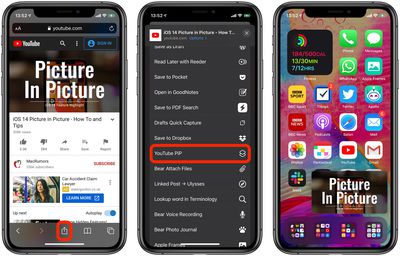
In iOS 14, Apple added a Picture in Picture mode on iPhone that lets you watch a video in a small screen on your device while you continue to do other things on the phone.
Picture in Picture mode doesn't work in the YouTube app, although it was possible to watch videos in Picture in Picture on YouTube's mobile website through Safari until YouTube intentionally nixed the workaround last week, presumably to push people to buy a Premium subscription. For a short while, you could still get Picture in Picture to work on YouTube.com in Safari if you request the desktop site, but YouTube has since blocked that as well.
But thanks to CodeEverywhere, there's now another neat workaround that uses a snippet of JavaScript and no external plugins to suppress the Picture in Picture block that YouTube has added to its mobile site.
As noted by CodeEverywhere, the same code can also be used in an iOS Shortcut that can then be selected from Safari's Activity view (formerly called the Share Sheet) whenever you want to watch a YouTube-hosted video in Picture in Picture.
Using CodeEverywhere's script, software engineer Jonas Reitmann has since created a Shortcut and made it available for download (Note: people are having trouble with the direct download shortcut working. Follow the directions below), but if you are uncomfortable downloading a shortcut blindly, you can recreate it with the steps below.
How to Create a Shortcut for YouTube Picture in Picture
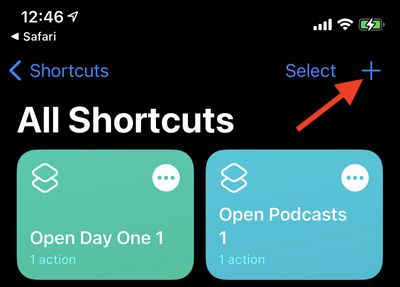
- Launch the Shortcuts app on your iPhone and click the plus (+) icon in the top-right corner of the screen to create a new shortcut.

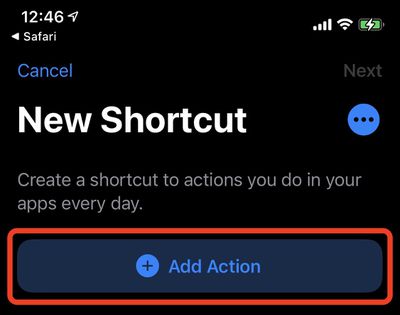
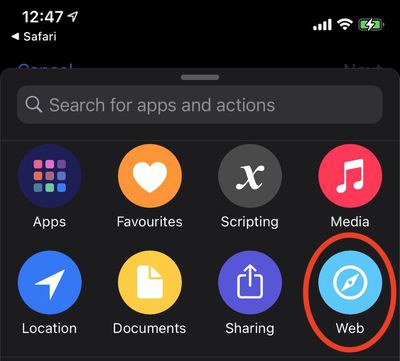
- Tap Add Action.
- Select Web.
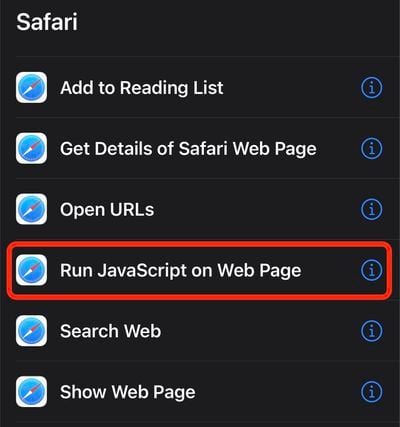
- Under "Safari," select Run JavaScript on Web Page.
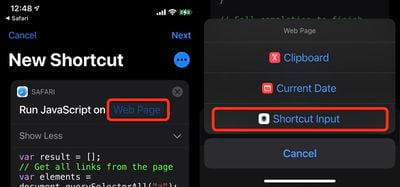
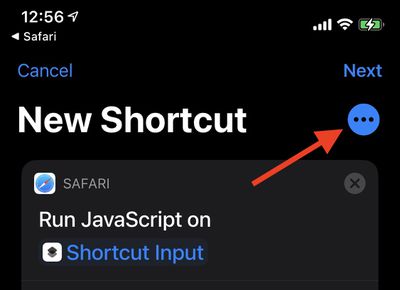
- Where it says "Run JavaScript on" tap the blue words Web Page, then select Shortcut Input in the pop-up menu.
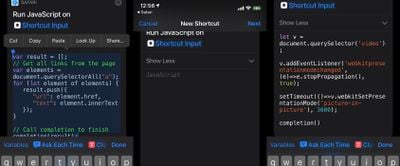
- Remove the existing JavaScript code in the shortcut window and paste in the following code:
let v = document.querySelector('video');v.addEventListener('webkitpresentationmodechanged', (e)=>e.stopPropagation(), true);
setTimeout(()=>v.webkitSetPresentationMode('picture-in-picture'), 3000);
completion()
- Tap the three dots icon in the top-right corner of the screen.
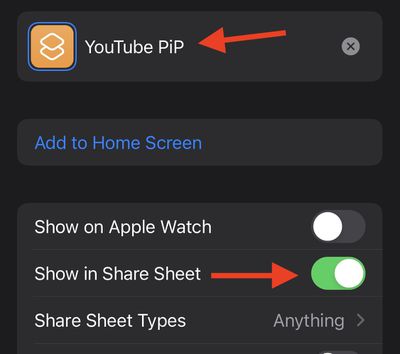
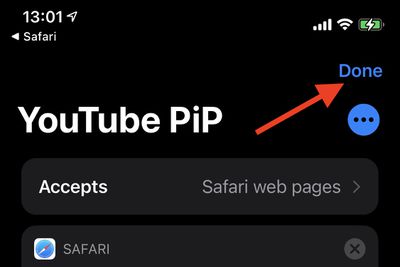
- Give your shortcut a name, e.g. "YouTube PiP," then toggle the switch next to Show in Share Sheet to the green ON position.
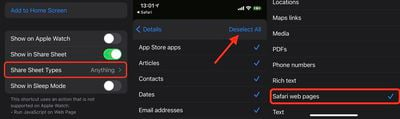
- Tap Share Sheet Types, then select Deselect All and tap Safari web pages.
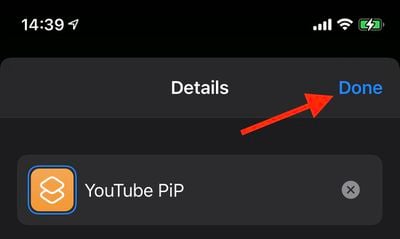
- Return to the Details screen, then tap Done.
- Tap Done to finish.
With that done, simply select the Shortcut in Safari via the Action icon whenever you want to use Picture in Picture on YouTube's mobile website, no premium subscription required.