How to Use Signal Messenger's Face Blurring Photo Feature - MacRumors
Skip to Content

How to Use Signal Messenger's Face Blurring Photo Feature

by

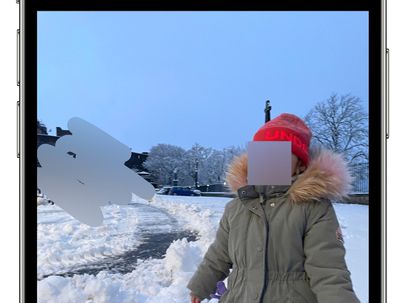
Encrypted messaging app Signal features a face-blurring feature that automatically locates and blurs faces in images shared over the chat platform.
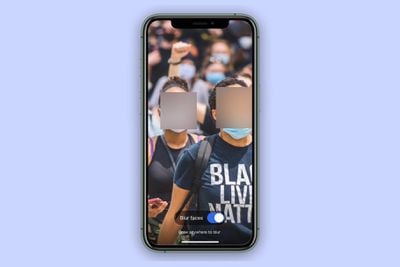
signal blur face
It's a neat tool to help protect the privacy of the people in the photos you share, and all processing involved in the blur feature happens locally on the device to maintain privacy.

Not only does it make it easy to give every face a hiding place, it can also be used to draw a fuzzy trace over something you want to erase. The following steps show you how to use it.

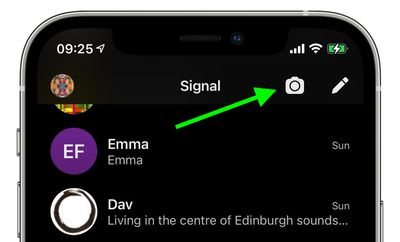
  1. Launch the Signal app on your iPhone or iPad, then from the main chat Home Screen or within in a chat thread, tap the Camera icon.
    how to signal face blur

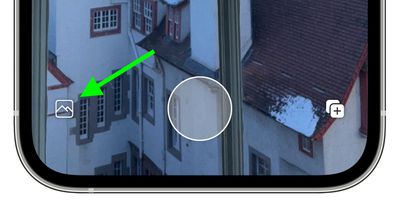
  2. Next, take a photo, or tap the photo album icon in the bottom-left corner of the screen.
    how to signal face blur 2

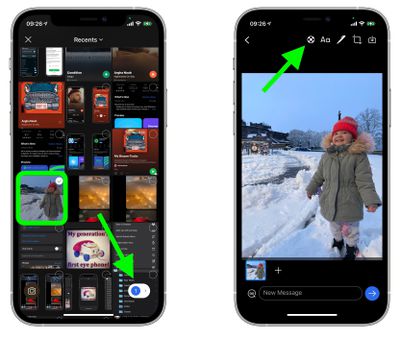
  3. If you opted to use an existing picture from your photo album, select it and tap the button in the bottom-right corner of the screen to view it, then you're in the photo editor screen, tap the Blur Tool icon at the top (it's a circle with a cross of small grey and white squares inside it).
    signal

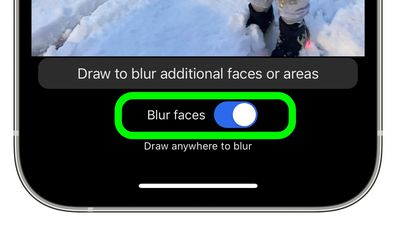
  4. To automatically blur faces in the image, toggle the Blue Faces switch that appears to the green ON position.
    how to signal blur faces 4

Bear in mind that the feature isn't perfect, and won't detect every face all of the time.
signal
To compensate for these flaws, Signal's image editor also includes an option to manually obscure faces and other areas of a photo with a blur brush.


Tag: Signal

Popular Stories

signal logo

iOS 26.4.2 Patches Flaw That Let FBI Extract Deleted Signal Messages

Wednesday April 22, 2026 12:01 pm PDT by
The iOS 26.4.2, iPadOS 26.4.2, iOS 18.7.8, and iPadOS 18.7.8 updates that Apple released today address a security vulnerability that the FBI recently used to extract Signal message previews from an iPhone even after the app was deleted. A flaw with notification services allowed notifications that were supposed to be deleted to be retained on an iPhone or iPad. Apple says it fixed the logging ...

Apple Event Logo

Apple's Next Era Begins September 1

Thursday May 7, 2026 10:36 am PDT by
Apple recently announced that Tim Cook will be stepping down as CEO later this year, after 15 years of leading the company. Effective September 1, Apple's hardware engineering chief John Ternus will become the company's next CEO, while Cook will become executive chairman of Apple's board of directors. In his new role, Apple said Cook will assist with "certain aspects" of the company,...
Instagram Feature 2

PSA: Instagram Encrypted Messaging Ends on Friday, May 8

Tuesday May 5, 2026 8:24 am PDT by
Instagram will remove end-to-end encryption for direct messages between users from May 8, 2026. When the date comes around, Meta will potentially be able to see the contents of all messages between users on the social media platform. Encrypting messages has been an optional feature in Instagram since 2023, but in March of this year the social media platform quietly updated a help page to say ...