

Apple Music is Apple's streaming music service, similar to rival streaming services like Spotify, Amazon Music Unlimited, Google Play Music, Tidal, and others.
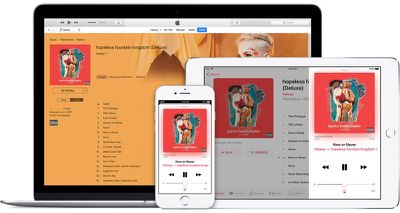
Apple Music give you access to 50 million songs. Content can be streamed or downloaded for offline play, and there are also song and genre-based radio stations available along with the curated Beats 1 radio station.
With a family subscription to Apple Music, up to six family members get unlimited access to the entire Apple Music catalog, music recommendations tailored to their personal music tastes, and access to their own iCloud Music Library, allowing them to listen to their music on all of their devices. With iCloud Family Sharing, family members are also able to share their iTunes purchases.
An Apple Music family subscription costs $14.99 per month in the United States, with potentially slight price variations in other regions and territories.
How to Sign Up for Apple Music
- Launch the Music app on your iPhone, iPad, or Mac, or open iTunes on your PC.
- You should see an offer to subscribe to Apple Music when you first open the Music app on your iOS device. If you don't, tap For You at the bottom of the screen. In the Music app on Mac, click For You in the left sidebar, or in iTunes on PC, click the For You tab at the top of the iTunes window.

- Tap or click the three-month trial offer. Note that Apple typically offers one trial per person.
- Select a Family subscription.
- Tap or click Use Use Existing Apple ID, then enter your Apple ID and password. If you don't have one, tap or click Create New Apple ID and follow the steps to do so.
- You may be asked to validate your billing information. Add a valid payment method if required and select Join.
- Agree to the terms and conditions if prompted.


Apple Music membership automatically renews, but you can cancel renewal at any time from your account. If you already subscribe to Apple Music, you can change to a Family Membership. For more details about how to cancel or change an Apple Music subscription, check out our dedicated how-to article.
You can invite family members to join an Apple Music Family subscription by setting up Family Sharing on your Mac or iOS device. After invitees accept your invitation, each member of your family group will have access to Apple Music.
Family Sharing is required for an Apple Music family plan, which means all members of the family need to enable Family Sharing and are required to use the credit card information of the main family member. There is no way to use an Apple Music family plan without the other Family Sharing features.




















