

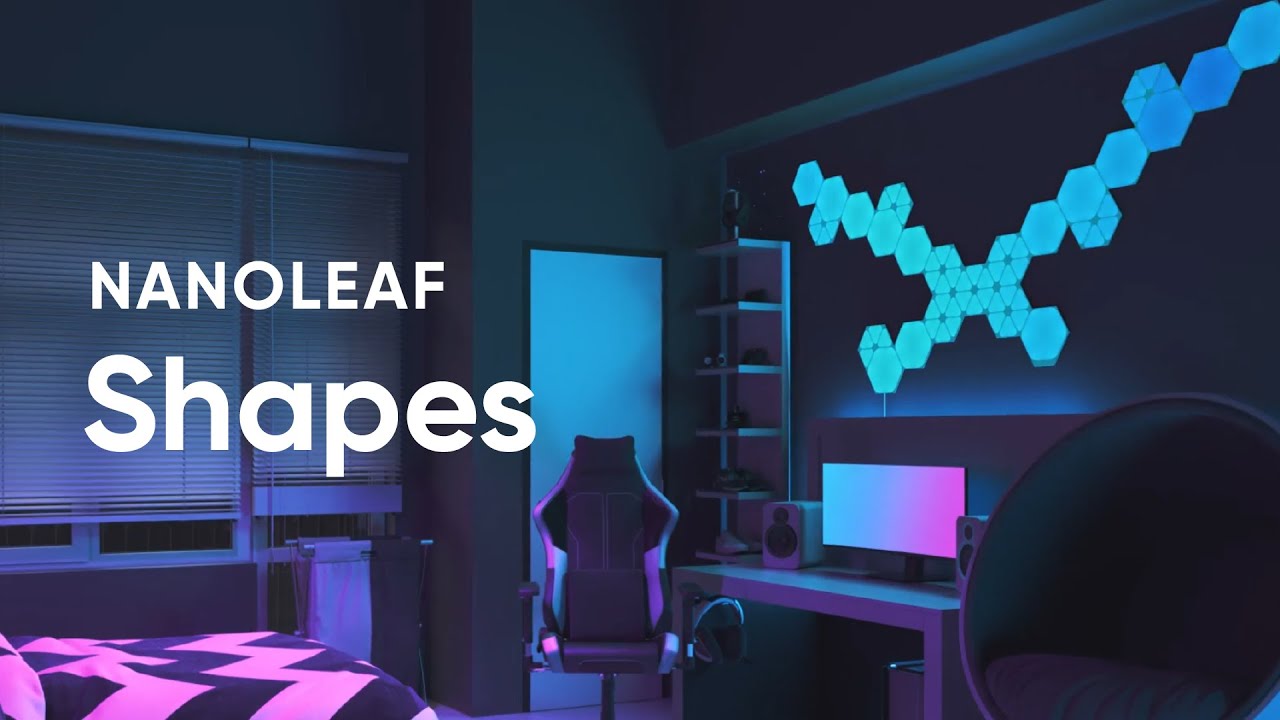
At the beginning of the year, Nanoleaf unveiled its new Shapes line, which features interconnected wall-mounted light panels in different shapes that display a rainbow of shifting colors. The Hexagon light panels, launched this summer, were the first new light panels in the lineup, and now Nanoleaf has launched the Triangles and Mini Triangles, two new shape options that connect to one another and to the Hexagons.
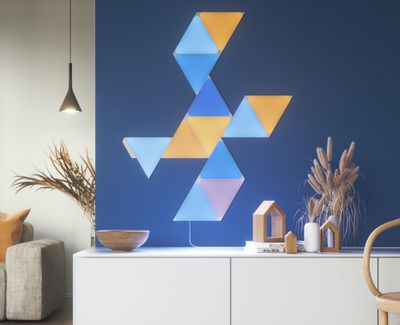
Nanoleaf has been making HomeKit-connected light panels since 2017 when it launched its first triangle-shaped lights, but the newest panels in the Shape line are the only ones that are interoperable and able to connect together. The Hexagons, Triangles, and Mini Triangles work together, but they do not work with the original triangle-shaped Light Panels or the square-shaped Canvas panels. The Mini Triangles are priced at $119 for five panels, while the standard Triangles are priced at $199 for seven panels.
Design
The Shapes Triangles are an iteration of the original triangles (once called the Aurora) that came out in 2017, with the new Triangles featuring a design that has more rounding at the inside edges, presumably to make them fit better with the Hexagons and Mini Triangles.
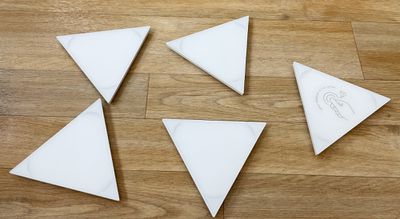
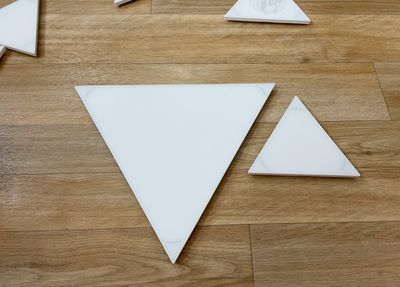
Size wise, the Shapes Triangles are similar in size to the original triangles, while the Mini Triangles are much smaller and are Nanoleaf's smallest panels yet. Standard triangles measure in at nine inches long and 7.75 inches high, while the mini triangles measure in at 4.5 inches long and 3.8 inches high.
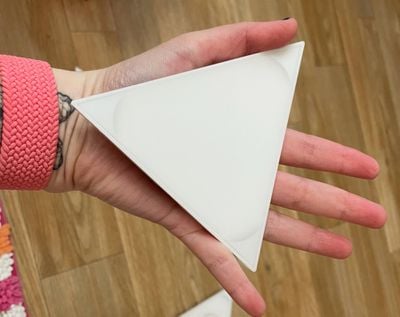
The Mini Triangles are surprisingly small and are ideal for a small wall-mounted setup behind a desk, while the standard Triangles can be used for larger lighting setups. All of Nanoleaf's products are made from a white plastic material, and some people may not like the look when the panels are turned off. The Triangles and Mini Triangles look best when lit, which is something to keep in mind when choosing a location for placement.
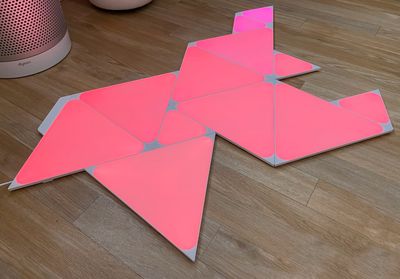
I do want to point out that like the Hexagons, the Triangles and Mini Triangles have rounded edges so the light that is visible is not entirely triangular in shape, but I think that both versions look great. I prefer these to the original Aurora, and I love the look of different shapes mixed together. I particularly like the size of the Mini Triangles and the way they break up the color patterns of the Hexagons and larger Triangles when paired with those panels.
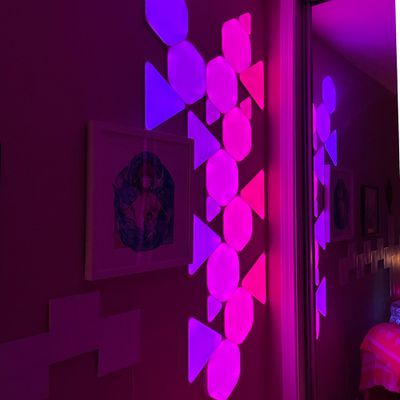
The Mini Triangles alone provide accent lighting, but with enough of them, or with Mini Triangles and standard Triangles combined, the Nanoleaf Shapes put off enough light to replace a traditional light. Depending on how many panels are used, they can be quite bright. I often set my panels to about 20 percent brightness, but at maximum, they flood my office with light.
Setup and Mounting
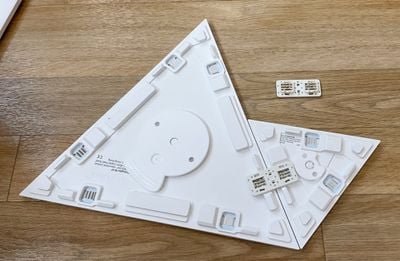
Like Nanoleaf's Hexagons, the Triangles and the Mini Triangles are mounted to the wall using adhesive. Adhesive strips are applied to small mounting plates on the back of the Triangles and then the Triangles and the mounting plates are stuck to the wall.
When the Triangles need to be removed from the wall, they can be pulled from the mounting plate, making the adhesive that's on the mounting plate easier to access and remove from the wall. Earlier Nanoleaf products used adhesive directly on the panels, which could result in wall damage when removing them. The mounting plate system makes it easier to rearrange Nanoleaf panels if needed, and it's a more hassle-free setup and disassembly method than was used for prior Nanoleaf products.
Figuring out a layout can be one of the most difficult parts of setting up new Nanoleaf lights, and Nanoleaf has a Layout Assistant that lets you experiment with different arrangements. There's even an augmented reality option that lets you see the panels right on the wall before you attach them.
Nanoleaf Triangles and Mini Triangles require a 2.4GHz wireless network to set up, which is always somewhat of a hassle. Prior to setup, your smartphone needs to be connected to a 2.4GHz network or you'll run into errors. I have a 2.4Ghz/5GHz combo network and had no problems with setup. I simply scanned the code and was up and running within a few minutes.
Connectivity and Interoperability
Connecting one Triangle or Mini Triangle to another uses snap-in tabs that are sturdier than the thinner linking tabs that were used for prior Nanoleaf tiles. Hexagons, Triangles, and Mini Triangles all use the same snap-in linking tabs and are able to work together.
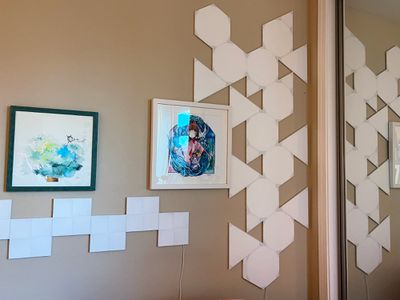
You can create designs that use the hexagon-shaped panels, the small triangles, and the larger triangles for looks that were not possible with prior Nanoleaf panels. As I mentioned before, the Hexagons, Triangles, and Mini Triangles are not compatible with any pre-2020 Nanoleaf product because those products use a different linking tab. For mounting on the wall, standard linkers are supplied, but there are also optional Flex Linkers that can be used to make the panels bend around corners or to transition from wall to ceiling.


Nanoleaf setups require a power supply and a controller that ships with each boxed set. Up to 28 Triangles can be powered by a single power supply, and up to 77 Mini Triangles. These numbers vary when adding in Hexagons, so the different power needs of each product have to be taken into account for a design. Note that there is a cord coming down from the power supply that needs to be plugged in, so keep that in mind when creating a design.
Nanoleaf App and Features
Nanoleaf Triangles and Mini Triangles support 16 million colors, with different motion and pattern options available in the newly redesigned Nanoleaf app. With Nanoleaf panels, you can create bright, colorful wall art that responds to touch, movement, or voice commands.
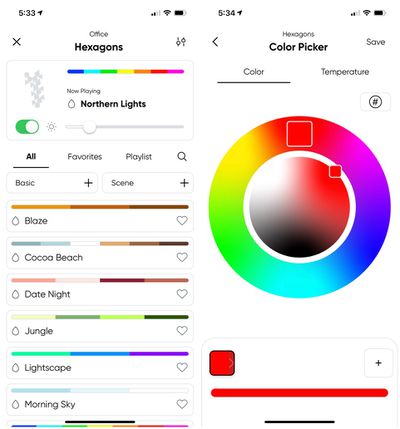
Triangles can all be set to a single color (and there are white or color options available) or set to a different color for each panel, plus there's an option to select or create a color palette of mixed colors and then have the panels cycle through those colors using various motion settings like burst, fade, wheel, flow, and random.
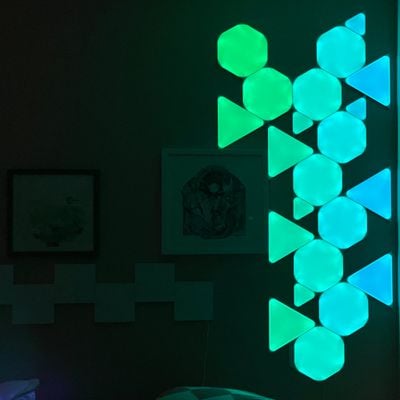
With a built-in rhythm module, the Triangles can be set to change colors based on the rhythm of the music that's playing if desired, with sound-based options like fireworks, streaking notes, paint splatter, and others available. Setting up color palettes and choosing motion effects is the most fun part about owning a Nanoleaf product.
Designs can be made to suit any mood, holiday, or time of day to add a pop of color and light to a room. Triangles and Mini Triangles are touch enabled so you can run a hand over them to shift the colors or play little mini games like Whack A Mole. I like the games to show off the panels to people who haven't seen them before, but I otherwise don't use these touch features and find them to be gimmicky.
There are, however, touch gestures for controlling the lights without a smartphone. Double tap, swipe up, swipe down, swipe left, or swipe right can be set to do things like turn the panels on or off, adjust brightness, or swap between scenes. You can set one of the Triangles as the Control triangle for touch-based gestures, and it's a good idea to keep at least one in reach of your hand.
I'm not going to get too deep into the Nanoleaf app, but know that it offers an extensive control setup for the Triangles and Mini Triangles. You can create color palettes and designs, adjust brightness, turn the lights on and off, set schedules, and even download light scenes created by other people.
The app's "Discover" section is my favorite option because I don't have to invest the time in creating a scene myself when I'm just looking for a quick color change. I can find a list of popular options, newly created options, or I can search for a specific theme like "Holidays."
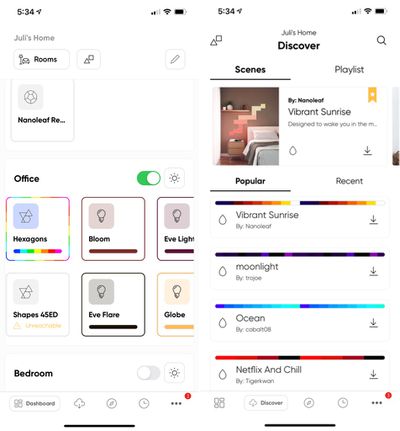
With the redesign, the Nanoleaf app gained a new feature that lets you control your Nanoleaf products and other lights from one interface, which is handy. I can access my Hue lights, Eve Light Strip, and Nanoleaf products all from the same app, with a long press providing access to specific per-device controls. Note that you'll need to use this long press gesture to get to all the Nanoleaf setup options for creating color palettes and motions, all of which can be saved as scenes to use with the Nanoleaf app or the Home app.
This new all-in-one app also accommodates Nanoleaf's newest products, the "Essentials" smart bulb and light strip.
HomeKit Support
Nanoleaf's Triangles and Mini Triangles have HomeKit integration, and can be viewed in the Home app. You can turn the Triangles on or off, adjust the brightness, or set the lights to a solid color with no motion component.
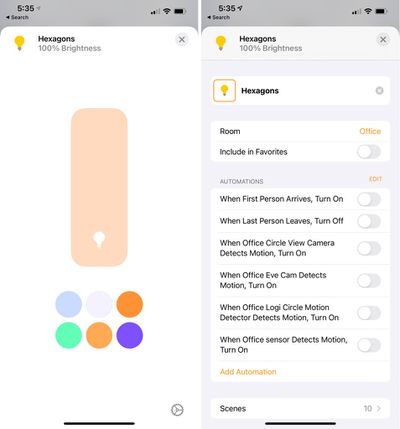
You can also access HomeKit scenes pre-created in the Nanoleaf app and include the Triangles in automations and other scenes, but you need the Nanoleaf app to create custom scenes with shifting colors and motion. HomeKit includes Siri integration, and I find it useful to use Siri to turn the Triangles off or on or activate automations.
Bottom Line
I've been using Nanoleaf's products since the first Light Panels came out, and as a fan of novel lighting options, I continue to enjoy them as both accent and main lighting in my office. The Triangles and Mini Triangles are a great addition to the lineup, and being able to combine the shapes with the Hexagons allows for new design possibilities.
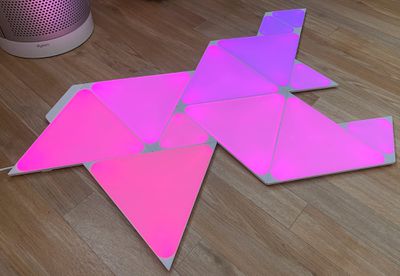
Like the Hexagons, the Triangles and Mini Triangles are bright and deeply saturated, making for impressive light art in any room. There's more versatility with the different shapes than ever before, and the addition of the Mini Triangles also provides an option for those who want a small accent light that's more affordable and doesn't take over an entire wall.
I think the Triangles, Mini Triangles, and Hexagons are Nanoleaf's best products to date, and I'm interested in seeing what new shapes come in the future. These are, of course, more art than light and are expensive, but for those who enjoy the aesthetic, I think the light panels are worth the cost.
How to Buy
Nanoleaf's Mini Triangles and Triangles can be purchased from the Nanoleaf website. Triangles are priced at $199.99 for seven full-sized panels, and Mini Triangles are priced at $119.99 for five panels. An expansion set of three Triangles is also available for $69.99, while a 10 panel Mini Triangle expansion set is available for $119.99.
Note: Nanoleaf provided GeekWebGuides with a Mini Triangles and Triangles set for the purpose of this review. No other compensation was received.
















































Top Rated Comments