

During the iOS 16 beta testing period, GeekWebGuides wrote a series of in-depth feature guides highlighting every new addition in the update, along with how that walk you through using the new features.
This is a comprehensive guide with all of our coverage, and it's a great resource for casual users who haven't had a chance to test out iOS 16 prior to its launch. Everything is organized by app or feature to make it easy to find what you might be looking for, and for those of you with iPads, many of these features are also available in iPadOS 16, with the exception of Lock Screen customization.
Lock Screen Customization
With iOS 16, Apple overhauled the iPhone's Lock Screen, introducing one of the biggest visual changes we've seen on the iPhone in years. You can set custom wallpapers, change the font of the time, and even choose widgets that you can view on the Lock Screen.
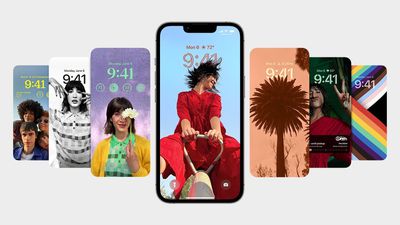
We have a guide on all of the new changes with the Lock Screen, and a long list of how tos that will help you set up your iPhone Lock Screen to suit your needs.
- iOS 16 Lock Screen Guide: Widgets, Customization Options and More
- How to Customize the Lock Screen
- How to Create a New iPhone Lock Screen
- How to Set a Photo As Your Lock Screen Wallpaper
- How to Shuffle Between Photos on Your iPhone's Lock Screen
- How to Change Your Lock Screen's Photo Shuffle Frequency
- How to Create an Emoji Lock Screen Wallpaper
- How to Set a Dynamic Weather Lock Screen Wallpaper
- How to Set a Dynamic Astronomy Lock Screen Wallpaper
- How to Change the Color of Your iPhone Lock Screen
- How to Change the Clock Style on Your iPhone Lock Screen
- How to Change the Lock Screen Clock to Arabic Indic
- How to Add Widgets to Your iPhone Lock Screen
- How to Change the Lock Screen Clock to Arabic Numerals
- How to Change the Lock Screen Clock to Devanagari
- How to Display Activity Rings on Your iPhone Lock Screen
- How to Set a Unique Lock Screen for Your Focus Mode
- How to Show Upcoming Calendar Events on Your iPhone Lock Screen
- How to Show the Weather Forecast on Your iPhone Lock Screen
- How to Display iPhone Battery Percentage on Your Lock Screen
- How to Change Notifications Layout on Your Lock Screen
- How to Delete a Lock Screen Wallpaper
- How to Disable Lock Screen Depth Effect
- How to Automatically Switch to a Lock Screen at a Set Time
- How to Automatically Switch Lock Screens at a Set Location
- How to Hide Notifications on Your iPhone Lock Screen
- How to Crop a Lock Screen Wallpaper
Messages App
Apple added a number of highly requested features to the Messages app in iOS 16, including iMessage editing, undo send, and Mark as Unread, plus the Messages app now supports SharePlay.
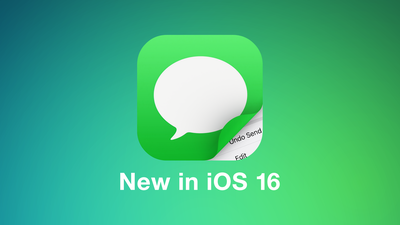
Our dedicated Messages guide covers everything that's new with the Messages app in iOS 16.
- How to Unsend a Sent iMessage
- How to Edit a Sent iMessage
- How to Mark a Message as Unread
- How to Recover Deleted Messages
- How to Report Junk SMS and MMS Messages
Focus
The Focus experience has been improved in iOS 16, making it easier to set up Focus modes. Focus modes can now be linked to different Lock Screens and Home Pages, for more customizability when you're doing different things.
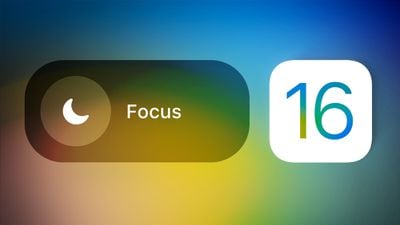
Everything new with the Focus app is explained in our iOS 16 Focus guide.
- How to Use Focus Filters to Hide Content in Apps
- How to Switch On Dark Mode With a Focus
- How to Activate Low Power Mode With a Focus
- How to Link an Apple Watch Face to a Focus Mode
- How to Stop Focus Modes From Sharing Your Status
- How to Limit Browsing to a Specific Safari Tab Group in Focus Mode
- How to Associate a Mail Account With a Focus
- How to Silence Notifications From Specific People When in a Focus Mode
- How to Silence Notifications From Specific Apps When in a Focus Mode
Safari
With the latest version of Safari, it's now possible to pin tabs, just like you can on the Mac, plus shared Tab Groups are now supported. Apple is working on replacing passwords with Passkeys, a more secure authentication method, and web push notifications are coming to iOS devices.
Our iOS 16 Safari guide details everything that's new with the Safari browser.
- How to Pin Tabs in Safari on iPhone and iPad
- How to Create Favorites Within a Safari Tab Group
- How to Customize Suggested Strong Passwords
Mail App
Like Messages, the Mail app in iOS 16 gains some features that are much needed to bring it in line with competing apps. An Undo Send feature gives you 10 seconds to change your mind on an email, and there are options for scheduling an email, and getting notified about missing attachments.
For a full rundown of everything new in the Mail app, we have a dedicated iOS 16 Mail app guide.
- How to Unsend Emails in Apple Mail
- How to Schedule Emails in Apple Mail
- How to Get Email Reminders in Apple Mail
- How to Use the 'Follow Up' Feature in Apple Mail
Maps
The iOS 16 Maps app brings long-awaited multi-stop routing feature, plus it includes some new transit features and interface updates. For a full list of everything that's new in Maps in iOS 16, we have a dedicated guide that lists the changes.
Siri
Siri has new capabilities in iOS 16, such as automatic message sending and the ability to insert emoji in when you're sending a text or an email, plus Apple has made some major improvements to dictation. Our full iOS 16 Siri guide lists all of the new features, and we've also highlighted relevant how tos below.
- How to Automate Messages Sent With Siri
- How to Make Siri Wait Longer for You to Finish Speaking
- How to Make Siri Announce Notifications Through Your iPhone's Speaker
- How to Use Siri to Hang Up a Call on iPhone
Health and Fitness
iOS updates often include new health and fitness-related features, and iOS 16 is no exception. Sleep tracking has improved, and there's a dedicated medication tracking feature so that you can keep tabs on what you're taking and get medication reminders.
Other new features include health sharing invitations and fitness tracking without an Apple Watch, with complete details available in our iOS 16 Health and Fitness guide.
- How to Add a Medication or Vitamin to the Health App
- How to Remove an Item From Your Medication Log in the Health App
- How to Share Your Medications List in the Health App
iCloud Shared Photo Library
iOS 16 introduces iCloud Shared Photo Library to make it easier to share photos with friends and family. A Shared Library is basically identical to a standard personal library but it can support up to five people.
We have full details on everything that you need to know about iCloud Shared Photo Library in our dedicated iCloud Shared Photo Library guide. Apple says that iCloud Shared Photo Library will not be available when iOS 16 launches and will instead be coming in an update to iOS 16 later this year.
- How to Control When iPhone Camera Shots Are Saved to Your iCloud Shared Photo Library
- How to Invite Someone to Your iCloud Shared Photo Library
- How to Create an iCloud Shared Photo Library
- How to Enable or Disable Deletion Notifications for an iCloud Shared Photo Library
Live Text
Videos in iOS 16 support Live Text, allowing you to pause a video and select the text inside like you would in an image. Text in a paused video frame can be copied, pasted, translated, and more.
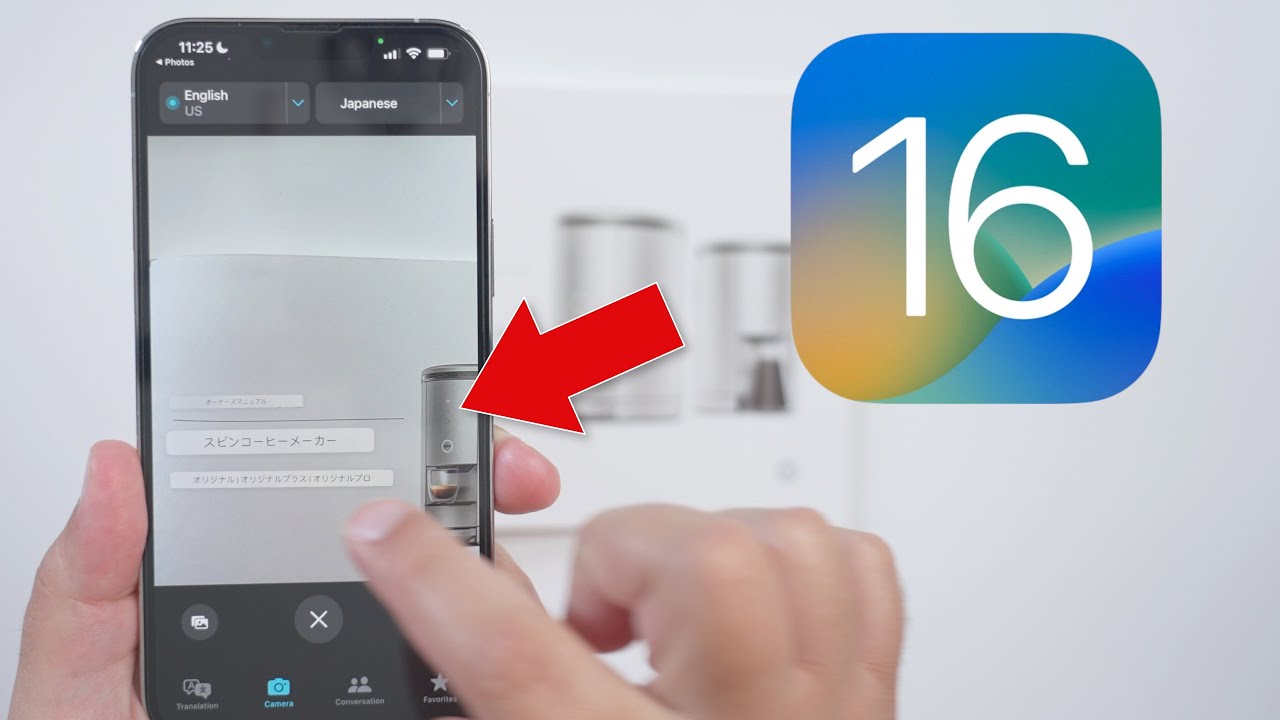

Other new Live Text features include a live Translate Camera, Quick Actions, and more, with full details in our Live Text guide.
- How to Convert Currencies, Time Zones, Temperatures, and More in Inline Text
- How to Copy and Translate Text That Appears in Videos on Your iPhone
Security and Privacy
With iOS 16, there are a number of security and privacy-focused updates that include landscape Face ID, Security Check, faster security updates, Passkeys, and more.

We have a dedicated Security and Privacy Guide that highlights every new feature you need to know about.
- How to Quickly Reset Your Data and Location Access Permissions on iPhone
- How to Disable Rapid Security Response Software Updates on iPhone
Notes and Reminders
Apple hasn't spent a lot of time talking about the new features in Notes and Reminders in iOS 16, but Quick Notes now work on iPhone for the Notes app, notes can locked with a device passcode, and there are updated smart folders.
As for Reminders, lists can be pinned, there's a completed smart list that shows finished tasks, and you can save and load list templates. A full overview of everything new in Notes and Reminders is available in our guide.
Photos and Camera
The Photos app has all kinds of neat feature additions, such as the option to copy and paste edits and more secure hidden and recently deleted albums that are biometrically locked.
There's an option to delete duplicate photos, the people album can be sorted alphabetically, and for the Camera app, there's now an option to use it for real-time translations.
A complete list of everything new in Photos and Camera can be found in our guide.
- How to Translate Text in the Camera App
- How to Lock Hidden and Recently Deleted Photo Albums
- How to Find, Merge, and Delete Duplicates in Your Photo Library
- How to Copy and Paste Edits to Photos
- How to Undo and Redo Individual Edits to Photos
Spotlight Search
There's a new "Search" button right on the Home screen in iOS 16 to make it easier to get to Spotlight search, plus it now supports Quick Actions for doing things like starting a timer, activating a Focus, or running a Shortcut.
Siri suggestions have improved, and when Live Activities launches in the future, Spotlight will be able to start a Live Activity trackable on the Lock Screen. There are also more rich results and improvements to image search, with a full rundown on Spotlight available in our Spotlight guide.
Weather App
The Weather app now lets you tap into any of the Weather modules to get way more information on metrics like temperature, precipitation, air quality, UV index, and more, plus there's a dedicated Weather Lock Screen and weather widgets to add to any Lock Screen.
If you want to know more about the Weather app, we have a dedicated Weather app guide.
Guide Feedback
Have questions about iOS 16, know of a feature we left out, or want to offer feedback on this guide? Send us an email here.


















































