

Did you get a new iPhone 12, 12 mini, 12 Pro, or 12 Pro Max for the holidays? If so, make sure to take some time to browse through this article, which is packed with helpful tips, tricks, and guides for the iPhone 12, 12 mini 12 Pro, 12 Pro Max, and earlier iPhone models.
Whether you're new to iPhone or have upgraded to a new model, there's likely to be something in here for you. There are hundreds of features and hidden tricks available on the iPhone, so it can be easy to forget the full range of what the iPhone can do.
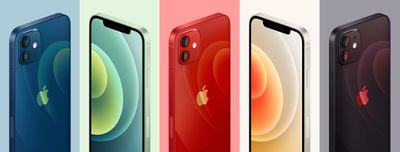
Below, we've rounded up our most useful iPhone-related how tos and tutorials, both for general iPhone usage and for getting used to iOS 14.
Tips for Beginners
- How to Set Up Your New iPhone or iPad Using Automatic Setup
- How to Turn on Automatic Software Updates
- How to Stop Your iOS Device From Automatically Installing Software Updates
- How to Identify and Remove Unnecessary Apps on Your iPhone and iPad
- How to Set Up Medical ID on Your iPhone
- How to Control and Tweak a True Tone Display on iPhone and iPad
- How to Add a Website Bookmark to Your Home Screen on iPhone and iPad
- How to Use Apple Pay Cash on iPhone and iPad
- How to Use Do Not Disturb While Driving
- How to Use Screen Time
- How to Access and Set Up Parental Controls
- How to Make a Group FaceTime Call
- How to Use App Limits and Downtime
- How to Capture Better Videos With Your iPhone
- How to Share Your Wi-Fi Password With a Friend on iPhone or iPad
- How to Scan Documents With Your iPhone in Three Quick Steps
- How to Move Multiple Apps on iOS
- How to Rotate Your iPhone Screen and Adjust Orientation Lock
- How to Back Up Your iPhone and iPad
- How to Factory Reset Your iPhone or iPad
- How to Turn Off Find My iPhone
- How to Change the Name of Your iPhone
- How to Locate a Lost iPhone or Other Apple Device With Find My
- How to Remove Annoying iOS Prompts Asking You to Finish Setting Up Your Device
- How to Use Instant Hotspot on iPhone and iPad
- How to Take Screenshots on iPhone
- How to View and Delete Your Call History on iPhone
- How to Update the Software on Your iPhone and iPad
- How to Enable LED Flash Notifications on iPhone and iPad Pro
- How to Transfer Files Between Your Mac and Your iPhone and iPad
- How to Search a Webpage for Specific Text in Safari on iPhone and iPad
- How to Disable Lock Screen Notification Previews on iPhone and iPad
- How to Leave a Group Chat in Messages on iPhone and iPad
- How to Easily Unlock Your iPhone with a Mask
Using iOS 14
- How to Use the Sound Recognition Accessibility Feature in iOS 14
- How to Pin and Unpin Conversations in the iOS 14 Messages App
- How to Filter Messages Between Known and Unknown Senders in iOS 14
- How to Send Inline Replies in the iOS 14 Messages App
- How to Use Mentions in the iOS 14 Messages App
- How to Set a Photo and Name for a Group Chat in the iOS 14 Messages App
- How to Mute Conversations in Messages on iPhone and iPad in iOS 14
- iOS 14: How to Search for Emoji on iPhone
- How to Add a Shortcut From the iOS Shortcuts App to Your Home Screen
- How to Hide Home Screen App Pages on iPhone in iOS 14
- iOS 14: How to Use the App Library on iPhone
- iOS 14: How to Download New Apps to the App Library on iPhone
- How to Create a Widget Stack in iOS 14
- How to Use iOS 14’s Picture in Picture Mode to Watch YouTube Videos
- iOS 14: How to Use Home Screen Widgets
- iOS 14: How to Send an Audio Message Using Siri
- How to Get Siri to Transcribe Your Requests in iOS 14
- iOS 14: How to Get Cycling Directions in Apple Maps
- iOS 14: How to Translate Speech in Apple’s Translate App
- iOS 14: How to Check the Definition of a Translated Word in Apple’s Translate App
- iOS 14: How to Translate Text in Apple’s Translate App
- iOS 14: How to Use Conversation Mode in the Translate App
- iOS 14: How to Reduce Loud Sounds When Listening Over Headphones
- iOS 14: How to Enhance Speech, Movies, and Music When Listening on AirPods and Beats
- iOS 14: How to Use Guides in Apple Maps
- iOS 14: How to Translate Webpages in Safari on iPhone
- iOS 14: How to Set a Sleep Goal on iPhone and Apple Watch
- iOS 14: How to Adjust Your Wake Up Alarm on iPhone and Apple Watch
- iOS 14: How to Set a Sleep Schedule on iPhone and Apple Watch
- iOS 14: How to Use Sleep Mode on iPhone and Apple Watch
- iOS 14: How to Use Wind Down Before Bedtime on iPhone
- iOS 14: How to Change Video Quality in the Camera App
- iOS 14: How to Mirror Your Front Camera on iPhone
- iOS 14: How to Filter Images in Your Photo Library on iPhone and iPad
- iOS 14: How to Set Google Chrome as the Default Browser on iPhone and iPad
- iOS 14: How to Sort Images and Videos in Apple’s Photos App
iOS 14 in More Detail
- iOS 14: Everything New in Messages
- iOS 14 Home Screen: Everything You Need to Know
- iOS 14: How to Use Picture in Picture Mode on iPhone
- iOS 14’s Compact Interface: Phone Calls, FaceTime, Siri and More
- iOS 14: Apple’s Built-In iPhone Translate App That Works With 11 Languages
- iOS 14’s New AirPods Features: Spatial Audio, Better Automatic Device Switching, Battery Notifications and More
- What’s New in iOS 14 Maps: Cycling Directions, Guides, Refine Location and More
- Safari iOS 14 Guide: Privacy Report, Built-In Translation, Compromised Password Alerts and More
- iOS 14 and watchOS 7 Sleep Features: Sleep Mode, Wind Down, Sleep Tracking and More
- iOS 14 Privacy Features: Approximate Location, Clipboard Access Warnings, Limited Photos Access and More
- iOS 14 Photos and Camera: QuickTake Shortcut, Photo Captions, Mirrored Selfies, and More
For iPhone 12 and 12 Pro Owners
- How to Hard Reset or Force Restart All iPhone 12 Models
- How to Take Night Mode Selfies on iPhone 12
- How to Measure Someone's Height with iPhone 12 Pro
- How to Use Night Mode When Taking Portrait Shots on iPhone 12 Pro
- How to Shoot Night Mode Time-Lapse Video on iPhone 12
- mmWave vs. Sub-6GHz 5G iPhones: What's the Difference?
- All the MagSafe Accessories You Can Buy for iPhone 12
- MagSafe: Everything About Apple's New iPhone 12 Charging Technology
- Camera Comparison: iPhone 12 Pro vs. iPhone 11 Pro
- 8 Multi-Device Wireless Chargers Worth Checking Out
Must-Read Security Tutorials
- What to Do If Your iPhone is Lost or Stolen
- Protecting Your Privacy in Safari for iOS
- How to Block Nuisance Calls and Messages on Your iPhone
- How to Discreetly Disable Touch ID and Face ID on an iPhone
- How to Create a More Secure Passcode on Your iPhone or iPad
- How to Use Automatic Strong Passwords and Password Auditing
- How to Use Secure Code AutoFill in iOS and macOS
- How to Use iCloud Keychain on Your iOS Devices
- How to Secure Your Apple ID Using Two-Factor Authentication
- How to Use Safari's Private Browsing Mode and Delete Your Browsing History
- How to Create an Archived iTunes Backup
- How to Add AppleCare+ to Your iPhone After Purchase
- How to Access iCloud on iPhone, iPad, Mac, Windows, and the Web
- iOS 14: How to Prevent Network Operators From Tracking Your iPhone or iPad Across Wi-Fi Networks
- iOS 14: How to Limit How Much Access Third-Party Apps Have to Your Photo Library on iPhone and iPad
- iOS 14: How to Prevent Apps From Tracking You Across Sites and Apps
- iOS 14: How to Use the Privacy Report Feature in Safari
- How to Change the Default Web Browser on iPhone and iPad
- iOS 14 Green and Orange Dots: What Do They Mean?
Hidden Tricks and Tips
- Twelve iPhone 12 Details You Might Have Missed
- iOS 14 Hidden Features You Need to Know About
- Top iOS 14 Features: Compact Phone Calls, Back Tap, Widgets, App Library and More
- 10 Long Press Tips to Reveal Hidden Functions in Safari on iPhone and iPad
- iOS 14 Battery Drain: 27+ Tips to Make Your Battery Last Longer
- Five of the Best To-Do Apps for iOS
- Top Five Time-Saving iPhone Tips
- How to Wake Up to a Weather Forecast on Your iPhone's Lock Screen
- How to Call Someone and Put Them on Speaker Without Picking up Your iPhone
- How to Change Siri's Voice on iPhone or iPad
- How to Create a Custom Ringtone Vibration on Your iPhone
- How to Scan a QR Code Using the Camera on the iPhone
- How to Quickly Delete Numbers in the Calculator App
In-Depth Guides
We have in-depth guides on many of the features found on the iPhone as well as Apple's services and iOS features, so make sure to check those out if there's a particular aspect of the iPhone that you're interested in learning more about.
- Apple One: What You Need to Know
- AppleCare Guide: Is it Worth Paying For?
- Apple Fitness+: Everything You Need to Know About Apple’s Workout Service
- Apple ID: Everything You Need to Know
- FaceTime: Everything You Need to Know
- What to Do If Your iPhone is Lost or Stolen
- Apple News+ Guide: Everything You Need to Know
- Apple Arcade: The Complete Guide
- Apple Card: All the Details on Apple's Credit Card
- Apple TV+: Apple's Streaming Video Service
- HomeKit: Everything You Need to Know
- Siri: Everything You Need to Know
- Apple Trade-In Guide: Getting the Most Money Back
Selling Your Old iPhone
If you're planning to sell or give away your old iPhone now that you have a new model, make sure to check out our detailed guide on how to cleanly erase your old devices to get rid of all your data.
Videos
Over on our YouTube channel, we've shared quite a few videos filled with useful tips and tricks related to the iPhone and iOS, all of which are well worth watching to get acquainted with features you might not know about or might have forgotten. We've also got some great comparison videos comparing the cameras of various smartphones.
More Info
Know a super useful iPhone tip that other MacRumors readers might not be aware of? Make sure to share it in the comments below.
For more info on Apple's latest iPhones, and the iOS 14 operating system, make sure to check out our detailed roundups: iPhone 12, iPhone 12 mini, iPhone 11 Pro, iPhone 12 Pro Max, and iOS 14.




















